

 Reply With Quote
Did you verify the ISO md5sum after download, and verify the media after burn? It could be simple as re-burning at a slower speed.Originally Posted by zachern

Cheers!
Krishna


I remastered my KNOPPIX 6.2.1 CD When I boot with the new CD it says "The graphical Subsystem could not be stated or terminated unexpectedly. was there something I need to do before I created the ISO image??
Did you verify the ISO md5sum after download, and verify the media after burn? It could be simple as re-burning at a slower speed.
Cheers!
Krishna
I am using the documentation at http://knoppix.net/wiki/Knoppix_Reamstering_Howto In this documentation it says that for >= Knoppix 6.0 I should use SHA1 instead of MD5 I also tried lowering my burn spped to 8x and am still getting the same result.
Was there ever an answer posrted for this???? I have the same exact issue.
Same problem here. Did anybody find a solution to this??
Details:
my remastered cd boots to the prompt and then displays the following message:
The graphical subsystem could not be started
or terminated unexpectedly.
Maybe your graphics adapter or monitor are not auto-configurable.
Please try to reboot and give some of the Knoppix-Cheatcodes
at the initial boot:-prompt, which match your graphics adapter.
Examples:
knoppix xmodule=radeon (or ati, nv, cirrus, ...)
knoppix xmodule=fbdev
knoppix xmodule=vesa
knoppix hsync=90 vsync=75
I can execute commands, navigate the filesystem, and ping URL's but the gui won't load and the above message keeps appearing about every minute or so.
the only changes I made in my remaster were to uninstall openoffice and change the background.jpg image.
Take a look at this thread (also in the remastering forum) and see if that information points you in a good direction. Looks like the same type of problem, possibly. The manner in which the new master image is created is a bit tricky.
Cheers!
Krishna
The exact sme thing is happening to me. I have meticulously followed the directions. I get:
Details:
my remastered cd boots to the prompt and then displays the following message:
The graphical subsystem could not be started
or terminated unexpectedly.
Maybe your graphics adapter or monitor are not auto-configurable.
Please try to reboot and give some of the Knoppix-Cheatcodes
at the initial boot:-prompt, which match your graphics adapter.
Examples:
knoppix xmodule=radeon (or ati, nv, cirrus, ...)
knoppix xmodule=fbdev
knoppix xmodule=vesa
knoppix hsync=90 vsync=75
and if i startx manually it tells me something about "suspicious ownership root:root"
Any help..please?
this happened when I followed "re-master your flash installation" because I used a ntfs partition to copy my files to.
when I used another ext2 partition to copy the files to everything worked.
oh and do ctrl+alt+f6/f5 and you should be able to see more info?
Good observation! Which means likely it's a file permission thingie, somewhere somehow in the remaster process certain files ownership/permission are not preserved properly.
 Posting Permissions


GIGABYTE A520M DS3H AC AMD AM4 Motherboard mATX
$59.99

GIGABYTE Z790 AORUS ELITE AX LGA 1700 Intel Z790 ATX Motherboard with DDR5
$189.99

Intel H310 LGA1151 8-9th Gen DDR4 M.2 NVMe mATX Motherboard IO Shield Battery
$54.99
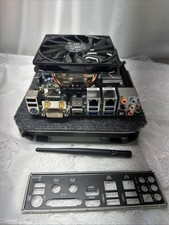
Gigabyte GA-Z87N-WIFI i7-4790K 16GB Mini-ITX Combo I/O Shield
$99.00

GIGABYTE B365 HD3 LGA1151 Intel 9th Gen motherboard
$59.99

Intel H81 Motherboard M.2 NVMe LGA 1150 mATX w/ IO Shield (Random Slot Color)
$29.90

ASUS PRIME B360M-C MicroATX Intel LGA1151 DDR4 HDMI VGA USB RJ-45 Audio
$34.99

ASUS TUF GAMING B550-PLUS WIFI II AM4 AMD B550 ATX AMD Motherboard
$95.99

ASUS PRIME Z490-V Motherboard Intel Z490 10th gen DDR4 LGA 1200 ATX w/ IO Shield
$84.99

Dell XPS 8940 Desktop Motherboard Intel H470 LGA1200 DDR4 K3CM7 KV3RP 427JK
$154.99