

 Reply With Quote
Did you verify the ISO md5sum after download, and verify the media after burn? It could be simple as re-burning at a slower speed.Originally Posted by zachern

Cheers!
Krishna


I remastered my KNOPPIX 6.2.1 CD When I boot with the new CD it says "The graphical Subsystem could not be stated or terminated unexpectedly. was there something I need to do before I created the ISO image??
Did you verify the ISO md5sum after download, and verify the media after burn? It could be simple as re-burning at a slower speed.
Cheers!
Krishna
I am using the documentation at http://knoppix.net/wiki/Knoppix_Reamstering_Howto In this documentation it says that for >= Knoppix 6.0 I should use SHA1 instead of MD5 I also tried lowering my burn spped to 8x and am still getting the same result.
Was there ever an answer posrted for this???? I have the same exact issue.
Same problem here. Did anybody find a solution to this??
Details:
my remastered cd boots to the prompt and then displays the following message:
The graphical subsystem could not be started
or terminated unexpectedly.
Maybe your graphics adapter or monitor are not auto-configurable.
Please try to reboot and give some of the Knoppix-Cheatcodes
at the initial boot:-prompt, which match your graphics adapter.
Examples:
knoppix xmodule=radeon (or ati, nv, cirrus, ...)
knoppix xmodule=fbdev
knoppix xmodule=vesa
knoppix hsync=90 vsync=75
I can execute commands, navigate the filesystem, and ping URL's but the gui won't load and the above message keeps appearing about every minute or so.
the only changes I made in my remaster were to uninstall openoffice and change the background.jpg image.
Take a look at this thread (also in the remastering forum) and see if that information points you in a good direction. Looks like the same type of problem, possibly. The manner in which the new master image is created is a bit tricky.
Cheers!
Krishna
The exact sme thing is happening to me. I have meticulously followed the directions. I get:
Details:
my remastered cd boots to the prompt and then displays the following message:
The graphical subsystem could not be started
or terminated unexpectedly.
Maybe your graphics adapter or monitor are not auto-configurable.
Please try to reboot and give some of the Knoppix-Cheatcodes
at the initial boot:-prompt, which match your graphics adapter.
Examples:
knoppix xmodule=radeon (or ati, nv, cirrus, ...)
knoppix xmodule=fbdev
knoppix xmodule=vesa
knoppix hsync=90 vsync=75
and if i startx manually it tells me something about "suspicious ownership root:root"
Any help..please?
this happened when I followed "re-master your flash installation" because I used a ntfs partition to copy my files to.
when I used another ext2 partition to copy the files to everything worked.
oh and do ctrl+alt+f6/f5 and you should be able to see more info?
Good observation! Which means likely it's a file permission thingie, somewhere somehow in the remaster process certain files ownership/permission are not preserved properly.
 Posting Permissions

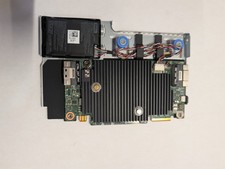
Dell 3KDWX PERC H755 12Gb/s SAS 8GB RAID Controller
$950.00

Broadcom 9600-24i RAID Controller PCIe Gen 4.1 Tri-Mode NEW 05-50111-01004
$649.99

OWC Mercury Elite Pro 2 Bay RAID Enclosure with USB 3.2 for Dual 3.5 inch HDDs
$87.99

Intel VROC Premium RAID Controller Card PCIe Add-On Module VROCPREMMOD
$265.00

2-Bay/4-Bay Hard Drive Enclosure for 3.5"/2.5'' SATA HDD/SSD 10Gbps USB-C 3.2
$75.99

WAVLINK RAID 2 Bay Hard Drive Docking Station SATA 2.5/3.5'' SSD HDD Enclosure
$119.99

Acasis USB 3.2 2 Bay HDD RAID Enclosure for 2.5/3.5" SATA Drives External Array
$55.00

Broadcom LSI 9305-16i 12Gbps SAS-3 PCIe x8 HBA 16-Ports Raid Controller
$64.99

CalDigit VR minin 2 Portable Raid Storage On The Go
$75.00

Areca ARC-1882IX-24 (16i4e)24-Port RAID Controller Card w/BBU /HDD Monitor Board
$300.00