
I've got a wireless keyboard/mouse combo that I've used under both MacOS and Windows, and the keyboard doesn't work for me, though the mouse is fine. Anybody know what I need to do?
Krishna


 Wireless keyboard issue
I've got a wireless keyboard/mouse combo that I've used under both MacOS and Windows, and the keyboard doesn't work for me, though the mouse is fine. Anybody know what I need to do?
Krishna
Its in such a despair after working in Window$... Im using a Logitech kbd/mouse on USB port (Knoppix), had trouble with Knoppix recognizing either. Seems as it wanted to startup without either Kbd, mouse and external monitor, then have them plugged in afterwards. Now that its up and running, the mouse connects much more quickly than in Window$. Check the cells in the keyboard, they may be weak reducing the transmit range. I use rechargeable Ni-Mh cells, since the mouse drains them quickly. The trick to the mouse is to leave the cell cover off and pop one out when not in use, so the LED doesnt drain them overnite. I just had the keyboard fail to send a "zero" from the keypad, the "zero" on the Kbd worked. Odd. It wont set Numlock on boot either, but thats not a big problem.Originally Posted by krishna.murphy

Sounds like numlock is off.I just had the keyboard fail to send a "zero" from the keypad, the "zero" on the Kbd worked.
My mouse shuts off after a while, so it's okay to leave it on overnight, etc. Numlock-on-boot seems to be hard for Linux generally, not just Knoppix, but as you said - it's not such a big deal (unless you forget to turn it on.) It seems to me that, it being a catch-up game for non-Windows OSs, there'd be some effort put in to make the easy, surface-only stuff the same so people won't be put off. How hard can it be to make the "Super" key (^ on the left side of the space bar) open the main menu? When I have some spare time to fool with such...
Cheers!
Krishna
 Posting Permissions

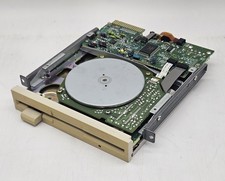
Vintage Canon 5.25" Floppy Disk Drive MD 5501 K-61435-18 UNTESTED
$59.99

Vintage HP 21MX 1000 M-Series Minicomputer Chassis Backplane Parts AS-IS
$228.19
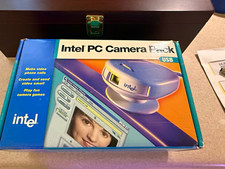
Vintage Intel PC Camera Pack USB CICP3 825118 NOS Open Box Complete 2000
$39.99

Lot of 2 Vintage Plextor PX-43CS SCSI CD-ROM Caddy Drives + 4 Caddies Used
$55.99
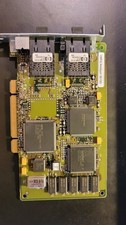
Compaq 242506-001 Netelligent 100 FDDI DAS Fiber SC PCI Network Adapter Vintage
$249.00

Original Vintage Old Style STANDARD Black CD Jewel Case (Heavy Duty) 90g Lot
$316.95
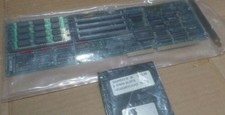
Vintage Computer Peripherals Inc. Ramsack III ISA Memory Expansion 16bit 8 SIMM
$85.00
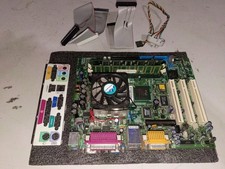
vintage Motherboard Socket 370 with Celeron 1.30 Ghz 256MB
$62.99
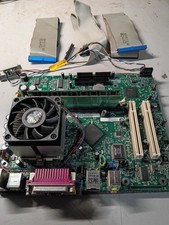
vintage Gateway motherboard, socket 370 1ghz cpu, 256mb ram, cables, power switc
$69.99

Vintage Teac FD-505 5.25" 3.5" Combo Drive 19307571-00
$199.99

 Reply With Quote