-
Senior Member
registered user
.asoundrc
I found a simpler way to change the sound output device than using PulseAudio.
Code:
cat /proc/asound/cards
shows the sound cards installed in the system. In my case the sound card I want to use has the number 1. I create a configuration file /home/knoppix/.asoundrc with the two lines
Code:
defaults.ctl.card 1
defaults.pcm.card 1
I can adjust the volume with the program alsamixer (or aumix). After restarting the Xserver the volume control in the LXPanel works with the new sound card. If the the web browser is running using the flash plugin while I change the settings for the default sound card then I have to restart the web browser in order that the flash plugin uses the new sound card for playback.
 Posting Permissions
- You may not post new threads
- You may not post replies
- You may not post attachments
- You may not edit your posts
-
Forum Rules


First Class 9720H for Commodore External Hard Drive Memory Vintage Ap1
$173.98

5x Vintage SSS SCP1802D SCP1802LD Ceramic CPU 1802 COSMAC 1978 Gold IC
$299.99

Vintage MICRON DESKTOP PC 133MHz Pentium - SEE BioS SCREEN PICS
$475.00

🔥Vintage Windows 95 Hp Pavilion 5030 Monitor, Tower Working Desk Computer DOS
$1095.00
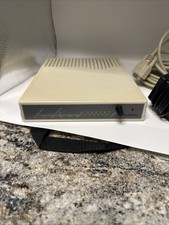
Vintage 90 S Cardinal External Dial-Up Modem w Original Power Cord - Powers On
$49.00
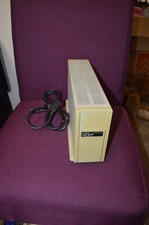
First Class 9720H for Commodore External Hard Drive Memory Vintage Ap1
$173.98
![Apple Macintosh Boot Disk System [1.0 - 8.0] 400/800k/1.4 Floppy for Vintage Mac picture](/store/img/g/EhEAAOSwg7ZnexmU/s-l225/Apple-Macintosh-Boot-Disk-System-1-0-8-0-400-800k-.jpg)
Apple Macintosh Boot Disk System [1.0 - 8.0] 400/800k/1.4 Floppy for Vintage Mac
$11.75

Hewlett-Packard HP 85 Vintage Computer
$250.00
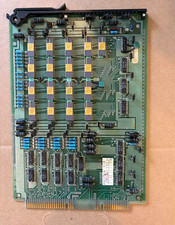
Vintage Telecom ATT Circuit Board 4k RAM Memory Gold Cap IC Western Electric
$199.99
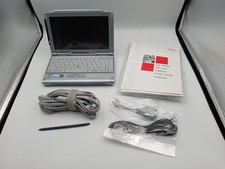
VINTAGE UMPC Fujitsu Lifebook P1120 8.9" Touchscreen Crusoe 800MHz - Windows XP
$349.95



 Reply With Quote