-
Senior Member
registered user

Originally Posted by
Cherry5
I can mount and un-mount by right clicking the drive
I think you have to mount the drive first. Then you might run the ls command. If the drive is not mounted yet you could try
Code:
mount /dev/sdb1 /media/sdb1
-
Giving Up
Thanks for the help. No matter what I do I still get 'Permission Denied' when trying to access this USB drive so I have decided that it is not worth the grief of trying anything else. All of this command line stuff is to 1970's for me. Fortunately the files on the drive are not that important and I will out of frustration be re-formatting the drive to and sticking to an OS that I am familiar with and consign all others to the trash. Once again thanks for trying to help me but my sanity is more important.
-
Senior Member
registered user
Originally Posted by
Cherry5

Thanks for the help. No matter what I do I still get 'Permission Denied' when trying to access this USB drive so I have decided that it is not worth the grief of trying anything else. All of this command line stuff is to 1970's for me. Fortunately the files on the drive are not that important and I will out of frustration be re-formatting the drive to and sticking to an OS that I am familiar with and consign all others to the trash. Once again thanks for trying to help me but my sanity is more important.
For the record:
It doesn't seem that you have tried one simple way, which will often work:
1. fdisk -l
2. sudo mount -o ro -t <file system type from fdisk output and man mount> <drive designation from fdisk> /media/<last part of drive designation>
Mac OS fs types may not be autodetected by the mount command. A quick googling did not turn up any good hits for Knoppix, but this is probably not a Knoppix-specific problem, and http://sean-feeney.com/2008/06/mount...-in-linux.html has a recipe. Create /media/myfolder, unmount the drive and try
mount -t hfsplus /dev/sda /media/myfolder
I haven't seen the whole drive, /dev/sda, mounted like this before, normally it is specific partitions. I would also include the -o ro switch to explicitly avoid writing access.
As the command line being 1970ish for you, it is of course your choice to exclusively use GUI tools. You will find that most active Linux users work with a combination of GUI and command line tools, and as scripting and command line use is, in general, rather closely related, there is little chance of command line being completely obsoleted anytime soon. In IT, some dinosaur species simply refuse to become extinct, they are too well adapted to current conditions.
In your case, mounting the unit on a Mac and transferring the files via ftp could maybe also be a solution?
-
I have experienced MacOS fstype being detected as MANY partitions in the past; I was never sure how to approach it and gave up. Perhaps the mount is now more automatic and reliable? Has anybody actually done this?
-
Senior Member
registered user
Not sure if this wil help or not: in a root terminal, try:
Code:
aptitude update && aptitude install hfsutils
See if any of the above works better after that.
 Posting Permissions
- You may not post new threads
- You may not post replies
- You may not post attachments
- You may not edit your posts
-
Forum Rules


INTEL XEON E5-2680V4 SR2N7 2.40GHZ CPU
$11.00

Dell Precision Tower 7810 Xeon E5-2630 v3 @ 2.40GHz , 32GB Ram, NO HDD, NO OS
$239.99

Dell EMC PowerEdge R440 Xeon silver 4215 2.5GHz 16 GB ram 2x 550W PSU No HDD
$275.00

Dell Precision T7820 2x Xeon Silver 4114 2.20GHz 950W No RAM GPU HDD 4x SATA
$350.48

Dell Precision T5820 Workstation 3.70GHz W-2135 No RAM/ GPU/ HDD/ OS
$179.98

Intel Xeon E5-2699 V4 2.20GHz 55M 22-CORES LGA2011-3 Server Processor 145W SR2JS
$84.49

Intel Xeon E3-1230 v3 SR153 3.3GHz Quad Core LGA 1150 CPU Processor
$14.49

Intel Xeon E5-2690 v4 SR2N2 14 Core 2.6GHz 35MB LGA2011-3 CPU *km
$15.99

Lenovo ThinkStation P520c Intel Xeon W-2133 6-Core 3.60GHz -NO RAM/ HDD/ GPU/ OS
$127.54
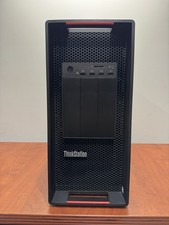
LENOVO THINKSTATION P920 XEON GOLD 6128 3.4GHz 32GB RAM 1TB SSD Windows 11 Pro
$1550.00



 Reply With Quote