
Have you triedOriginally Posted by Cherry5
 to get more information (owner, etc.), or sudo to make your requests with root permissions?Code:ls -la disk2s1
Cheers!
Krishna


Have you triedto get more information (owner, etc.), or sudo to make your requests with root permissions?Code:ls -la disk2s1
Cheers!
Krishna
Hi
All I get is: ls cannot access disk2s1 no such file or directory
Okay, try this:That should tell you where it is, I think. The MacOS disk format seems to be pretty challenging for other OSs...Code:locate disk2s1
Krishna
Hi
Now I get this:
locate:warning:database '/var/cache/locate/locaedb' is more than 8 days old (actual age is 61.0days)
I think that "disk2s1" is the partition's label. Usually the partition gets a mount point in the directory /media and that mount point is named after the device name. In the PCMan File Manager the partitions are often identified by their label. You might tryto get the device name. Execution of the commandCode:ls -l /dev/disk/by-label/disk2s1delivers information about the partition's mount point if it's already mounted. Afterwards you might executeCode:mountExample: The partition has got the label "Cruzer1" and the device name is /dev/sda1. The mount command delivers the mount point /media/sda1. Thus I would executeCode:ls -la "mount point"in order to see the owner, group and permissions.Code:ls -la /media/sda1
If the partition has not yet been mounted then the mount command won't show you a mount point, but
you might try
If this does not work then mount will give you an error message.Code:sudo mkdir /media/macdisk sudo mount -o gid=1000,uid=1000 /dev/disk/by-label/disk2s1 /media/macdisk ls -la /media/disk2s1
The replies to the commands are as follows:
lrwxrwxrwx 1 root root 10 Apr 10 14:19 /dev/disk/by-label/disk2s1 -> ../../sdb1
rootfs on / type rootfs (rw,relatime)
proc on /proc type proc (rw,relatime)
sysfs on /sys type sysfs (rw,relatime)
/dev/sr0 on /mnt-system type iso9660 (ro,relatime)
tmpfs on /ramdisk type tmpfs (rw,relatime,size=1048576k)
/dev/cloop on /KNOPPIX type iso9660 (ro,relatime)
unionfs on /UNIONFS type aufs (rw,relatime,si=9c1cdfb0,noplink)
unionfs on /home type aufs (rw,relatime,si=9c1cdfb0,noplink)
usbfs on /proc/bus/usb type usbfs (rw,relatime)
tmpfs on /UNIONFS/var/run type tmpfs (rw,relatime,size=10240k)
tmpfs on /UNIONFS/var/lock type tmpfs (rw,relatime,size=10240k)
tmpfs on /UNIONFS/var/log type tmpfs (rw,relatime,size=102400k)
tmpfs on /tmp type tmpfs (rw,relatime,size=1048576k)
udev on /dev type tmpfs (rw,relatime,size=20480k)
tmpfs on /dev/shm type tmpfs (rw,relatime,size=1048576k)
devpts on /dev/pts type devpts (rw,relatime,mode=1777)
/dev/sda1 on /media/sda1 type fuseblk (rw,nosuid,nodev,relatime,user_id=1000,group_id=10 00,allow_other,blksize=4096)
/dev/sda2 on /media/sda2 type fuseblk (rw,nosuid,nodev,relatime,user_id=1000,group_id=10 00,allow_other,blksize=4096)
/dev/sda3 on /media/sda3 type fuseblk (rw,nosuid,nodev,relatime,user_id=1000,group_id=10 00,allow_other,blksize=4096)
/dev/sdb1 on /media/sdb1 type hfsplus (ro,nosuid,nodev,relatime,umask=22,uid=1000,gid=10 00,nls=utf
ls: cannot access mount point: No such file or directory
ls: /media/sda1/System Volume Information: Permission denied
total 20
drwxr-xr-x+ 1 knoppix root 4096 Jun 4 2009 .
drwxr-xr-x 8 root root 0 Apr 10 14:26 ..
drwxr-xr-x+ 1 root root 0 Jun 1 2009 ImageLayout
drwxr-xr-x+ 1 knoppix root 0 Mar 21 2007 Program Files
drwxr-xr-x+ 1 knoppix root 0 Mar 21 2007 ProgramData
drwx------ 1 root root 0 Jun 1 2009 System Volume Information
drwxr-xr-x+ 1 knoppix root 0 Mar 21 2007 Users
drwxr-xr-x+ 1 knoppix root 8192 Mar 21 2007 Windows
-rwxr-xr-x 1 root root 0 Nov 10 2006 hdd
drwxr-xr-x+ 1 knoppix root 4096 Mar 21 2007 sources
drwxr-xr-x+ 1 root root 4096 Jun 13 2007 tgm
sage: mount -V : print version
mount -h : print this help
mount : list mounted filesystems
mount -l : idem, including volume labels
So far the informational part. Next the mounting.
The command is `mount [-t fstype] something somewhere'.
Details found in /etc/fstab may be omitted.
mount -a [-t|-O] ... : mount all stuff from /etc/fstab
mount device : mount device at the known place
mount directory : mount known device here
mount -t type dev dir : ordinary mount command
Note that one does not really mount a device, one mounts
a filesystem (of the given type) found on the device.
One can also mount an already visible directory tree elsewhere:
mount --bind olddir newdir
or move a subtree:
mount --move olddir newdir
One can change the type of mount containing the directory dir:
mount --make-shared dir
mount --make-slave dir
mount --make-private dir
mount --make-unbindable dir
One can change the type of all the mounts in a mount subtree
containing the directory dir:
mount --make-rshared dir
mount --make-rslave dir
mount --make-rprivate dir
mount --make-runbindable dir
A device can be given by name, say /dev/hda1 or /dev/cdrom,
or by label, using -L label or by uuid, using -U uuid .
Other options: [-nfFrsvw] [-o options] [-p passwdfd].
For many more details, say man 8 mount .
I still get 'Permission Denied' when I try to access the disk. I can mount and un-mount by right clicking the drive.
 Posting Permissions


Dell 6P85J 4TB ST4000NM0063 7.2k 6Gb/s 3.5” SAS SED Hard Drive with Tray
$39.99

Western Digital HUS726T4TAL5204 4TB 7.2K SAS 12Gb/s 3.5" 512e HDD NetApp X375A
$64.00

Western Digital 1TB 3.5" SATA III 7200RPM Desktop Hard Drive
$34.99

(ST8000NM0045) SEAGATE ENTERPRISE 8TB 7200RPM 4Kn SATA 6Gb/s 3.5" HARD DRIVE
$199.99

HGST 0F23072 Deskstar NAS 6TB SATA III 7200RPM 128MB 3.5in HDD
$84.99

Dell ST6000NM0034 1HT27Z-150 NWCCG 6TB SAS 3.5 7.2K ENTERPRISE SERVER DRIVE
$68.99
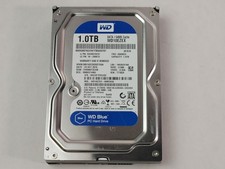
Western Digital WD Blue WD10EZEX 1 TB 3.5" SATA III Desktop Hard Drive
$23.99

Seagate Exos ST2000NX0253 HDD 2TB SATA 7.2K 2.5" 512b/s
$55.00

DELL 2TB Enterprise HDD (7200RPM, 3.5", SATA III, 128MB Cache) HUS722T2TALA600
$49.95

Seagate ST12000NM0127 12TB 256MB 7200RPM 3.5" SATA 6.0Gb/s Enterprise Hard Drive
$318.99

 Reply With Quote