-
Senior Member
registered user
Just 3 suggestions:
1. Again, tried 6.2.1 or 6.3? Trouble may have to do with the kernel version in 6.2. Also, other live distros running without problems?
2. Checked for BIOS upgrades for the computer model?
3. Tried booting with GRUB? When you are able to swap drives, you could try with a drive with GRUB installed.
Because the kernel seems to panic so early, I'm not sure you can get so much useful information from it. I always find it much easier to start from something working that from something that doesn't.
-
Senior Member
registered user

Originally Posted by
vhradice
Kernel panic - not syncing: VFS: Unable to mount root fs on unknown-block(8,1)
If I install Knoppix to the first partition of an HDD then I use a command line for the boot loader with a cheat code root=/dev/sda1.
Did you check that the root boot parameter corresponds with the device with the root filesystem? If you use GRUB legacy as a boot loader then you have the opportunity to edit the command line.
-
Capricorny, In response to your suggestions:
1. Where do I download a copy of 6.3 or 6.2.1? This site only has 6.2 avaliable
2. Check already. I am at the latest level.
3. I plan to install GRUB if/when I can get KNOPPIX loaded. I need to install it first.
Klaus2008, There is only 1 hd installed. I loaded KNOPPIX onto it on a different pc and moved the hd. I got those messages when I tried to boot it.
Here is where I stand at this moment: I truly believe that there is something strange with the hardware. I have found several posts on many web sites referencing the hardware I have and not being able to load any version of LINUX. None of them gave the final resolution of how they got it to work. From what I have been able to determine, the mount command is failing to mount the cd/dvd and throwing me into debugging mode. When I try to issue what appear to be valid mount commands, the response back is usually 'Invalid parameter' with no indication of what is wrong. How can I get more detailed information of why mount fails? I have tried the -v which is supposed to be verbose and give more info. Nothing more than 'invalid parameter'. I can run hdparm and get results the conform to what the drive is. ANy more suggestions/requests? Thanks in advance.
-
Senior Member
registered user
Originally Posted by
vhradice

Capricorny, In response to your suggestions:
1. Where do I download a copy of 6.3 or 6.2.1? This site only has 6.2 avaliable
2. Check already. I am at the latest level.
3. I plan to install GRUB if/when I can get KNOPPIX loaded. I need to install it first.
Klaus2008, There is only 1 hd installed. I loaded KNOPPIX onto it on a different pc and moved the hd. I got those messages when I tried to boot it.
Here is where I stand at this moment: I truly believe that there is something strange with the hardware. I have found several posts on many web sites referencing the hardware I have and not being able to load any version of LINUX. None of them gave the final resolution of how they got it to work. From what I have been able to determine, the mount command is failing to mount the cd/dvd and throwing me into debugging mode. When I try to issue what appear to be valid mount commands, the response back is usually 'Invalid parameter' with no indication of what is wrong. How can I get more detailed information of why mount fails? I have tried the -v which is supposed to be verbose and give more info. Nothing more than 'invalid parameter'. I can run hdparm and get results the conform to what the drive is. ANy more suggestions/requests? Thanks in advance.
1. "Available"?. Follow the link to knopper.net, look at the download mirrors, e.g. ftp://knoppix.ftp.fu-berlin.de/ has got 6.2.1.
2. Fine.
3. No, you don't. In fact IMHO KNOPPIX isn't a good route of installing GRUB if you aren't a very experienced Linux user. You could use Mandriva, Suse or just about any live distro except for Knoppix to get GRUB installed in a safe and simple way. Myself, I used Mandriva 2009.
The main gripe with installing Linux on another PC and then moving the disk, is that you should not try to bring up the graphical interface after moving the disk. There are always booting options for this.
If you are not able to mount the CD at all on your PC, you can just copy the ISO image onto the harddisk, and loop-mount it, or simply copy the necessary files to a FAT32-partition and use GRUB for starting it. I have described a method elsewhere here.
-
Originally Posted by
Capricorny
If you are not able to mount the CD at all on your PC, you can just copy the ISO image onto the harddisk, and loop-mount it, or simply copy the necessary files to a FAT32-partition and use GRUB for starting it. I have described a method elsewhere here.
I agree; in fact, this seond option is great with Knoppix, as Knoppix is very well-suited for this more or less "brute-force" approach. No partitioning required, really, and it can done under Windows or (probably) even on a PowerPC Mac. You could also use an external hard-drive case to make (fairly) sure that the power supply issue is eliminated, using the same PC hardware (not even needing a second system, just a good burn.)
Krishna
-
I checked and i was wrong. I have 6.2.1. This is what I have been trying. Also GRUB is installed on the hd.
I don't think you quite understand the problem I am having. The KNOPPIX INIT script is trying to do a logical mount of the dvd to /mnt-system/KNOPPIX. This command is failing. I have tried to issue mount commands and they have failed. I have a picture of the failure. I took it with a digital camera. How can I upload the file so you can get a better look at what it happening?
-
Originally Posted by
vhradice
I checked and i was wrong. I have 6.2.1. This is what I have been trying. Also GRUB is installed on the hd.
I don't think you quite understand the problem I am having. The KNOPPIX INIT script is trying to do a logical mount of the dvd to /mnt-system/KNOPPIX. This command is failing. I have tried to issue mount commands and they have failed. I have a picture of the failure. I took it with a digital camera. How can I upload the file so you can get a better look at what it happening?
When you start to post, there's a button marked "Go Advanced" - click it, and you'll have a couple of lines of icons above the text area where you'll find "Insert Image" center-right on the second row.

If Knoppix isn't mounting that folder correctly, then it's nearly a certainty that you got a marginal burn on the media. Try again, using a slower speed, or use different media. Re-writable media seems more reliable, FWIW, and you can always use flash if you have it - let us know if you need help booting flash, or search these forums (I have posted on it several times,) as this is often troublesome, especially with older PCs.
Cheers!
Krishna
Last edited by krishna.murphy; 05-06-2010 at 04:40 PM.
-
Oops - I noticed a correction needed, but it was too late to edit, so I'm re-posting.
Originally Posted by
vhradice
I checked and i was wrong. I have 6.2.1. This is what I have been trying. Also GRUB is installed on the hd.
I don't think you quite understand the problem I am having. The KNOPPIX INIT script is trying to do a logical mount of the dvd to /mnt-system/KNOPPIX. This command is failing. I have tried to issue mount commands and they have failed. I have a picture of the failure. I took it with a digital camera. How can I upload the file so you can get a better look at what it happening?
When you start to post, there's a button marked "Go Advanced" - click it, and you'll have a couple of lines of icons above the text area where you'll find "Insert Image" center-right on the second row.
Edit - there's also that icon on the Quick Reply that is third from the right side of the row of icons.
If Knoppix isn't mounting that folder correctly on this sytem, but it works on others, then it's nearly a certainty that you got a marginal burn on the media. Try again, using a slower speed, or use different media. Re-writable media seems more reliable, FWIW, and you can always use flash if you have it - let us know if you need help booting flash, or search these forums (I have posted on it several times) as this is often troublesome, especially with older PCs.
Cheers!
Krishna
-
 As I was reading through some posts, it was mentioned that KNOPPIX was not really intended to be loaded onto a hd, but to use Debian instead. Ok, I put KNOPPIX on hold, downloaded the Debian Install through the net iso, burned it to a cd and tried that. The install went fine. All of the necessary files were downloaded (bypassing bad burn possibilities) and installed. When I tried to boot the new install, it failed. I got some sort of error that flashed by on the screen so fast I could not catch it. I found a cheat code - vga=ext - which puts more lines on the screen. I took a picture of the screen,created an album here and uploaded the picture. Here is the picture.
http://www.knoppix.net/forum/album.p...attachmentid=8
If you need more information to figure out what it is, please let me know how to obtain it.
I will not be available to supply anything for the next week due to other commitments and lack of access to the pc. Thank you, Vince Radice
-
Senior Member
registered user
How can I see the picture? I always get a message "you do not have permission to access this page."
 Posting Permissions
- You may not post new threads
- You may not post replies
- You may not post attachments
- You may not edit your posts
-
Forum Rules


Lenovo ThinkPad L15 Gen 3 15.6" 16GB, Thunder Black
$259.00
Lenovo ThinkPad L15 Gen 3 15.6" 32GB, Thunder Black
$282.00
Lenovo ThinkPad T14 Gen 1 Core i5 10310U 16GB 256GB SSD Windows 11 Pro Touch
$184.00
Lenovo ThinkPad X13 Gen 3 13.3” FHD Laptop Intel i5 16GB RAM 256GB SSD Win 11
$299.85

Lenovo - IdeaPad Slim 3 15.6" Full HD Laptop - AMD Ryzen 5 40 2025 - 8GB Memo...
$379.99
Lenovo IdeaPad 5 2-in-1 16" WUXGA Touch Ryzen 7 8845HS 16GB 512GB SSD FPReader
$571.00

LENOVO THINKPAD T14s GEN 2a Ryzen 7 PRO 5850U 1.9GHz 16GB 256GB WIN 11 - TOUCH
$299.95
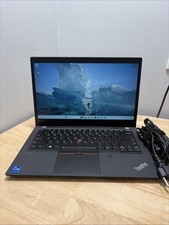
LENOVO THINKPAD T14 GEN 2i CORE I7-11165G7 2.8GHZ 16GB 512GB SSD WCAM WI1 CORD
$250.00
Lenovo ThinkPad T14 Gen 1 Laptop Intel Core i5 10310U 16GB 256GB SSD Touch W11P
$184.00
Lenovo ThinkPad E470 Laptop 8GB RAM 500GB HDD Intel Core [email protected]
$103.55



 Reply With Quote