-
Senior Member
registered user

Originally Posted by
vhradice

Capricorny, In response to your suggestions:
1. Where do I download a copy of 6.3 or 6.2.1? This site only has 6.2 avaliable
2. Check already. I am at the latest level.
3. I plan to install GRUB if/when I can get KNOPPIX loaded. I need to install it first.
Klaus2008, There is only 1 hd installed. I loaded KNOPPIX onto it on a different pc and moved the hd. I got those messages when I tried to boot it.
Here is where I stand at this moment: I truly believe that there is something strange with the hardware. I have found several posts on many web sites referencing the hardware I have and not being able to load any version of LINUX. None of them gave the final resolution of how they got it to work. From what I have been able to determine, the mount command is failing to mount the cd/dvd and throwing me into debugging mode. When I try to issue what appear to be valid mount commands, the response back is usually 'Invalid parameter' with no indication of what is wrong. How can I get more detailed information of why mount fails? I have tried the -v which is supposed to be verbose and give more info. Nothing more than 'invalid parameter'. I can run hdparm and get results the conform to what the drive is. ANy more suggestions/requests? Thanks in advance.
1. "Available"?. Follow the link to knopper.net, look at the download mirrors, e.g. ftp://knoppix.ftp.fu-berlin.de/ has got 6.2.1.
2. Fine.
3. No, you don't. In fact IMHO KNOPPIX isn't a good route of installing GRUB if you aren't a very experienced Linux user. You could use Mandriva, Suse or just about any live distro except for Knoppix to get GRUB installed in a safe and simple way. Myself, I used Mandriva 2009.
The main gripe with installing Linux on another PC and then moving the disk, is that you should not try to bring up the graphical interface after moving the disk. There are always booting options for this.
If you are not able to mount the CD at all on your PC, you can just copy the ISO image onto the harddisk, and loop-mount it, or simply copy the necessary files to a FAT32-partition and use GRUB for starting it. I have described a method elsewhere here.
 Posting Permissions
- You may not post new threads
- You may not post replies
- You may not post attachments
- You may not edit your posts
-
Forum Rules


GIGABYTE A520M DS3H AC AMD AM4 Motherboard mATX
$59.99
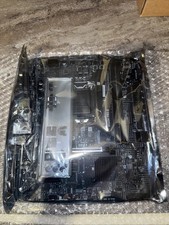
MSI B560M Pro-E LGA 1200 Intel B560 M-ATX Intel Motherboard Intel 10th 11th gen
$69.99
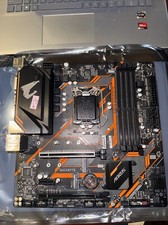
Gigabyte B365M AORUS ELITE Motherboard Intel B365 Micro ATX LGA 1151 DDR4 DIMM
$84.99
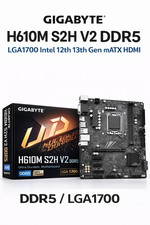
GIGABYTE H610M S2H V2 Motherboard, Supports 14th/13th/12th Gen Intel Core i5 i7
$69.59
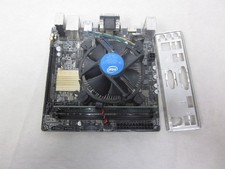
ASUS H110I-PLUS Motherboard LGA1151 w/ I5-7400 CPU, 8GB, Heatsink & I/O Shield
$60.00

GIGABYTE B365 HD3 LGA1151 Intel 9th Gen motherboard
$59.99

ASRock B550M Phantom Gaming 4 AM4 AMD B550 SATA 6Gb/s Micro ATX AMD Motherboard
$81.99

Intel H81 Motherboard M.2 NVMe LGA 1150 mATX w/ IO Shield (Random Slot Color)
$29.99
Asrock Z390 Phantom Gaming 4-CB Wifi 8th/9th Geb 1151 Motherboard
$84.99
ASUS TUF Z390-PRO GAMING LGA1151 DDR4 ATX Motherboard With IO Inlucded
$100.00



 Reply With Quote