

 Reply With Quote
Try Preferences-System Settings
Cheers!
Krishna


 [6.2.1] Screen + keyboard issues
Hello
I've downloaded the ISO file for 6.2.1 (KNOPPIX_V6.2.1CD-2010-01-31-EN.iso), and successfully booted up an Acer desktop with it, with Knoppix running entirely in RAM using the line "knoppix screen=1024x768 toram nopcmcia".
I do have a couple of issues, though:
1. How can I change the keyboard layout from EN to FR? I didn't find what switch to use when booting up, and there's no trace of the "Control Center" or "Regional and Accessibility" group as specified here.
2. It's not visible in the screenshot, but the screen output is a bit off the left, so that I don't actually see the equivalent of Windows' Start menu and had to click blindly. How can I tell Knoppix to shift a bit to the right?
3. Although I used the "screen=1024x768" switch when booting up, Knoppix only displays in 800x600/60Hz, while a bare Windows without any specific driver is able to use 1024x768/75Hz with no problem. How can improve the screen definition?
4. I'll use this opportunity to ask a general question: Every GUI Linux distribution that I've tried over the years show fonts that aren't as "crisp" as under Windows, like they're a bit fuzzy: Is this due to the use of X instead of writing directly to the video card, the lack of good fonts, or yet another cause?
Thank you for any help.
Try Preferences-System Settings
Cheers!
Krishna
@krishna.murphy
I have Adriane 6.2 and there is no option System Settings under Preferences ... also my keyboard is a bit unusual (Brazilian Portuguese with deadkey accents), an option that doesn`t seem to be available as a cheatcode on boot so maybe not under regional settings either, even if I could find it. Ideally, I would rather keep my German-language knoppix, but Portuguese would be ok if necessary. Grateful for any suggestions!
That is an English, non-Adriane iso, FWIWOriginally Posted by yetanotherlogin
 Try usingsuccessfully booted up an Acer desktop with it, with Knoppix running entirely in RAM using the line "knoppix screen=1024x768 toram nopcmcia".
I do have a couple of issues, though:
1. How can I change the keyboard layout from EN to FR? I didn't find what switch to use when- there are numerous options in the "cheatcodes.txt" file (in the KNOPPIX folder)Code:knoppix lang=frYou're missing about 5 entries on this image, starting with "System Settings" (which is where "Regional and Accessibility" is located)booting up, and there's no traceI think you may have a bad disk. Have you tried running the self-test built in? (try it as follows)of the "Control Center" or "Regional and Accessibility" group as specified here.
2. It's not visible in the screenshot, but the screen output is a bit off the left, so that I don't actually see the equivalent of Windows' Start menu and had to click blindly. How can I tell Knoppix to shift a bit to the right?
3. Although I used the "screen=1024x768" switch when booting up, Knoppix only displays in 800x600/60Hz, while a bare Windows without any specific driver is able to use 1024x768/75Hz with no problem. How can improve the screen definition?Code:knoppix testcdM$oft claims they have great anti-aliased fonts; I can't see much difference on my system, but it may be hardware-dependent. I'd start with that CD test - you would find it hard to believe (I did) how often that's the problem on these forums.4. I'll use this opportunity to ask a general question: Every GUI Linux distribution that I've tried over the years show fonts that aren't as "crisp" as under Windows, like they're a bit fuzzy: Is this due to the use of X instead of writing directly to the video card, the lack of good fonts, or yet another cause?
Thank you for any help.
Cheers!
Krishna
I would try to test the CD, but it isn't possible. The data on my laptop are too important to check the CD and install it again.
Anyway. I did change something via keyboard. That's the reason I'm hereWhat keystrokes? I don't know. Too less knowledge.
When you boot the Knoppix CD or DVD, it creates an environment that is completely independent of your normal (disk) OS; the CD test doesn't use the disk at all. You can also make the system work with a copy on the disk, and create a separate file that allows for customized operation, still independent of other valuable files on the disk.
Cheers!
Krishna
So as I understand it correctly, I could reinstall the CD on the HDD without worrying about my data on it (music, movies, pdf's etc.)? Correct me if I'm wrong, cause that would be nice
With Knoppix, there are many ways to proceed.
Knoppix was the first widely-popular LiveCD, meaning that there was no need to install, and in fact today it usually doesn't use even the Windows swapfile on the hard drive, because the NTFS-formatted partition it resides on is not mounted, by default. HD "install" of Knoppix as defined here is mostly discouraged in this forum, because the collective wisdom says "Knoppix is a heavily-customized version of the Debian distribution of Linux, expressly fitted for LiveCD usage" - and if one wants HD "install," it's considered better to just download that (Debian) instead.
In my own case, I've not re-partitioned my hard drive (yet) and my main Knoppix setup runs with what's called "the poor-mans' install." That means that Knoppix itself (linux-fs and all) resides under the NTFS filesystem, as one massive file thereon, with my customizations (Chrome and flash-video, etc.) in a sub-file called knoppix-data.aes. So far I've just booted into it using the CD and the commandThis approach might fulfill your requirements, but there are some (perhaps many) who object because the NTFS filesystem that Knoppix resides on/under uses ntfs-3g, a relatively new fs-handler that might conceivably damage the Windows filesystem (though it's pretty good IMHO, much better than the old handler.) That can be traded-off against the small-but-measurable chance of damage caused by a re-partitioning that would eliminate the need for NTFS-handling altogether.Code:knoppix fromhd=/dev/sda1 or (first time, to get things rolling) knoppix tohd=/dev/sda1
Another popular choice is to utilize a flash-drive or SD-card - those usually have a FAT-flavored-fs natively, which is both Windows-compatible for data-sharing and has mature drivers for safe, efficient support of the Knoppix files. I use this as well, as it's nice to be so portable, but my usual PC is a laptop that doesn't properly support booting from flash. So, I have to CD-boot (again!) with this command:I was pleasantly surprised when I inserted it in my step-sons' PC and was able to boot without a CD (when his HD boot capacity disappeared due to hardware malfunction) as I had never done that previously. Nice! It is a bit slower than HD, but the portability is a good trade-off. To do this, just boot the CD and go to the first menu item up from the bottom and chose the "install to flash" option. If your system doesn't support flash-boot properly, you can still use the fromhd option outlined before to boot it with a CD.Code:knoppix fromhd=/dev/sdb1
In conclusion, as I said, you have a lot of choices. Backing up your data before any installation (poor mans' or otherwise) and/or re-formatting is strongly encouraged, of course.
Hope that helps!
Krishna
Last edited by krishna.murphy; 06-02-2010 at 03:57 PM. Reason: clarity
I take exception with a few things here:
1) IF you manage to install it, Knoppix needs some space on the hard disk for its partition. Unless there is unallocated space that is not in another partition (unlikely), then partitions need to be modified or deleted and recreated, not a simple and easy task for a novice.
2) If the disk contains a NTFS partition taking all of the available space (likely for a Windows user, even if the partition is nearly empty ) then writing to it at all with Knoppix is considered dangerous and may corrupt all of your data.
3) Knoppix is a live CD or DVD, and isn't really intended to be installed to hard disk or suitable for it. There are a few hacks for doing this, but they are for special cases such as class room use. If you want a knoppix like Linux installed to a hard disk, you are much better off installing Debian rather than Knoppix, this is what Debian is intended for. (Same space issues still apply).
---
Verifying of md5 checksum and burning a CD at slow speed are important.
Harry - thanks for your energy! I think that "how to get more out of your PC" discussions are the kind of thing that makes for real development, in the broader view, so I appreciate your contribution. I thought it worthwhile to point out some options that would be meaningful in this case, along with cautionary notes.
True - I never said it was easy.I get your position on NTFS. However, there is some reason to believe (my anecdotal experience, for example) that the ntfs-3g driver is substantially better than older NTFS drivers and can be used with some degree of confidence. I did mention that there were opinions like yours, regarding how safe it is (not), too. And backing up data before proceeding with disk modifications like an install or a repartitioning was recommended.2) If the disk contains a NTFS partition taking all of the available space (likely for a Windows user, even if the partition is nearly empty ) then writing to it at all with Knoppix is considered dangerous and may corrupt all of your data.I thought I said that, in my own inimitable fashion. It is possible to use a hard drive, even without "install" - and using a flash drive makes sense for a LOT of people.3) Knoppix is a live CD or DVD, and isn't really intended to be installed to hard disk or suitable for it.I tend to agree, and I did refer him to Debian, as well.There are a few hacks for doing this, but they are for special cases such as class room use. If you want a knoppix like Linux installed to a hard disk, you are much better off installing Debian rather than Knoppix, this is what Debian is intended for. (Same space issues still apply).
Cheers!
Krishna
 Posting Permissions

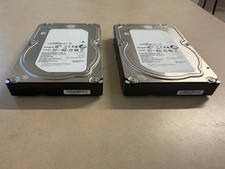
Lot of 2 Seagate Constellation ES.3 ST2000NM0023 2TB 7200RPM SAS 6Gb/s 3.5" HDD
$34.99

Seagate 14TB Exos X14 7200RPM SATA 6Gb/s 256MB 3.5" Enterprise HDD ST14000NM0408
$354.99

HUS726060ALA640 HGST Ultrastar 6TB SATA 6Gbps 7.2K 3.5" Hard Drive OF21860
$129.99

Seagate Exos X16 ST10000NM010G 10TB 7200RPM SAS 12Gb/s 3.5" 512e/4Kn HDD
$199.00

Seagate ST6000NM0115 6TB 256MB 7200RPM 3.5" SATA 6.0Gb/s Enterprise Hard Drive
$159.99

Hitachi / HGST Travelstar HTS541010B7E610 1TB 2.5" SATA III HDD
$29.99

HGST HUS724040ALA640 4TB 7200 RPM SATA 3.5" Internal Desktop Drive 100% Health
$78.00
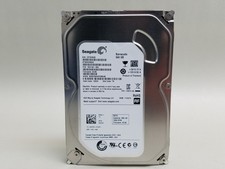
Seagate Barracuda ST500DM002 500 GB SATA III 3.5 in Desktop Hard Drive
$14.99
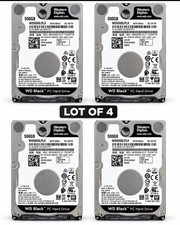
Western Digital WD Black 500GB WD5000LPLX 7200RPM 2.5” SATA HDD Lot of 4 Tested
$64.00
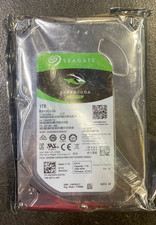
Seagate BarraCuda ST1000DM010 1TB 7200 RPM 64MB Cache SATA 6.0Gb/s Hard Drive
$63.99