-

Originally Posted by
yetanotherlogin

Hello
I've downloaded the ISO file for 6.2.1 (KNOPPIX_V6.2.1CD-2010-01-31-EN.iso), and
That is an English, non-Adriane iso, FWIW
successfully booted up an Acer desktop with it, with Knoppix running entirely in RAM using the line "knoppix screen=1024x768 toram nopcmcia".
I do have a couple of issues, though:
1. How can I change the keyboard layout from EN to FR? I didn't find what switch to use when
Try using - there are numerous options in the "cheatcodes.txt" file (in the KNOPPIX folder)You're missing about 5 entries on this image, starting with "System Settings" (which is where "Regional and Accessibility" is located)
of the "Control Center" or "Regional and Accessibility" group as specified
here.
2. It's not visible in the screenshot, but the screen output is a bit off the left, so that I don't actually see the equivalent of Windows' Start menu and had to click blindly. How can I tell Knoppix to shift a bit to the right?
3. Although I used the "screen=1024x768" switch when booting up, Knoppix only displays in
800x600/60Hz, while a bare Windows without any specific driver is able to use 1024x768/75Hz with no problem. How can improve the screen definition?
I think you may have a bad disk. Have you tried running the self-test built in? (try it as follows)
4. I'll use this opportunity to ask a general question: Every GUI Linux distribution that I've tried over the years show fonts that
aren't as "crisp" as under Windows, like they're a bit fuzzy: Is this due to the use of X instead of writing directly to the video card, the lack of good fonts, or yet another cause?
Thank you for any help.
M$oft claims they have great anti-aliased fonts; I can't see much difference on my system, but it may be hardware-dependent. I'd start with that CD test - you would find it hard to believe (I did) how often that's the problem on these forums.
Cheers!
Krishna 
 Posting Permissions
- You may not post new threads
- You may not post replies
- You may not post attachments
- You may not edit your posts
-
Forum Rules


Kingston 16GB DDR4 3200MHz PC4-3200AA-SA2-12 Laptop RAM SODIMM (HP32D4S2S8ME-16)
$64.99

16GB KIT (2x8GB) DDR4 Gamer Desktop RAM PC4 MIXED BRANDS
$65.00

Netac DDR4 32GB 16GB DDR4 3200MHz UDIMM C16 Desktop Internal Memory RAM Kit
$99.99
![[ BULK LOT OF 10 ] UNITS of 8GB DDR4 Laptop RAM SAMSUNG, HYNIX etc. picture](/store/img/g/IKQAAeSwEK9qv9TG/s-l225/-BULK-LOT-OF-10-UNITS-of-8GB-DDR4-Laptop-RAM-SAMSU.jpg)
[ BULK LOT OF 10 ] UNITS of 8GB DDR4 Laptop RAM SAMSUNG, HYNIX etc.
$299.99
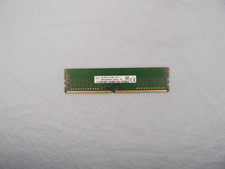
SK Hynix 8GB 1Rx8 PC4-2400T (HMA81GU6AFR8N-UH) DDR4 Desktop ram
$25.99
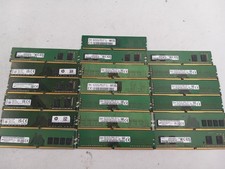
LOT OF 19 MIX BRANDS 8GB (19X8GB) PC4-3200AA DESKTOP RAM (MM743)
$608.00
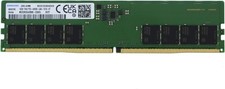
Samsung 16gb DDR5-4800 PC5-38400 UDIMM Server/Desktop RAM
$369.99
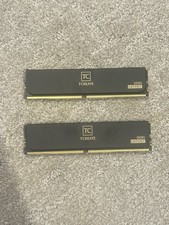
Team Group TC 16GB DDR5-6000 2x8
$215.00
SK HYNIX 16GB DDR4 3200MHz PC4-25600 SO-DIMM 260-Pin Laptop RAM MEMORY
$79.99

Corsair Vengeance DDR3 8GB 16GB 32GB 1866MHz PC3-14900 Desktop RAM Memory DIMM
$43.00



 Reply With Quote