-
 Halleleujah ! 6.2.1 Has Amazing WiFI !
I just d/l'd the latest CD+DVD, tried them in my shop Tuesday, and was TOTALLY blown away ! I had a couple of PCs in my shop w/ wireless problems. Several days ago, I'd GOOGLEd for a live CD with good wireless support, in anticipation of a day like yesterday. While the tests weren't an exhaustive, scientific survey, Knoppix 6.2.1 was most impressive.
Specifically, I had a Compaq F756 laptop and a Gateway T1630 laptop, both w/ failed WiFi under Vista. Customers were planning to reimage both, to try and restore WiFi. The Compaq customer was going to be a PITA, if reimaging didn't restore WiFi, so I boot the Compaq from my 6.2.1 disc for laughs. In a minute or so, there's a bubble message from the networking icon on the taskbar, indicating there are wireless networks available ! I select my store's [unencrypted] hotspot, as I would from Windows, w/ a couple of mouse clicks. Just like that, I have another bubble message indicating a new connection ! A few seconds later, I was on the 'net using IceWeasel, visiting various [non-Flash] websites. I mention that I skipped Flash-oriented sites, bec all of the speed test sites I know of require a Flash-compatible browser, but performance [intuitively] seemed to be very good.
I tried 6.2.1 on five other wireless computers, w/ range of chipsets, but mostly different models of Atheros, one Intel 4965, and a Belkin F5D USB adapter. One laptop (a Dell Latitude 500) crashed before reaching the desktop, but the rest worked flawlessly !
For the sake of full disclosure, these weren't exhaustive tests including connectivity to WPA/WPA2 routers, persistence, robustness, etc. However, this release is a quantum leap over the last Knoppix release I spent time networking, specifically 5.1. It took many hours of reading, configuring, testing, and more re-reading, before I got working WiFi/WPA connectivity. I do intend to do a lot more testing during the coming days. Having said all that, this development (ie. introduction of the Network Manager applet) moves Linux a big step closer to novice-compatibility.
I really thought Knoppix was dead, giving the amount of time between official releases of a live CD (in the vicinity of two years !) It appears reports of Knoppix' demise have been exaggerated....
-

Originally Posted by
mr-roboto

I just d/l'd the latest CD+DVD, tried them in my shop Tuesday, and was TOTALLY blown away ! I had a couple of PCs in my shop w/ wireless problems. Several days ago, I'd GOOGLEd for a live CD with good wireless support, in anticipation of a day like yesterday. While the tests weren't an exhaustive, scientific survey, Knoppix 6.2.1 was most impressive.
Thanks for the feedback, and glad it's working for you! FYI, there's a java-based speed test on DSL Reports that's great for very high-speed connections. If you care to install to a flash drive (or a hard drive), that capability is built in, and it will also prompt for the creation of a "persistent store" that allows for the addition of programs like Flash video and Google Chrome. Then you'd have that to boot on whatever system you need it on, even those that don't have modern BIOS's to do it easily. Let us know if you want further information on those capabilities, or just look at some of the relevant posts (my own profile will lead you to many I've made, as I talk about/use it a lot.)
Cheers!
Krishna
-
Dear Sir:
" I select my store's [unencrypted] hotspot"
i am new with Knoppix and i am having problems establishing the connection of my secured internet CPE with the OS. The security detail of my CPE is : WPA2-Personal in AES... Please help.
-
Originally Posted by
cyberjayar
Dear Sir:
" I select my store's [unencrypted] hotspot"
i am new with Knoppix and i am having problems establishing the connection of my secured internet CPE with the OS. The security detail of my CPE is : WPA2-Personal in AES... Please help.
What you need is to open "Network Manager" and set up the connection in there. My router is set up to create an AES-encrypted, unannounced hotspot; the good news is, it can work just fine.
Step 1: Right-click the icon on the bottom right (computer screen) and ensure that wireless networking is enabled.
Step 2: Wait for the wireless device driver to look around for hotspots. Left-click the icon and see if your network is found and then click it. If it isn't found, you may have to enter the parameters manually, by clicking "Create new wireless network" and specifying the name, etc.
Cheers!
Krishna
Last edited by krishna.murphy; 01-11-2011 at 09:27 PM.
Reason: readability
-

It's been nearly a year and I'm still quite impressed w/ 6.2.1, now 6.4.3 ! I use it primarily as a WiFi diagnostic disc and to facilitate USB-to-SATA+IDE data transfers (from dead PCs.) For WiFi diagnostics, it works much more often than not. It's fantastic....Jet
 Posting Permissions
- You may not post new threads
- You may not post replies
- You may not post attachments
- You may not edit your posts
-
Forum Rules


IBM System X3850-X5 Server w/4x Intel Xeon E7-4870 CPU , 512 GB DDR3 RAM,NO HDD
$1299.99

Unused IBM 09P0037 MAINBOARD For RS/6000 7044-170 P-Series
$375.00

IBM QRadar xx29 2x Xeon E5-2650v4 2x 900W PSU M5120 12x 3.5" Bay Server No RAM
$179.99

IBM EMC 091-000-091 17 Inch Rackmount LCD Keyboard KVM Console 03N7012
$109.99

IBM Power 8 S822L Server 8247-22L POWER8 Enterprise 256GB RAM 2x 00KV626 CPU
$999.99

IBM System x3550 M3 1U Server 2x Xeon E5645, 192GB RAM, 2x 300GB HDD (7944-AC1)
$150.00

IBM SYSTEM X3500 M3 SERVER 7380AC1 TOWER Server XEON E5620 8GB RAID SEE NOTES
$110.30
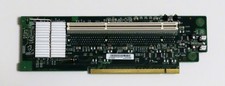
IBM PCI-X Riser Card For System x3650 Server (FRU 43W5861) — Perfect — Clean
$19.95

IBM ADP Server Type 7870 AC1 NO HDD | 128GB RAM PC3L | 2 x Xeon E5620
$199.99

Lot of 3 IBM 00JY196 ServeRAID M1210 PCI Express SAS SATA Storage Controller
$68.99



 Reply With Quote