-
How to upgrade VirtualBox OSE to Puel (or share files with Windows guests)
Hi,
I have been getting used to using this software and it is great! I have V6.2 Knoppix and am running it on a small laptop with an Atom processor without problems. So what is wrong? I am using Vbox and need file sharing with the Linux host which is not possible using OSE. I set up a bridged network and a Windows file share that is accessible from both Windows and the host, but I cannot write to it from the host -- Only from Windows. I got to a point where it seemed everything (except file sharing) was working and tried to install the PUEL version on top of the OSE version because I did not want to risk uninstalling it as it seems that perhaps it is being used by Knoppix (and I did not want to break Knoppix). I instead broke VBox and had to reinstall Knoppix to my USB (which is another story!) and start from scratch in any case.
  I have been working for two days now trying to get this share to work both ways and as an alternative to reinstalling VBox, guidance on that could also be helpful if upgrading is not an option!
Thanks in advance for any advice, Robert!
-
I use Knoppix on a Flash with a "shared drive" approach - Knoppix looks like a couple of large files taking up room (no Vbox needed) but I'm only using Windows as an alternative that my wife knows better than Linux and sharing files for a later boot to Knoppix. Are you running Windows within the Virtual environment, I assume? If you'd like to share your virtual machine, I could try running it and see what I can do.
Cheers!
Krishna
-
H Krishna,
Thanks for replying! I am also using the thumb drive approach to run Knoppix which leaves the system"untouched" with Windows 7 installed and usable (should it be needed). I need the Windows share because all my customers run Windows applications and I need to try things in a windows environment so Wine won't work. Last night, I tried something because I know this is "simply" a permissions problem: I switched to the terminal emulator and tried to create a file in my share (cat /dev/null >> testfile) as myself and then again as root. Only the attempts as root worked, which is what I suspected. The problem I have is that even after changing the group and user ID as well as permissions for the folder, as soon as I mount the share into the folder, the owner and group change to root! If I can figure out how to either properly change owner and group for the share, or change my user ID (which I will try later but I am not sure if changing it in etc/password will work). Let me know if you have any ideas 
As for sharing the machine, that would not be a problem, if needed. Let me know what you need, in case we do go that way.
Regards, Robert
-
Hi,
I was able to resolve the second issue of permissions so I now have R/W access to my share from both Knoppix and Windows. I was trying to figure out how to get my CDRW to allow writing and discovered an option to "Open Current Folder as Root" under the "Tool" menu in PCMan and bingo, write access! The CDRW is still not working but that is another problem for another post (if I can't find the answers on my own by looking around).
In the process of trying to get this working, I ran into new problems relating to the original post -- How to upgrade to PUEL so I can have access to USB from my VM and I also believe it would be better to use the Vbox share than the network share I am using now. The dpcumentation for VBox says to simply install upgrades over the existing one but when I did that, I broke things. Any advice would be helpful!
Thanks, Robert
Tags for this Thread
 Posting Permissions
- You may not post new threads
- You may not post replies
- You may not post attachments
- You may not edit your posts
-
Forum Rules


16GB KIT (2x8GB) DDR3 Gamer Desktop RAM PC3 MIXED BRANDS VIPER VENGEANCE FURY
$10.00

Netac DDR4 32GB 16GB DDR4 3200MHz UDIMM C16 Desktop Internal Memory RAM Kit
$99.99

Crucial 32GB(4 x 8GB) CT8G4DFS824A.C8FDD1 DDR4-2400 UDIMM Desktop RAM - CR352A
$89.95

Micron 16GB (2x8GB) 2Rx8 DDR3 1600MHz PC3-12800U Desktop RAM
$19.99

Samsung 32GB DDR4-2666V-2Rx4-RB2-12 RAM M393A4K40CB2-CTD6Q
$169.00

DDR4 Laptop RAM 4GB 8GB 16GB 32GB 2400 2666 3200 Samsung Hynix
$66.00

Major Brand 16GB (2x8GB) PC3-12800U DDR3-1600MHz DDR3-12800 DESKTOP RAM NON-ECC
$29.99

RAMAXEL Lenovo 32GB LPDDR5X CAMM2 7500MHz Laptop RAM | UNTESTED
$445.00

Samsung 32GB DDR4-2666 PC4-21300 288-Pin DIMM RAM M393A4K40CB1CRC0Q
$185.00
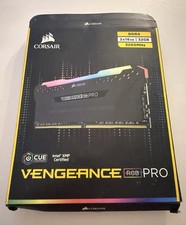
Corsair G.SKILL Trident Z Vengeance RGB Pro - DDR4 - 2x16 GB
$234.99



 Reply With Quote