-
Saving Documents
How do you save a download or an open office word document when on a llive CD?
Which brings up a more general question for newcomers....where do you find help/tutorials? [i see nothing in FAQ...search box brings up nothing, even on 'usb']...I don't find anything in the menu...sorry, I am not a geek; first experience with a live cd....hope not the last..
-


Originally Posted by
sdcougar

How do you save a download or an open office word document when on a llive CD?
Which brings up a more general question for newcomers....where do you find help/tutorials? [i see nothing in FAQ...search box brings up nothing, even on 'usb']...I don't find anything in the menu...sorry, I am not a geek; first experience with a live cd....hope not the last..
My hard drives are NTFS windows 7. When I click on home on the desktop, the hard drives are listed in the left column. I can then click on them, and drill down. The top directory of an NTFS drive is /media/sdxn, where x is a letter like a,b,c ... and n is a number (the partition number). The hard drive is already mounted, and I can just save my stuff to /media/sda1/..., for instance: /media/sdb1/Users/Public/Documents I installed the 6.2 DVD, I believe, and if I go into open office, help, it says I need to install some package. Unless you have persistant storage (USB flash, not CD/DVD), or you remaster Knoppix, and install the help yourself, I doubt if you will get help. Looks like they cut corners here.
-
Originally Posted by
JohnKlug
My hard drives are NTFS windows 7. When I click on home on the desktop, the hard drives are listed in the left column. I can then click on them, and drill down. The top directory of an NTFS drive is /media/sdxn, where x is a letter like a,b,c ... and n is a number (the partition number). The hard drive is already mounted
Hmm - I think it's the click on the drive icon in PCman (started automatically by the click on Home) that mounts them, in most cases. My own NTFS partition is mounted by default because I'm forcing that with the way I boot up (which is because I'm using the NTFS partition for my KNOPPIX directory.) I am definitely able to use things from, and store to, my Windows "My Documents" folder, for instance. Just boot the CD and type
Code:
knoppix tohd=/dev/sda1
the first time or
Code:
knoppix fromhd=/dev/sda1
thereafter to do the same.
Regards, Krishna
and I can just save my stuff to /media/sda1/..., for instance: /media/sdb1/Users/Public/Documents I installed the 6.2 DVD, I believe, and if I go into open office, help, it says I need to install some package. Unless you have persistant storage (USB flash, not CD/DVD), or you remaster Knoppix, and install the help yourself, I doubt if you will get help. Looks like they cut corners here.
 Posting Permissions
- You may not post new threads
- You may not post replies
- You may not post attachments
- You may not edit your posts
-
Forum Rules


Intel Core i7-3770K 3.5 GHz Processor
$39.00
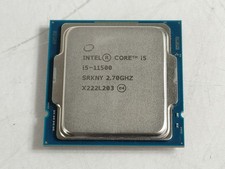
Intel Core i5-11500 2.70 GHz LGA 1200 Desktop CPU Processor SRKNY
$94.99
Apple iPad Pro 11-inch (M5) A3357 256 GB, Wi-Fi, 11 in - Silver
$590.00
Intel Core i9-13900K Processor (5.8 GHz, 24 Cores, LGA 1700)
$320.00
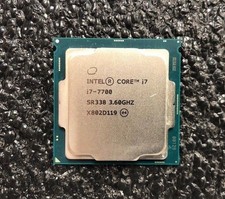
Intel Core i7-7700 Kaby Lake Quad-Core 3.6 GHz Processor LGA 1151
$39.99

Intel i7-8700 Coffee Lake 3.2GHz 6-Core Max Turbo 4.6GHz Processor
$69.99

Intel Core i7-7700T 2.9GHz 8MB Socket LGA1151 Quad Core Processor SR339
$39.99
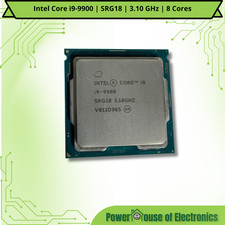
Intel Core i9-9900 | SRG18 | 3.10 GHz | 8 Cores | LOT OF 10
$1505.77

Corsair RM750e 750W Fully Modular 80 Plus Gold ATX 3.1 PSU Certified Refurbished
$44.99
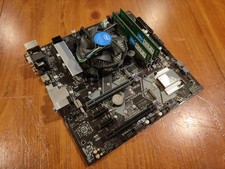
COMBO: ASUS Prime H370M-PLUS MOTHERBOARD + i5-9400F CPU /w Heatsink + 16GB DDR4
$169.95



 Reply With Quote