

 Reply With Quote
After checking the web, it seems that the unable to power off thingie is due to bug in kernel 2.6.32.11.


I have done some own customization on knoppix but I am not sure if it is originally like that or it's due to my own customization, the problem I have is my customized knoppix is not shutting down properly.
I have a knoppix-data.img which is unioned together with the readonly compressed imaged ( root file system ), the problem is that knoppix-data.img is not unmounted properly when I shutdown, and everytime it requires a fsck in the next reboot.
Anyone else has the same problem ?
In addition, my system sometimes did not power off properly, when it executes /etc/init.d/knoppix-halt, it will give 'input/output error' at certain line number of the script, and the machine will not power off. The problem is that it only happens intermittently - not always.
After checking the web, it seems that the unable to power off thingie is due to bug in kernel 2.6.32.11.
Sorry for giving confusing information but I think I finally fixed the problem of "intermittent" improper power off problem.
Here is the portion of the original /etc/init.d/knoppix-halt :-
case "$0" in *halt|*poweroff) poweroff -f ;;
*) reboot -f ;;
esac
Somehow at that stage of the execution, the file system access
can encounter error, thereby giving 'input/output error'.
So I replace it with :-
case "$0" in *halt|*poweroff) echo o > /proc/sysrq-trigger ;;
*) echo b > /proc/sysrq-trigger ;;
esac
After that it seems to be able to consistantly power off the notebook.
What remain unanswered is :-
1. The knoppix-data.img aufs2 with the readonly compressed loop root file system remained
mounted, as such the file system is not clean when the system halted.
2. Why is there a file system error at that point in time when the system was trying to run
'/sbin/poweroff' ? ( I tried to run 'auplink' also failed ).
Did you run a self-test on the disk? Bad burns (common) and bad downloads (less common) can cause weird problems like this. Try one of these (as fits your disk) at boot time:Originally Posted by kl522
 Cheers!Code:knoppix testcd knoppix testdvd
Krishna
By the way, this is a hard disk install, ie the ( remastered ) readonly compressed rootfs is sitted on the ntfs
harddisk.
I have myself to blame if it is my ( remaster/customization ) fault. But if I remember correctly, since day one of
using vanilla knoppix 6.2, the knoppix-data.img was never unmounted properly which resulted in the need
to fsck when booted ( the fsck is coded in minirt.gz).
I don't have a file knoppix-data.img in my setup; knoppix-data.aes is in my KNOPPIX folder (which comes from the "poor mans install" only, I think), an encrypted "persistent store" that is merged with the KNOPPIX file in that folder to become the effective filesystem. The difference is most likely due to hd-install nature of your setup.
Cheers!
Krishna
I was able to repeat this problem with vanilla knoppix 6.2. I haven't concluded what is the reason yet, but this is how I repeat it, so some of the information given here might be spurious or unimportant :-
1. Install knoppix onto a flash using knoppix 6.2 Live CD.
2. The flash is > 1G, knoppix will create it as 2 partitions.
knoppix-data.img will be stored in the first partition (VFAT),
directory /mnt-system/KNOPPIX.
3. I chose the maximum size of the knoppix-data.img, which
I think it is roughly ~300 M.
4. Test boot a few times, knoppix-data.img was cleanly unmounted.
Moving on :-
5. I re-create the second partition as ntfs, and copy the
entire KNOPPIX directory (together with knoppix-data.img ),
and rename the existing KNOPPIX directory to KNOPPIX.bak
( All these performed offline )
6. Then I reboot the system, now /mnt-system is sit on /dev/sda2.
I check knoppix-data.img to see if it is unmounted cleanly,
yet it did.
Moving on :-
7. I increased the size of knoppix-data.img to much bigger ( 2.5G),
can copy a huge /home directory ( about 800 M ) to knoppix-data.img
file system. Again all these performed offline.
8. Now test boot/reboot, knoppix-data.img is never cleanly unmounted
after that ( even though I e2fsck on it each time I repeat test ).
Now I am not sure if a huge knoppix-data.img which is causing the problem,
or there are something in the /home which causes it to be unable to unmount
properly.
How did you do this - using the built-in flash install utility?My flash is 8GB, and the file system seems to be VFAT with but one partition, FWIW.2. The flash is > 1G, knoppix will create it as 2 partitions.Great - problem solved.knoppix-data.img will be stored in the first partition (VFAT),
directory /mnt-system/KNOPPIX.
3. I chose the maximum size of the knoppix-data.img, which
I think it is roughly ~300 M.
4. Test boot a few times, knoppix-data.img was cleanly unmounted.Maybe it would be worth trying ext2 or ext3 filesystems instead of the always warned-against NTFS.Moving on :-
5. I re-create the second partition as ntfs, and copy the
entire KNOPPIX directory (together with knoppix-data.img ),
and rename the existing KNOPPIX directory to KNOPPIX.bak
( All these performed offline )
6. Then I reboot the system, now /mnt-system is sit on /dev/sda2.
I check knoppix-data.img to see if it is unmounted cleanly,
yet it did.
Moving on :-
7. I increased the size of knoppix-data.img to much bigger ( 2.5G),
can copy a huge /home directory ( about 800 M ) to knoppix-data.img
file system. Again all these performed offline.
8. Now test boot/reboot, knoppix-data.img is never cleanly unmounted
after that ( even though I e2fsck on it each time I repeat test ).
Now I am not sure if a huge knoppix-data.img which is causing the problem,
or there are something in the /home which causes it to be unable to unmount
properly.
For the purpose of testing and getting down to the bottom of things, yes I tested using ext2 on partition 2, and yes, now it is unmounted cleanly.
Testing aside, in my actual setup, because my flash is a slower device compared to hard disk, that's why I chose to 'host' knoppix-data.img on an existing NTFS harddisk/partition ( and I want to retain by original NTFS ). It's a lot faster than doing it on a flash. But this testing also revealed that there is indeed a problem with hosting knoppix-data.img on NTFS.
 Posting Permissions


Corsair CMK32GX4M2B3000C15 Vengeance LPX DDR4 3000mhz Memory Kit - 32GB (2x16GB)
$164.95

Corsair Vengeance DDR3 8GB 16GB 32GB 1866MHz PC3-14900 Desktop RAM Memory DIMM
$85.00

RAMAXEL Lenovo 32GB LPDDR5X CAMM2 7500MHz Laptop RAM | UNTESTED
$445.00
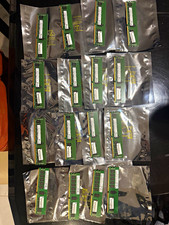
128GB (16x8GB) HP 809079-581 DDR4-2400 ECC Registered RDIMM Server RAM Lot
$650.00
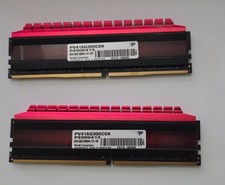
Patriot Viper 16GB (2x8GB) PC4-3000 PC4 24000 DDR4 3000MHz Dsktop Memory Ram Set
$65.00
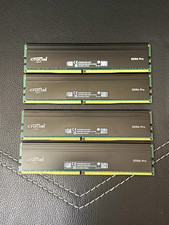
Crucial DDR4 Pro 128GB (4x32GB) DDR4-3200 UDIMM 288-Pin CP32G4DFRA32A
$640.00
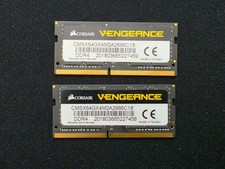
Corsair Vengeance 64GB (2x32GB) DDR4 2666Mhz Laptop RAM Memory
$300.00
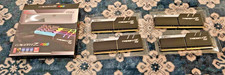
G.Skill Trident Z RGB 128GB (32GBx4) DDR4 RAM 3600 (F4-3600C18Q-128GTZR)
$775.00
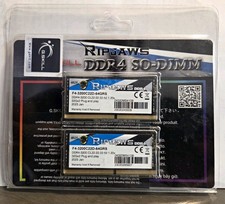
G.SKILL Ripjaws 64GB (2x32GB) DDR4-3200 SO-DIMM CL22 260-Pin XMP
$260.00

Dell 16GB PC4-21300 (DDR4-2666) Memory (SNPPWR5TC16G)
$89.99