-
Senior Member
registered user

Originally Posted by
krishna.murphy

I don't have a file knoppix-data.img in my setup; knoppix-data.aes is in my KNOPPIX folder (which comes from the "poor mans install" only, I think), an encrypted "persistent store" that is merged with the KNOPPIX file in that folder to become the effective filesystem. The difference is most likely due to hd-install nature of your setup.
Cheers!
Krishna

I was able to repeat this problem with vanilla knoppix 6.2. I haven't concluded what is the reason yet, but this is how I repeat it, so some of the information given here might be spurious or unimportant :-
1. Install knoppix onto a flash using knoppix 6.2 Live CD.
2. The flash is > 1G, knoppix will create it as 2 partitions.
knoppix-data.img will be stored in the first partition (VFAT),
directory /mnt-system/KNOPPIX.
3. I chose the maximum size of the knoppix-data.img, which
I think it is roughly ~300 M.
4. Test boot a few times, knoppix-data.img was cleanly unmounted.
Moving on :-
5. I re-create the second partition as ntfs, and copy the
entire KNOPPIX directory (together with knoppix-data.img ),
and rename the existing KNOPPIX directory to KNOPPIX.bak
( All these performed offline )
6. Then I reboot the system, now /mnt-system is sit on /dev/sda2.
I check knoppix-data.img to see if it is unmounted cleanly,
yet it did.
Moving on :-
7. I increased the size of knoppix-data.img to much bigger ( 2.5G),
can copy a huge /home directory ( about 800 M ) to knoppix-data.img
file system. Again all these performed offline.
8. Now test boot/reboot, knoppix-data.img is never cleanly unmounted
after that ( even though I e2fsck on it each time I repeat test ).
Now I am not sure if a huge knoppix-data.img which is causing the problem,
or there are something in the /home which causes it to be unable to unmount
properly.
 Posting Permissions
- You may not post new threads
- You may not post replies
- You may not post attachments
- You may not edit your posts
-
Forum Rules


Intel Xeon E5-2699 V4 2.20GHz 55M 22-CORES LGA2011-3 Server Processor 145W SR2JS
$84.49

Dell EMC PowerEdge R440 Xeon silver 4215 2.5GHz 16 GB ram 2x 550W PSU No HDD
$275.00

Dell Precision T5820 950W Workstation 4.00GHz W-2125 No RAM/ GPU/ HDD/ OS
$144.98
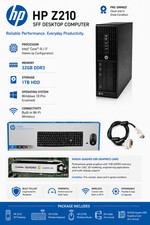
Intel(R) Xeon(R) CPU @ 3.30GHz, 4 Core(s), 32 GB RAM, 1 GB HDD Workstation 3
$145.00
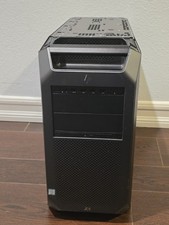
HP Z8 G4 Z8G4 Barebone Workstation w/ Intel Xeon Silver - No HDD No RAM No GPU
$449.99

Lenovo ThinkStation P520 Intel Xeon W-2123 3.6GHz 900W - NO RAM/ GPU/ HDD/ OS
$189.98

Matched Pair _ Intel Xeon E5-2698 V4 2.2GHz 20-Core Processor CPU LGA2011 SR2JW
$94.99

Intel Xeon Gold 6230 2.1 GHz Processor - SRF8W
$29.00

Supermicro 1027GR-TSF 1U Rackmount Server 2x Xeon 2.3GHz 128GB DDR3
$219.99

Intel Xeon Processor E5-2687W V4 SR2NA 3.00GHz Broadwell 160W LGA2011 12-Core
$36.00



 Reply With Quote