

 Reply With Quote
I suggest you dump everything on the flash, reboot, and use the built-in flash install utility ("Install Knoppix to flash disk" on the Preferences menu.)Originally Posted by JohnKlug

Cheers!
Krishna


I am using 6.2. I downloaded Knoppix and installed it to an 8GB USB drive.
It asks during boot for the size of the overlay file (300MB to 4000MB). I enter 3000MB, and do OK, and it does not ask me anything about encryption, it just boots. I have a very fast system, so maybe there is some kind of timing issue?
Here are the instructions I used to install the flash drive:
http://www.pendrivelinux.com/install...ve-in-windows/
knoppix@Microknoppix:/mnt-system/KNOPPIX$ lsHere is an ls of where I thought the overlay file belongs:
README_Security.txt index_it.html license.txt
background.jpg knoppix modules
index_de.html knoppix-cheatcodes.txt sha1sums
index_en.html knoppix-logo-medium.png sources.txt
index_fr.html knoppix-logo-small.png
knoppix@Microknoppix:/mnt-system/KNOPPIX$ ls
README_Security.txt index_it.html license.txt
background.jpg knoppix modules
index_de.html knoppix-cheatcodes.txt sha1sums
index_en.html knoppix-logo-medium.png sources.txt
index_fr.html knoppix-logo-small.png
I suggest you dump everything on the flash, reboot, and use the built-in flash install utility ("Install Knoppix to flash disk" on the Preferences menu.)
Cheers!
Krishna
I solved my problem. I think that the documentation is a bit weak in this area.
Since the "personal file" choice said between 300MB to 4000MB, I thought I should enter something like 3000MB. I even tried 3GB.
This is incorrect. It wants only the integer.
Am I completely alone in thinking that it wanted the "MB"? Otherwise I think they should make this clear somewhere. I have not seen any screenshots or examples of what to enter for the response for the "personal file" during boot.
I can't figure out how to enter a bug report on 6.2. Bug reports seem to stop at 5.3:
http://www.knoppix.net/wiki/Bugs
Here is what I could find on customization:
http://www.knoppix.net/wiki/Customizing_FAQ
Do I add something of my own to the custmization wiki?
Glad to know your problem is solved.
It's a Wiki, JohnKlug, go right ahead, register, update away and make it more useful for othersDo I add something of my own to the custmization wiki?
I updated the customization FAQ, specifying that the size must be an integer:
http://www.knoppix.net/wiki/Customizing_FAQ


Intel Core i7-9700 Octa-Core 3 GHz Desktop Processor LGA 1151
$79.99

Corsair RM750e 750W Fully Modular 80 Plus Gold ATX 3.1 PSU Certified Refurbished
$44.99

PS5 Over Heating Problem Solver 1.5 Grams Liquid metal thermal paste CPU, GPU
$15.99

HP ProDesk 405 G8 Desktop AMD Ryzen 5 PRO 5650GE 16GB RAM 512GB SSD W11P
$319.99

Intel SRG17 Core i7-9700T Desktop Processor CPU
$74.99
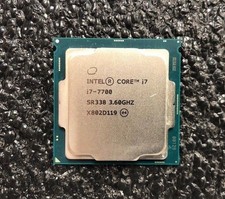
Intel Core i7-7700 Kaby Lake Quad-Core 3.6 GHz Processor LGA 1151
$39.99

Intel i7-8700 Coffee Lake 3.2GHz 6-Core Max Turbo 4.6GHz Processor
$69.99
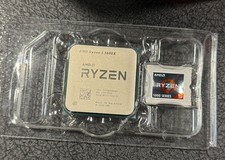
AMD Ryzen 5 5600X Desktop Processor (3.7GHz, 6 Cores, AM4 CPU) 100-100000065
$125.00
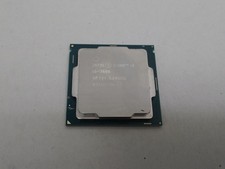
Intel Core i5-7600 3.5 GHz 8 GT/s LGA 1151 Desktop CPU Processor SR334
$16.99
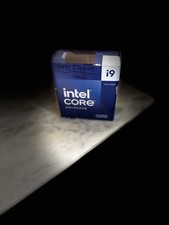
Intel Core I9-14900K 14th Gen Unlocked Desktop Processor LGA1700
$395.00

