

 Reply With Quote
Hit the F2 and F3 keys when it first boots up (big penguin on the screen) for suggestions. One way to go might beOriginally Posted by LanceHaverkamp
 or whatever resolution you like.Code:knoppix screen=1280x1024
Cheers!
Krishna


Using an old HP OmniBook XE notebook. Can't get (any Linux) to correctly use the entire screen. 800x600 is the max used, but that leaves 4cm around the entire screen black. I assume it's supposed to be 1024x768.
Doesn't make any difference if I Live Boot or Install.
Any suggestions?
Thanks,
Lance
Last edited by LanceHaverkamp; 05-05-2010 at 01:40 AM.
Hit the F2 and F3 keys when it first boots up (big penguin on the screen) for suggestions. One way to go might beor whatever resolution you like.Code:knoppix screen=1280x1024
Cheers!
Krishna
Good idea, but no luck there. Before X, when the green bar is going across the screen during boot, the whole screen is being utilized. But as soon as X starts, it's got a huge black border around the visible screen & the max resolution selectable is 800X600.
On the HD install, I tried manually entering 1024x768 into xorg.conf & rebooting, but then X fails to start at all.
Do you know what graphics chip is used in your lappy? It sounds like a driver issue, which is rare with Knoppix, but it must have happened. If you search for it on Google or whatever search engine you like, you will probably find where someone else has run into a similar problem and you can use the driver that they used. You also might want to try this(from the cheatcodes file in the KNOPPIX folder of the CD)
Hope that helps!Code:knoppix fb1280x1024
Krishna
After doing some more digging, I've decided that this little notebook video is too freaky of an old system to bother fixing-up:
As it turns-out, even Win98 (which it was designed for) won't display properly without a post-install change of drivers. There's a Silicon Motion Lynx/LynxE display driver provided by HP for Win95/Win98. Apparently XFree86 did support this display system, but xorg does not. It's probably possible to switch from xorg to XFree86, but I really don't want to learn how, as I'm an end-user, not a Linux hobbyist (since I'm sure it wont autoconfig).
Thanks for the help!
Lance
Okay, I hear that. FWIW, there's a note in the cheatcodes:
Code:knoppix norandrWould you mind trying that and letting me know how it worked, even though you don't intend to use it?Disable Xorg RandR feature (may be useful if wrong resolution was detected)
Krishna
Last edited by krishna.murphy; 05-08-2010 at 05:18 PM. Reason: Readability
Nope, didn't work. Given the fact that it won't even work right for the o/s it was designed for (Win98), without a special driver installation, I suspect the hardware is simply reporting itself as the wrong size (or possibly the wrong dpi). Knoppox (and every other xorg-based Linux I've tried) is correctly configuring itself for what it's being told by the lousy hardware. I don't know if there's an easy-to-install Linux that uses XFree86 anymore, but we've reached that point of no-longer worth the effort for a 13 year old notebook.
Thanks again, you're the best!
Lance
Last edited by LanceHaverkamp; 05-08-2010 at 05:44 PM. Reason: Disable smilies in text
 Posting Permissions


Crucial MX500 1TB 2.5" SATA III Internal SSD CT1000MX500SSD1
$102.99

Samsung 2.5" 870 EVO SSD SATA III 250GB 500GB 1TB Internet Solid State Drive Lot
$90.00

Samsung 860 EVO 250GB SSD MZ-76E250 2.5" SATA III Solid State Drive
$39.99

Samsung 860 PRO 2TB 2.5" SATA III V- NAND SSD MZ-76P2T0 86%-90% Health
$187.00
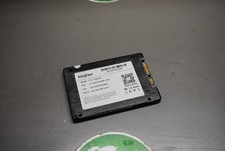
KingFast F10 256GB 2.5” SATA III SSD Tested Working 2710DCS23BF-256
$22.89

Netac 2TB 1TB 512GB 256GB Internal SSD 2.5inch SATAIII Solid State Drive lot
$549.00

Fanxiang 1/2/5/10Pcs 2.5'' SATA SSD Lot 1TB 2TB 4TB 512GB 256GB TLC Internal SSD
$129.99

2 PACK 128 GB SSD M.2 2280 SATA Solid State Drive Major Brands, Samsung, LiteON
$28.80

Samsung New SSD 970 EVO Plus 2TB 1TB 500GB 250GB NVMe M2 Internal Hard Drive Lot
$79.99

Micron MTFDDAK256TBN 256 GB, Internal ,2.5" SSD
$23.00