-
What a *#! POS Windows Vista is, and HP for using it!
Well, it is, very often. Excuse my french, but I'm frustrated with the netbook we got for our daughter right now. I updated the sucker to the latest SP when we got it at Christmas, but the girl has simply not gotten used to doing anything with it because it's too slow and funky. She wanted Vista, though, and my wife was against using Linux because she thought the girl'd have difficulty and be lost when trying to interface with a M$oft-centric world.
So, long story short, I set out to downgrade the beast to XP, 'cause then she'd have M$ AND a more responsive (albeit older) OS. I squeezed the partition down with Knoppix, booting from my flash drive, set up a new partition for XP with FAT32 , and booted from the XP install CD on a portable CD/DVD drive. So far, so good, but then it's time to deal with the new hardware and an old OS - and sure enough, there was trouble. I couldn't get either a floppy-copy (USB drive again!) of the SATA driver or a slip-streamed (custom) XP install disk to work, nor does Knoppix have all the drivers it needs, for that matter.
So now it's either switch to debian and deal with all that entails, or get Win7 ($79.50 at WalMart or take a chance on a torrent-version), or some other netbook-centric distro, or ??? And it should be soon, 'cause Vista won't boot right any more. Anybody got a suggestion?
Krishna
-
Administrator
Site Admin-
You could restore it to factory condition with the manufacturer's "restore" CD, couldn't you? That would take you back to the original OS and get over your Vista not booting.
When installing XP, couldn't you create a small partition on the hard disk before you start installing and put the SATA driver etc there? Or would the XP installation require those to be on an external drive?
Incidentally, why did you choose FAT32 for the XP partition?
-
 Posting Permissions
- You may not post new threads
- You may not post replies
- You may not post attachments
- You may not edit your posts
-
Forum Rules


Lenovo ThinkPad E14 Gen 2 Laptop 14” HD Ryzen 5 16GB RAM 512GB SSD Win 11 Pro
$334.99

Lenovo ThinkPad E14 Gen 3 Laptop 14” FHD AMD Ryzen 5 16GB RAM 512GB SSD Win 11
$374.99

Lenovo ThinkPad L15 Gen 3 15.6" 16GB, Thunder Black
$241.50
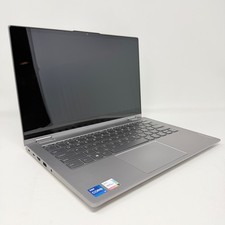
Lenovo Thinkbook 14s Yoga ITL 14” Core i7-1165G7, 16GB RAM, 512GB SSD Touch
$379.00
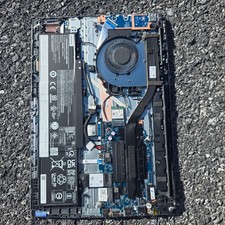
Lenovo IdeaPad Slim 3x 15Q8X10 83N30010US 16GB 1TB SSD keybord Parts/Repair
$190.00

Lenovo Legion 5 Gaming 15.1" WQXGA OLED 165Hz Core i9-14900HX 16GB 1TB RTX 5070
$1469.00

Lenovo ThinkPad T14 Gen 1 14" AMD Ryzen 5 16GB 256GB SSD
$219.99

Lenovo ThinkPad X13 Gen 1 i5-10310U 16GB 512GB SSD Touch Win 11 Pro Good
$222.99

Lenovo ThinkPad L15 Gen 3 15.6" 16GB, Thunder Black
$241.50

Lenovo ThinkPad T495 14” Laptop AMD Ryzen 5 PRO 16GB RAM 256GB SSD Windows 11
$229.99



 Reply With Quote
 - that will give me time to figure out what happened.
  ... Catch 22, as they say.