-

Originally Posted by
PattiMichell

"it's designed to run without passwords" - right, but the problem is more complicated than that, for instance, if you use the menu system to start the "Users and Groups" applet, it won't let you change anything. So I edited the menu entry to put "sudo" in front of the command line for the applet and it works fine. But these menu changes don't persist, so I guess I need to use that persistence file? Since it's installed on an 8GB SD drive, and it claims there is 4 Gig left, how big should I make the persistence file? I guess since Knoppix uses FAT32 - the biggest I can make it is ~2GB...
I think that's probably FAT-Ex, M$oft's newer offering (which apparently has been adopted by flash device makers.) There seems to be no FS-related difficulty with large files on my 8GB USB-stick, but I used 2GB for that persistent store anyway, to leave room for both the 4GB KNOPPIX file/folder and some (Windows-accessible) unused FAT space. Knoppix itself can be installed on many if not most FSs, FWIW.
Cheers again!
Krishna 
-
Junior Member
registered user
Originally Posted by
krishna.murphy
I think that's probably FAT-Ex, M$oft's newer offering (which apparently has been adopted by flash device makers.) There seems to be no FS-related difficulty with large files on my 8GB USB-stick, but I used 2GB for that persistent store anyway, to leave room for both the 4GB KNOPPIX file/folder and some (Windows-accessible) unused FAT space. Knoppix itself can be installed on many if not most FSs, FWIW.
Cheers again!
Krishna
Hmmm... didn't think I needed to do a persistent store since I have a dedicated SD drive to knoppix. So I gave it a file size during boot in the option to make a persistent settings store file, but it didn't do anything... Should I just create a new user (me)?
-
Originally Posted by
PattiMichell
Hmmm... didn't think I needed to do a persistent store since I have a dedicated SD drive to knoppix. So I gave it a file size during boot in the option to make a persistent settings store file, but it didn't do anything... Should I just create a new user (me)?
It's a fairly subtle thing - you might have missed it. It should create an encrypted file called knoppix-data.aes in the KNOPPIX folder on the SD card, in this case. The next time you boot, it should prompt you for the password you set for that file, then integrate everything inside with the file system you get when it's not there to create the effect of "changeability" without having to allow anything to actually change in the base install file.
Cheers!
Krishna
Last edited by krishna.murphy; 05-22-2010 at 09:47 PM.
Reason: clarity
-
Junior Member
registered user
Maybe I forgot to request an encrypted install when I did the to-SD install applet in the Live DVD? I don't remember seeing anything in the applet for a default home either. Maybe I have to do that manually still (even though there's an applet)?
 Posting Permissions
- You may not post new threads
- You may not post replies
- You may not post attachments
- You may not edit your posts
-
Forum Rules


Samsung DVI to DVI Cable 6 ft Digital Video Interface Audio Video NEW
$30.89
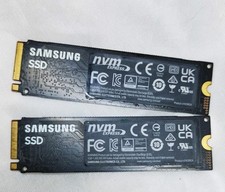
1 Samsung 980 500GB NVME M.2 2280 Internal SSD PCIe 3.0 Solid State Drive As-Is
$63.50
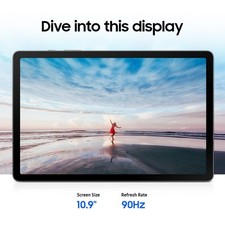
Samsung Galaxy Tab S10 Lite 10.9" 128GB Silver Wi-Fi SM-X400NZSAXAR
$206.00
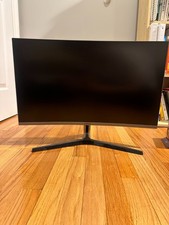
Samsung LC27JG56QQNXZA 27.0" 2560 x 1440 144 Hz Curved Monitor
$60.00

Kids Case for Samsung Galaxy Tab A9+/A9 plus 11 Inch 2023 Case, with Strap, Shoc
$27.99

Samsung SCXSTP000, SCX-STP000 (Swingline Staple Cartridge - 3 Refills)
$57.99

Samsung JC95-01514A Cover-Side Roller T2 Compatible
$39.00

Samsung JC93-01078A Transfer Roller T2
$89.00

Samsung Galaxy View Tablet 18.4 SM-T670/677A Digitizer 100% Original Oem
$152.99
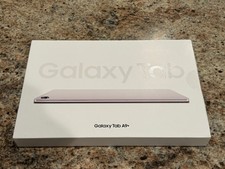
Samsung Galaxy Tab A9+ Plus 11” 128GB Android Tablet Graphite BRAND NEW SEALED.
$214.99



 Reply With Quote