-

Originally Posted by
PattiMichell

Maybe that's my problem!! I put "2000 MB" since the example shows the "MB" - I'll try again... Does the user always stay "knoppix" or do I create a user "patti" like in other distros?
It's the conventional wisdom that Knoppix has been extensively customized (from the base distro, Debian) for use as a single-user LiveCD. Persistence has been added recently, which could allow for multiple users, but the heavy customization more-or-less precludes that. It's pretty easy to boot to the SD-Knoppix on most any "modern" system, making it a very portable little "system on a card"; if you need to install something else on your home system with multiple-user capability for others in your home (for instance) that wouldn't stop you booting it there too.
Cheers!
Krishna 
p.s. I'm imagining a multi-user version of Knoppix that works by allowing for the existence of multiple knoppix-data files. I can "emulate" that now (crudely) by renaming the one that's on my flash drive and creating another, which has all-different customization and private files. The downside of this crude approach is that there's a bunch of stuff I added to the SYSTEM (Google Chrome, etc.) that will "stick to" my original k-data file. There are numerous potential advantages (and disadvantages) to using something like this approach, I think.
-
Junior Member
registered user
Thanks, so, when installing new software in Knoppix, the executables, libraries, etc. that I install go into the "/" file system, and only personal settings are stored in the persistent file - is that true?
If not, all those files/libraries/executables will fill up the persistent file really fast!
I was looking at the Debian repos and there is a TON of cool software there that isn't in OpenSuSE repos (the other distro I use). So I guess I'll do a permanent install and put it into GRUB. I don't want to do pure Debian because Knoppix has the hardware detection I need for my laptop.
Last edited by PattiMichell; 05-24-2010 at 04:29 PM.
-
Senior Member
registered user
If you do an install to a flash drive I believe you do not have a full install. You have a 'poor man's install' where the Knoppix file, kernel and minirt file are copied across. These files cannot change so any changes, be they data, additional programs or program settings are stored to the persistent file.
(see http://www.knopper.net/knoppix/knoppix62-en.html note 6)
With this approach your worry about potentially running out of space if you install lots of apps is perfectly valid so you would need to create an appropriately sized persistent file.
If you do a full install to hard drive/flash drive then you should have a full knoppix file system (not just three files) and a persistent file is not needed. Additional programs will now go to the knoppix file system. However, this is not the recommended installation method (see note 6 again) although some do it.
-
Junior Member
registered user
Thanks - this makes sense. Now I'm deliberating on exactly what kind of install to do. I also tried desktop=kde but LXDE still comes up.
 Posting Permissions
- You may not post new threads
- You may not post replies
- You may not post attachments
- You may not edit your posts
-
Forum Rules


Lenovo ThinkPad L15 Gen 3 15.6" 16GB, Thunder Black
$241.50
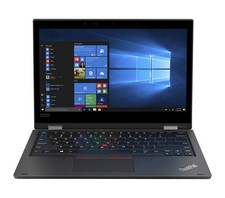
Lenovo ThinkPad L390 13.3” Touchscreen Laptop Core i3 8GB RAM 256GB SSD Win 11
$199.99
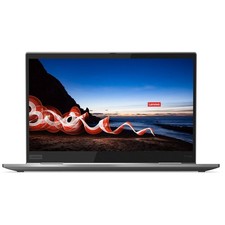
Lenovo ThinkPad X1 Yoga Gen 5 Touch 14” Laptop Core i5 16GB RAM 256GB SSD Win 11
$249.99

Lenovo ThinkPad L15 Gen 3 15.6" 16GB, Thunder Black
$241.50

Lenovo - Yoga 7i 2-in-1 16" 2K Touchscreen Laptop - Intel Core Ultra 5 Proces...
$749.99

Lenovo - IdeaPad Slim 3 15.6" Full HD Laptop - AMD Ryzen 5 40 2025 - 8GB Memo...
$379.99
Lenovo ThinkPad T14 Gen 2 i5-1145G7 16GB 512GB SSD Touch Win 11 Pro Good
$261.99
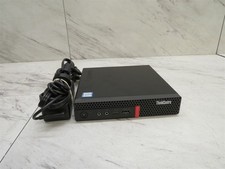
Lenovo ThinkCentre M920q Tiny i5-8600T 16GB RAM Mini PC w/ AC Adapter
$149.99
Lenovo ThinkPad T14 Gen 2 14" i7-1165G7 2.80GHz 16GB RAM 512GB SSD Windows 11
$284.99
Lenovo ThinkPad laptop T490 14" i5 8365U 16GB NEW 256gb SSD WIN 11 pro CAM WIFI
$259.99



 Reply With Quote