-
Senior Member
registered user
I think GParted should be able to copy the partition to the external drive. The best way I think is to boot Knoppix from CD. There is a manual http://gparted.sourceforge.net/docs/...tition-actions with a section Copying and Pasting a Partition. Don't forget to install GRUB in the MBR of your external drive. See also http://gparted.sourceforge.net/docs/...-boot-problems
There is an old documentation with many pictures http://gparted.sourceforge.net/larry...es/gparted.htm
-

Originally Posted by
klaus2008

Nice but if I think well enough, this isn't the safest way of copying partition on an external USB HD. Is there no other, manual way of doing it like: copy system files on the DVD, then on the USB HD and change the path?
Last edited by GizmoPlushie; 05-26-2010 at 09:58 AM.
Reason: spell corection
-
Senior Member
registered user
I am also interested in this topic. Is it possible to move the entire partition from one 4 gb USB drive to a bigger one like 16 gb, then convert it to ext2 and resize it to fit the entire drive and then resize knoppix-data.img above the FAT32's 4gb limit ?
-
Senior Member
registered user
Originally Posted by
mecho
I am also interested in this topic. Is it possible to move the entire partition from one 4 gb USB drive to a bigger one like 16 gb, then convert it to ext2 and resize it to fit the entire drive and then resize knoppix-data.img above the FAT32's 4gb limit ?
It wasn't clear to me that the previous posts were talking about harddisk installation or flash installation, as the migration procedures will be totally different. Flash installation migration is a lot easier. You consider one of the following strategies :-
First method: On your 16 GB flash, cut it into two partitions, first partition is a much smaller FAT32 ( 1 G is more than enough ), and it will still keeping your syslinux and kernel there. The second partition is ext2, and you copy the entire existing /mnt-system/KNOPPIX ( including knoppix-data.img ) over there.
Knoppix autodetects KNOPPIX directory and perform all the work accordingly.
To get two partitions out of the original single partition 16GB flash, you can use fdisk or equivalent. There are some details need to make it bootable, install boot loader and so on.
Second Method: You need to install alternative bootloader into your 16GB flash, say using grub or extlinux. These will require you to know how to use grub or extlinux.
Last but not least, you can yet consider migrating the entire /mnt-system/KNOPPIX directory to your internal harddisk ( together with your existing file system on the internal harddisk). I do that. I use the flash for booting only. After booting, I can remove the flash. 
-
Senior Member
registered user
Thank you - that was very thorough explanation. I thought that the procedure would be somewhat similar to the subject of this thread that's why I did not open another one and posted here. I didn't want to mess it up
-
Senior Member
registered user
One thing that might be tricky, is that it's not really advisable just to copy a live system with ordinary tools. Therefore, I use the copy to flash option to place a copy of the running system on external media first, and then copy the entire KNOPPIX directory from there to the final destination - that could be anywhere. This way, I don't have to boot the ISO or anything to do the work, and I can use all the extra tools I have installed all the time too. Working with it just like an ordinary install. In the case of copying to a Unix file system, I personally feel that extlinux is somewhat superfluous, as I don't really see any very good reason to not use GRUB when everything is in place.
I wonder why you need bigger than 4GB persistent storage. The limitation can surely be a hassle, but exactly what is the problem? I work with 3x4GB persistent, everything set up within the KNOPPIX directory, and in many ways, I find it is better to have the different development tools etc on different volumes of a very manageable size. When you run KNOPPIX from a Unix partition, that is mounted and accessible anyway, and I routinely mount one ore more storage volumes. Where I, for example, keep the virtual machines for vmware workstation. And ISO images, ready for loop-mounting.
The way I have organized it, I can have everything I need on a 16GB FAT32 stick.
Installing Knoppix 6.2.X on a hard disk the old way is just plain stupid. You end up with a brain damaged Debian install - which could have some merit in the old days before UNIONFS, but not anymore. And copying that retarded monster around is even worse.
-
Senior Member
registered user
Thanks Capricorny,
I have no problem in having more then one persistent storage files, but I do not really understand how will knoppix be accessing them and how will I be able to manage them. I have installed many new packages and have upgraded many too. I am not running out of space because I delete all unnecessary localizations and prevent browsers from using disk cache, so even on a single 3 GB persistent I have 1.68 free space. I am also storing all my user files on the hard drive and keep the USB stick only for the system and applications. Anyway I would really feel better if I know that I have more room
 Posting Permissions
- You may not post new threads
- You may not post replies
- You may not post attachments
- You may not edit your posts
-
Forum Rules

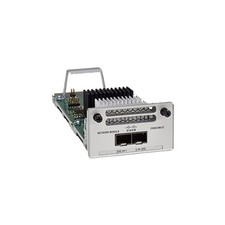
Cisco C9300-NM-2Y - Cisco Catalyst 9300 2 x 25G Network Module New
$550.00

Cisco Catalyst WS-C2960+24TC-S 24-Port Gigabit Managed SFP Switch
$39.99
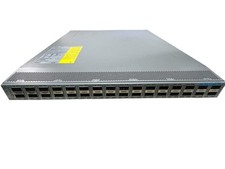
CISCO NEXUS 9300 N9K-C93180LC-EX 32-PORTS 32 x 40/50 Gbe QSFP+ NETWORK SWITCH
$249.95

Cisco Catalyst C9130AXI-B WiFi 6 802.11ax Wireless Access Point Brand New
$101.99
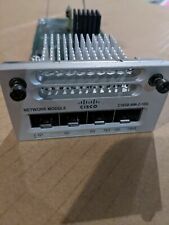
Cisco C3850-NM-2-10G 2 Port Network Exp.Module for 3850
$18.90
Cisco C9500-32QC-A C9500 Series 32x Port 40G or 16x 100G - Dual AC
$1099.00
Cisco Catalyst 3850-48F-L 48-Port UPoE Gigabit Switch NM-4-1G
$59.99

Cisco C3850-NM-2-10G Catalyst 3850 2 x 10GE Network Module
$30.00
Cisco 8-Port Ethernet Catalyst Switch - WS-C2960C-8TC-L - Brand New
$50.00

Cisco CISCO3945/K9 Integrated Service Router w/ T3/E3, EVM-HD Modules & Licenses
$64.99



 Reply With Quote