

 Reply With Quote
PS - I also tried add dictionary and added the English-Unated States dictionary addon. It's still not working. I am begining to think that the dictionary is working, it's just that something prevents the red marking from showing up


All spell check options are turned on in preferences and in the right click menu, plus English/Unated States dictionary shows active in the right click, but still I have not red marking of misspelled words. Hunspell is properly installed on my PC-I am not even sure if Iceweasel uses it.
I searched google extensively on this subject and could not find anything h
Please help
Last edited by mecho; 05-28-2010 at 01:42 PM.
PS - I also tried add dictionary and added the English-Unated States dictionary addon. It's still not working. I am begining to think that the dictionary is working, it's just that something prevents the red marking from showing up
UPDATE:
When I right click on misspelled word-iceweasel gives a suggestion in the right click menu. I wonder why it is not underlining the misspelled words. I have no way of knowing which of the words are misspelled
The solution in my case was a missing key in about:config. It is supposed to be there by default, but it is not. Not even after updating iceweasel to 3.6.4. Anyway the solution is:
Open about:config and search for ui.SpellCheckerUnderlineStyle
If it's there you are fine and you can just check the underline style options. If it's not there - create new integer give it the name ui.SpellCheckerUnderlineStyle and the velues are:
0 = no underlining
1 = dotted line
2 = long dots
3 = single straight line
4 = double underline
The change takes effect immediately
Hope this was helpful
I checked and found that I had no such key, as well - but I misspelled it when I tried to create the new one! Any tips on how to delete it?Originally Posted by mecho

Cheers!
Krishna
Open ~/.mozila and navigate to your account. With me it is /home/knoppix/.mozilla/firefox/knoppix
All custom preferences are stored in prefs.js
Find the line with the misspelled key and just delete it. You must do this with ICEWEASEL CLOSED. Otherwise changes won't take effect and the key will just be recreated.
You can edit all keys right in prefs.js with browser closed
Better use copy and paste when you create a key. No chance of misspelled words.
Just to clarify the issue - the default setting for firefox spell checker is the curvy line which is ui.SpellCheckerUnderlineStyle value=5
But iceweasel can not display the curvy line for some reason, at least on my instalation. The key ui.SpellCheckerUnderlineStyle is not in prefs.js, because value 5 is applied by default. So I had to insert the key in order to change the underlining and have it working with values 1 to 4 which are displayed properly.
Right. I tried inserting it, too, but misspelled it. Anybody know how to get rid of it?
Krishna
I wrote to you how to get rid of it in my previous messages. Just scroll up
@mecho
Many thanks for this idea.
I'd always had this feature by default in most other installations.
Was hesitant at first going to Mozilla for the add-on, but no problems there.
I can give up the wiggly underline.
 Posting Permissions


SK Hynix Server Memory 32GB (1x32GB) RAM DDR4 2400MHz HMA84GR7MFR4N Lot of 12
$1599.99

2 in 1 USB 3.0 Card Reader Micro TF card Reader usb adapter High Speed Cardreder
$3.99

P43330-0A1 HPE 32GB 2RX8 PC5-4800B DDR5 SERVER RAM P43328-B21 / HMCG88MEBRA107N
$1100.00

x4 Intel 128GB NMB1XXD128GPS Optane Memory 200 Series PMEM Module 3200 DDR4 RAM
$329.99

SK Hynix 64B PC4-2933Y Server Memory DDR4 RAM HMAA8GR7MJR4N-WM
$499.99

USB 3.0 Flash Drive 32GB 64GB 128GB Memory Stick Thumb Stick Lot Pack
$826.09

Kingston 32GB 64GB 128GB 256GB USB 3.0 Flash Drive Thumb Memory Stick Pen lot
$285.90
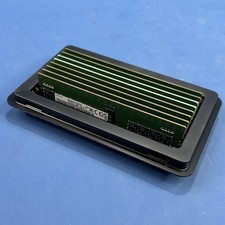
Samsung (8X16GB) 128GB 2Rx8 PC4-3200AA-RE2-12 Registered ECC Memory DDR4
$849.99
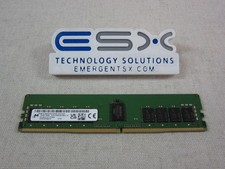
Micron MTA18ASF2G72PDZ-3G2J3 16GB 2Rx8 PC4-3200AA DDR4 ECC Server Memory RDIMM
$114.95
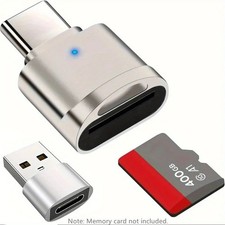
2 Pack USB C SD TF Card Reader Adapter Zinc Alloy USB-C to USB for iPhone 15-17
$3.35