-
Senior Member
registered user
Iceweasel spell checker not working
All spell check options are turned on in preferences and in the right click menu, plus English/Unated States dictionary shows active in the right click, but still I have not red marking of misspelled words. Hunspell is properly installed on my PC-I am not even sure if Iceweasel uses it.
I searched google extensively on this subject and could not find anything h
Please help
Last edited by mecho; 05-28-2010 at 01:42 PM.
-
Senior Member
registered user
PS - I also tried add dictionary and added the English-Unated States dictionary addon. It's still not working. I am begining to think that the dictionary is working, it's just that something prevents the red marking from showing up
-
Senior Member
registered user
UPDATE:
When I right click on misspelled word-iceweasel gives a suggestion in the right click menu. I wonder why it is not underlining the misspelled words. I have no way of knowing which of the words are misspelled
-
Senior Member
registered user
Solved
The solution in my case was a missing key in about:config. It is supposed to be there by default, but it is not. Not even after updating iceweasel to 3.6.4. Anyway the solution is:
Open about:config and search for ui.SpellCheckerUnderlineStyle
If it's there you are fine and you can just check the underline style options. If it's not there - create new integer give it the name ui.SpellCheckerUnderlineStyle and the velues are:
0 = no underlining
1 = dotted line
2 = long dots
3 = single straight line
4 = double underline
The change takes effect immediately
Hope this was helpful
-
New problem

Originally Posted by
mecho

The solution in my case was a missing key in about:config. It is supposed to be there by default, but it is not. Not even after updating iceweasel to 3.6.4. Anyway the solution is:
Open about:config and search for ui.SpellCheckerUnderlineStyle
If it's there you are fine and you can just check the underline style options. If it's not there - create new integer give it the name ui.SpellCheckerUnderlineStyle and the velues are:
0 = no underlining
1 = dotted line
2 = long dots
3 = single straight line
4 = double underline
The change takes effect immediately
Hope this was helpful
I checked and found that I had no such key, as well - but I misspelled it when I tried to create the new one! Any tips on how to delete it?
Cheers!
Krishna 
-
Senior Member
registered user
Open ~/.mozila and navigate to your account. With me it is /home/knoppix/.mozilla/firefox/knoppix
All custom preferences are stored in prefs.js
Find the line with the misspelled key and just delete it. You must do this with ICEWEASEL CLOSED. Otherwise changes won't take effect and the key will just be recreated.
You can edit all keys right in prefs.js with browser closed
Better use copy and paste when you create a key. No chance of misspelled words.
-
Senior Member
registered user
@mecho
Many thanks for this idea.
I'd always had this feature by default in most other installations.
Was hesitant at first going to Mozilla for the add-on, but no problems there.
I can give up the wiggly underline.
-
yay i got mine fixed too!!! thanks for bring it up the topic!!! It was bothering me for a while now... tho my was named "layout.spellcheckDefault".... well, i guess it's still not working for me... but at least by changing the value to '0' there are not more annoying red lines any more...
-
Senior Member
registered user
layout.spellcheckDefault is a different key. It has a different purpose. It takes the values of 0,1 and 2
where 0 is no underline, 1 is underline only multiple lines and 2 is underline multiple lines and single line. If you use option 2 it will underline spell errors even when you type a single line in google search
-
oh, well
at least all the red lines are gone for now... >.<
couldn't find the line you were refering in you post... do i have to create/add that ?
 Posting Permissions
- You may not post new threads
- You may not post replies
- You may not post attachments
- You may not edit your posts
-
Forum Rules


AMD Ryzen 5 5500 Processor ( read Description)
$59.00

(LOT OF 20) Intel Core i5-8400 CPU 2.80GHz Desktop Processor (SR3QT)
$700.00

INTEL CORE I9-10940X X-SERIES PROCESSOR | 3.30GHZ | SRGSH
$179.99

Intel Core i7-4770 3.40GHz Quad Core SR149 LGA 1150 CPU Processor tested
$35.00

Intel Core i5-12500T SRL5W 2GHz 18MB 6 Core Socket LGA1700 Desktop CPU Processor
$114.99

Intel Core i7-9700 Octa-Core 3 GHz Desktop Processor LGA 1151
$79.99

Intel Core i7-3770K 3.5 GHz Processor
$39.00
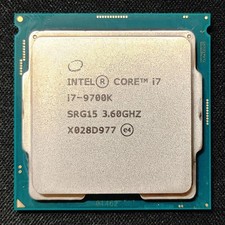
Intel Core i7-9700K Octa-Core 3.6 GHz Desktop CPU
$99.99
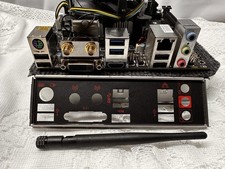
Compo MSI B150I GAMING PRO AC LGA1151 16 Gb DDR4 + Cpu I7 6700+I/O Shields.
$159.00

Lenovo ThinkCentre M920s SFF Barebones PC Motherboard PSU DVD No CPU RAM SSD
$27.99



 Reply With Quote