
I checked and found that I had no such key, as well - but I misspelled it when I tried to create the new one! Any tips on how to delete it?Originally Posted by mecho

Cheers!
Krishna


I checked and found that I had no such key, as well - but I misspelled it when I tried to create the new one! Any tips on how to delete it?
Cheers!
Krishna
 Posting Permissions


🔀 Juniper Networks EX2300-C-12P 12× Gigabit PoE+ • 2× 10G SFP+ Compact Switch ⚡
$109.99

Juniper EX2300 12-Port Gigabit PoE+ Managed Network Switch P/N: EX2300-C-12P
$149.99
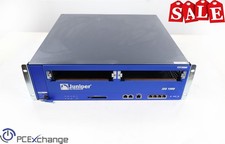
Juniper NS-ISG-1000 ISG-1000 Integrated Security Gateway Baseline Chassis 4PORT
$129.99
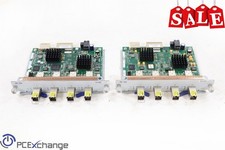
Juniper NS-ISG-GB4 : Juniper ISG GB4 4-Port
$129.99

Juniper MX204 +JUNOS and Dual Power Supply
$7299.99
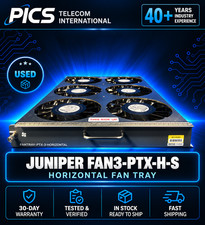
Juniper FAN3-PTX-H-S Fan II price incl VAT 3 yr warranty* B2B
$2500.00

Juniper Networks MX204-HW-BASE *BRAND NEW FACTORY SEALED* READ DETAILS
$8199.99

Juniper QFX5120-48Y-AFO 48 x 1/10/25GB SFP28 + 8 x 40/100GB Switch w/Dual AC
$10499.99

Juniper Networks Mist Wireless Access Points, Model AP45
$59.99

Juniper EX3400-24P 24-Port PoE+ GbE + 4-Port 1/10Gb SFP Switch
$245.00

 Reply With Quote