
No matter what I try I can't get Knoppix 5 to use 1920x1080. Tried 3 different graphics cards. It always wants to use 1680x1050 or something else. Is there an easy fix?


No matter what I try I can't get Knoppix 5 to use 1920x1080. Tried 3 different graphics cards. It always wants to use 1680x1050 or something else. Is there an easy fix?
Unless you have a compelling reason to use the older version of Knoppix, I highly recommend switching to the more recent v6.x series. It boots faster, has the later kernel, and has compatibility with more recent hardware releases (and thus might very well work with your monitor "out of the box.")Originally Posted by Luke M

Cheers!
Krishna
I have tried Knoppix 6 (6.2.1), and frankly, it's nowhere near as reliable as Knoppix 5. K5 has always worked for me, on a variety of hardware. K6 has been nothing but trouble.
Perhaps you're using it mostly with older hardware? This would seem to be a problem with newer hardware, which K6 is good with, while K5 has more drivers for older stuff. Unfortunately, K5 also doesn't have the ability to add drivers, while K6 has the persistent store feature, which would be very useful here.
Cheers!
Krishna
Last edited by krishna.murphy; 05-30-2010 at 01:51 PM. Reason: clarity
Well, I concluded that I'm a lot closer to getting K5 to work perfectly than I am to getting K6 to work perfectly. K6 seems to have deeper problems...many random explained boot crashes (this is on old but totally standard hardware - Intel CPUs and chipsets). And then there's compiz. Never mind how tasteless it is, the damn thing plain doesn't work. It's buggy as hell. What happened to good old icewm?I suspect the resolution problem is an artificial limitation, merely something missing from a config file.
Perhaps you can search the web for a X11 config file; that worked for a problematic debian install I'm doing on a netbook. I think you'll need to do a hard drive install to make ANY change, though.
As for "bug-y-ness", that is probably specific to the machines - unless you have a bad CD for 6.2. Have you run the self-checker? Just type in (at the boot prompt)It appears that a lot of disks are turned into coasters instead of Knoppix, under Windows. You can burn again if your md5 sum is correct but the CD doesn't pass; try a slower speed, re-writable media, or terminating the Explorer process to make a good disk.Code:knoppix testcd or knoppix testdvd
Regarding Compiz, just type (again at the boot prompt)Let us know how it goes, andCode:knoppix no3d
Cheers!
Krishna
Last edited by krishna.murphy; 05-30-2010 at 10:03 PM.
[QUOTE=krishna.murphy;120441]Regarding Compiz, just type (again at the boot prompt)Of course I tried that, and it's worse; the boot crashes 100% of the time with that option. With the defaults, at least it usually boots.Code:knoppix no3d
That should be UNexplained of course.
That's totally explanable. Most will blame it to bad CD or bad config, I think otherwise. I think this kind of problem mostly due to kernel config not quite fitting older hardware. Perhaps K6 did not maintain older hardware compatibility well.
Yes compiz also does not work well with older hardware, as it requires quite a bit of 3-D capability to do well. But at least it works for me.
K6 works for me for my hardware. I have since upgraded a few Xorg libraries to yet newer ones - to support cairo-dock. I am not sure the newer libraries will do things correctly for all hardware, but for the least they do things correctly for me and yet they do not require a X11.conf. Yes, I don't have a X11.conf ! The newer trend in X11 is early graphic mode.
What I am trying to say here is that, there will always be trade off between so-called "bleeding edge" verses compatibility. It's a choice one has to make.
There were a lot of drivers removed (relative to K5, as I said before), for legacy/uncommon-today hardware. And a lot of drivers added for newer hardware, too.Bad CD/DVD burns and ISO downloads are pretty common, as well; fortunately that can be tested easily, and virtually nothing else is worth doing if that's the prob.
And many others.Yes compiz also does not work well with older hardware, as it requires quite a bit of 3-D capability to do well. But at least it works for me.Cool! How does that work? I had to grab a xorg.conf I found on the web to get my daughter's netbook to work with debian; I got used to Knoppix doing all the work for me.K6 works for me for my hardware. I have since upgraded a few Xorg libraries to yet newer ones - to support cairo-dock. I am not sure the newer libraries will do things correctly for all hardware, but for the least they do things correctly for me and yet they do not require a X11.conf. Yes, I don't have a X11.conf ! The newer trend in X11 is early graphic mode.
Yes, and as you said, this is always the case. It's really cool that there are so many great choices - more all the time - and a community of people trying to make these things work well for others.What I am trying to say here is that, there will always be trade off between so-called "bleeding edge" verses compatibility. It's a choice one has to make.
Cheers!
Krishna
 Posting Permissions

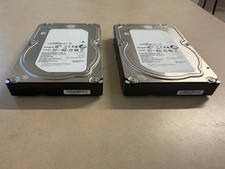
Lot of 2 Seagate Constellation ES.3 ST2000NM0023 2TB 7200RPM SAS 6Gb/s 3.5" HDD
$34.99

Seagate 14TB Exos X14 7200RPM SATA 6Gb/s 256MB 3.5" Enterprise HDD ST14000NM0408
$354.99

HUS726060ALA640 HGST Ultrastar 6TB SATA 6Gbps 7.2K 3.5" Hard Drive OF21860
$129.99

Seagate Exos X16 ST10000NM010G 10TB 7200RPM SAS 12Gb/s 3.5" 512e/4Kn HDD
$199.00

Seagate ST6000NM0115 6TB 256MB 7200RPM 3.5" SATA 6.0Gb/s Enterprise Hard Drive
$159.99

Hitachi / HGST Travelstar HTS541010B7E610 1TB 2.5" SATA III HDD
$29.99

HGST HUS724040ALA640 4TB 7200 RPM SATA 3.5" Internal Desktop Drive 100% Health
$78.00

HITACHI ULTRASTAR 2TB 7.2K 6G 3.5INCH SATA HDD HUS724020ALA640 | TESTED WIPED
$34.95
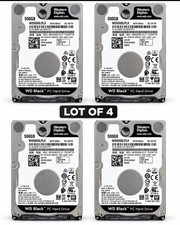
Western Digital WD Black 500GB WD5000LPLX 7200RPM 2.5” SATA HDD Lot of 4 Tested
$64.00
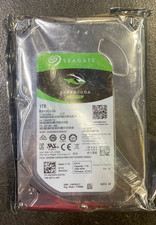
Seagate BarraCuda ST1000DM010 1TB 7200 RPM 64MB Cache SATA 6.0Gb/s Hard Drive
$63.99

 Reply With Quote