

 Reply With Quote
Perhaps it is sufficient to add the file /lib/firmware/bnx2/bnx2-mips-06-4.6.16.fw to your miniroot.gz. Since you added the driver for the network card you know how to create a new miniroot.gz.


Hello list,
I’ve a query regarding PXE booting Knoppix 6.2 DVD. As per the forums and documentation, I could create initrd and vmlinuz by running terminal server. I can even boot from that vmlinuz and initrd image ( miniroot.gz ).
But I do see that PXE boot fails to the debug shell with a message saying “Probing Network devices handled by bnx2.ko”. it’s loading bnx2.ko because my on-boards LOMs are Broadcom 5709 based.
By going through the init script inside miniroot.gz, I could see that it’s trying to load bnx2.ko module from modules/net directory inside miniroot.gz and it fails. I edited the below part of script and recreated the miniroot.gz to know what exactly happens while loading bnx2.ko..
# Load nfs modules
NFSMODULES="$(cd /modules/net; echo af_packet.*o sunrpc.*o lockd.*o nfs_acl.*o nfs.*o)"
for i in $NFSMODULES; do
insmod /modules/net/"$i"
done
FOUND_NETWORK=""
message "Loading network device module(s)"
for i in $(cd /modules/net; echo *.*o); do
case "$NFSMODULES" in
*$i*) continue ;;
*)
case "$i" in
00*) ;;
*) message -n "${CRE} ${BLUE}Probing network device(s) handled by ${MAGENTA}$i${BLUE}.${NORMAL}"
FOUND_NETWORK="$i" ;;
esac
insmod /modules/net/"$i" >/dev/null 2>&1 ;; # Edited by KP, removed redirecting to /dev/null
esac
done
Now I can see that while loading bnx2.ko, it’s not able to load bnx2 firmware file. Here is the exact error message.
Bnx2: can’t load firmware file “bnx2/bnx2-mips-06-4.6.16.fw”
Bnx2: probe of 0000:05:00.0 failed with error -2
Bnx2: can’t load firmware file “bnx2/bnx2-mips-06-4.6.16.fw”
Bnx2: probe of 0000:05:00.0 failed with error -2
But e1000 driver is getting loaded successfully on another system which has Intel NIC and PXE boot is fine by mounting my NFS share where Knoppix is residing.
Have any one experienced on why bnx2 is failing for Knoppix 6.2 when it’s booted from PXE? Note that this is booting up fine from CDROM. Am I missing something here?
Thanks in advance !
Thanks,
Krishnaprasad
Perhaps it is sufficient to add the file /lib/firmware/bnx2/bnx2-mips-06-4.6.16.fw to your miniroot.gz. Since you added the driver for the network card you know how to create a new miniroot.gz.

I had added the firmware files to the initrd. but it doesn't help. i've the files available under lib/firmware/bnx2 and under KNOPPIX and UNIONFS as well.
From the error message it looks like it's not able to load the firmware files??
Thanks much for your help !
- Krishnaprasad
I think you may need a different firmware file; -mips- part of the name suggests to me that this isn't a Knoppix-compatible driver.Originally Posted by krishnaprasadk

Hope that helps!
Krishna
You might want to check if you boot up from CDROM, the loading of bnx2 is done after '/sbin/init' or before '/sbin/init'.
I think you might want to read this :-
http://lwn.net/Articles/242046/
It seems 'early' firmware loading will require additional tweaking.
Cheers.
Hi Krishna,
I don't think so because when i boot Knoppix from a CDROM, then the same module gets loaded successfully. and i do see that only this firmware file is available in the entire CD w.r.t bnx2. So that means this firmware file must be loaded while bnx2 bootup. But unfortunately we could not check if the firmware is really loaded to the kernel or not. lsmod doesnt give this info and neither dmesg.
Also the error message says can't load the firmware file bnx2/bnx2-mips-06-4.6.16.fw”
Probably this means while module load ( bnx2.ko ), it's not able to see the firmware file available in initrd or it's not able to load this to kernel because of some other reasons.
Another doubt that i have is, in the case of CDROM bootup, init may be loading this firmware file after mounting the KNOPPIX image to a temporary location. i.e. it may not be getting loaded from initrd.
if that's the case, this can't be implemented in my case because my KNOPPIX image sits in an NFS share and i need network access to mount that NFS share to a temp location...
Thank you all for supporting me in this issue. Any ideas will be highly appreciated.
Thanks,
Krishnaprasad
Hello,
as you know the modules ( network ) are getting loaded from initrd and the firmware load happens when bnx2.ko is getting loaded. The module gets loaded to the kernel but the network devices will be failed as the firmware is not loaded.
From the init code, it's seen that it tries to load bnx2.ko but there the failure happens.
# Load nfs modules
NFSMODULES="$(cd /modules/net; echo af_packet.*o sunrpc.*o lockd.*o nfs_acl.*o nfs.*o)"
for i in $NFSMODULES; do
insmod /modules/net/"$i"
done
FOUND_NETWORK=""
message "Loading network device module(s)"
for i in $(cd /modules/net; echo *.*o); do
case "$NFSMODULES" in
*$i*) continue ;;
*)
case "$i" in
00*) ;;
*) message -n "${CRE} ${BLUE}Probing network device(s) handled by ${MAGENTA}$i${BLUE}.${NORMAL}"
FOUND_NETWORK="$i" ;;
esac
insmod /modules/net/"$i" >/dev/null 2>&1 ;;
esac
done
# Enable kernel messages again
echo "6" > /proc/sys/kernel/printk
ifconfig lo 127.0.0.1 up
[ -n "FOUND_NETWORK" ] || debugshell
But if i have an Intel card and if e1000.ko is the driver, this gets initalized properly. The issue is only with bnx2.ko and the firmware files.
Unfortunately all of my systems have Onboard Broadcom NICs.
Thanks,
Krishnaprasad
I have asked you to read the document, you have probably not read it thoroughly yet.
Nevermind, that's the long version of the answer. The short version of the answer is as follows :-
You need to have a shell script called /sbin/hotplug, with execution permission, the content
is something like this :-
#!/bin/sh
echo 1 > /sys/$DEVPATH/loading
cat /lib/firmware/bnx2/$FIRMWARE > /sys/$DEVPATH/data
echo 0 > /sys/$DEVPATH/loading
That's will likely do the trick.
Cheers.
my bad !!.. i read the doc but it didn't clicked for me. I will try this out today. I've just one basic question..what's the DEVPATH needs to be used in my case? will it be the hard drive device name? please advise
Thanks,
Krishnaprasad
Hi, Please ignore my previous post.
i do see that DEVPATH is the Path under /sys at which this device's sysfs directory can be found. i saw the documentation inside Documentation/firmware_class as well. From there i understood the way kernel is calling the firmware and how it needs to be passed from the user end. per your advise, I've created a script /sbin/hotplug as below:-
#!/bin/sh
echo 1 > /sys/$DEVPATH/loading
cat /lib/firmware/bnx2/$FIRMWARE > /sys/class/firmware/data
echo 0 > /sys/$DEVPATH/loading
Now the firmware is read while loading the module and it fails with an error message as below
firmware 0000:05:00.0: firmware_loading_store: vmap() failed
bnx2: Can't load firmware file "bnx2/bnx2-mips-06-4.6.16.fw"
bnx2: probe of 0000:05:00.0 failed with error -2
I am checking bnx2 driver code on why this failure is seen.
Thanks,
Krishnaprasad
 Posting Permissions

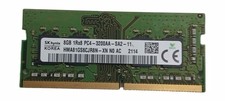
Sk Hynix 8GB PC4-3200AA PC4-3200 260-Pin SO-DIMM Laptop RAM
$37.99
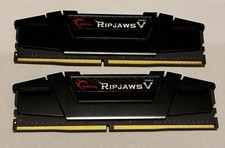
G.Skill Ripjaws V 16GB 2x8GB DDR4 U-DIMM 3200MHz (PC4-25600) F4-3200C16D-16GVKB
$82.95

Corsair CMK32GX4M2B3000C15 Vengeance LPX DDR4 3000mhz Memory Kit - 32GB (2x16GB)
$164.95
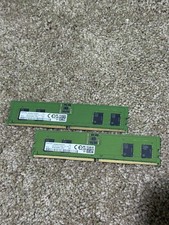
16GB of Samsung (8GB x 2) DDR5 M378A2K43CB1 UDIMM PC5-4800B 288-Pin Unbuffered
$185.99

Corsair Vengeance DDR3 8GB 16GB 32GB 1866MHz PC3-14900 Desktop RAM Memory DIMM
$43.00
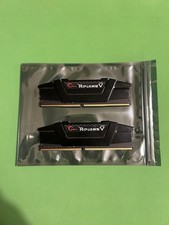
G. Skill Ripjaws V 32GB (2x16GB) DDR4-4000 CL18 Desktop Memory RAM Black
$149.99

RAMAXEL Lenovo 32GB LPDDR5X CAMM2 7500MHz Laptop RAM | UNTESTED
$445.00
G.Skill Ripjaws V 32GB (2x16GB) RAM DDR4 3200MHz F4-3200C16D-32GVK
$134.00
Kingston KF432S20IBK2/32 FURY Impact 32GB (2x16GB) 3200MT/s CL20 Laptop Memory
$150.00

LOT OF 23 Ram Sticks-Corsair Vengeance CMZ8GX3M2A1600C9 4GB (4GBx23=92GB Total)
$129.99

