-
Senior Member
registered user
Update for SD and micro SD cards: For larger than 2GB cards, using a small boot directory has been necessary. I have successfully set up micro SD cards with grub this way, booting from a card reader. I have, however, not been able to boot from a smartphone (Android 2.2) using the same card. Running Knoppix off the card in the phone works, though.
I have found legacy grub very handy for such hardware, but haven't tried grub4dos so far. The boot partitions at the end of the sector list does not seem to interfere with ordinary use of the card in cameras, phones etc. One of the really practical things with grub, is that I can add multiple entries to accomodate different boot configurations.
Beware of drive designations when using cards in multiple card readers!
 Posting Permissions
- You may not post new threads
- You may not post replies
- You may not post attachments
- You may not edit your posts
-
Forum Rules


Apple MacBook Air 13.6” M2 8GB 256GB SSD 2022 MLY33LL/A 8‑Core CPU 8‑Core GPU
$529.95

8-core 10-core GPU baseboard 8654 to PCIE 5.0x16 GPU expansion baseboard
$377.77
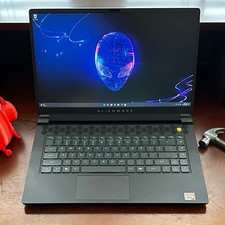
Dell Alienware m15 R7 AMD Ryzen 7 6800H 16GB DDR5 1TB SSD RTX 3070 Ti WIN 11 PRO
$920.00

Panasonic Toughbook CF19 MK8 Core i5 3610ME 2.7GHz 12GB RAM 512GB SSD Win 10 Pro
$319.00
HP - OmniBook 3 16" 2K Touchscreen Laptop - Intel Core Ultra 5 (2025) - 8GB M...
$479.99

(New) AMD Ryzen 7 5700X 8 Core 16 Thread AM4 Unlocked 3.4 GHz CPU OEM Tray
$169.99

Lenovo LOQ 15 15.6" FHD 144Hz 8-Core i5-12450HX 16GB 512GB SSD GeForce RTX 4050
$799.00
Dell - XPS 13.4" 3K Touchscreen Laptop - Intel Core 5 Series 3 320 2026 - 8GB...
$699.99
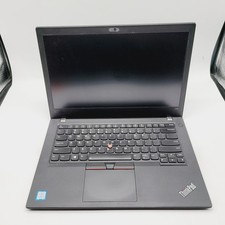
Lenovo ThinkPad T480 Core i5-8250u 1.6GHz 8GB 256GB SSD 14" ***Boot to Bios
$110.00
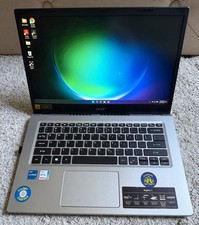
ACER ASPIRE 5 A515-56-50RS CORE i5 1135G7 / 2.4 GHz Windows 11 8 GB RAM
$294.99



 Reply With Quote