

 Reply With Quote
try "pppconfig" and then "pon provider-name" .to disconnect poff

I am having problems starting ppp in my debian installed with knx-hdinstall. I can dial in to my server and succesfully login but ppp does not appear to start. I cannot ping or get to any websites. Are there any modules or any pppd config files that I need to set up?
Thanks.

try "pppconfig" and then "pon provider-name" .to disconnect poff
I had the exact problem and not sure exactly how I fixed it. fist if your modem was ttyS4, use ./MAKEDEV ttyS4 to make it, then ln -s ttyS4 modem so kppp can see it. Try chmod 777 to both ttyS4 and modem. try route -n, while your are online you should get 2 lines and they both should end in ppp. try ifconfig eth0 down. try netcardconfig too. If you find out what did it post back. check /etc/resolv.conf to see numbers are good also resolv.conf in /etc/ppp. read man resolv.conf. Try to access google without name 216.239.37.101
Somewhere in there is solution. Don't give up.
 Posting Permissions


Vintage 1998 iMac G3 M4984 Mac OS + Keyboard Working but Needs Some Repair Read
$295.00
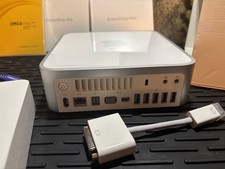
Vintage Apple Mac mini CIB (2009 Mod A1283) Original box/sealed manuals
$450.00

Apple Macintosh DuoDock Duo Dock M7779 & Powerbook 230 Vintage Mac RARE Vintage
$249.00
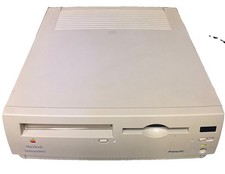
Vintage Apple Macintosh Performa 6300CD M3076 Powers On Chimes Untested As Is
$99.00

185--Sonnet Crescendo G3 PPCG3-375-5-K-06 G3 Add-On Card for Vintage Mac
$90.00

Apple Macintosh Plus 1MB M0001A Vintage Computer **TURNS ON **
$99.99

Apple Macintosh Plus 1MB M0001A Vintage Computer Boots Up / Floppy Disk Stuck
$99.99

Vintage Apple iBook G3 12.1” 500MHz 2001 Restored, SSD Upgraded Mac OS 9.2/OS X
$180.00
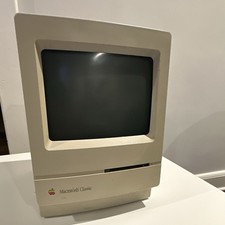
Apple Macintosh Classic M1420 Vintage All-in-One Desktop Computer
$94.00

Vintage StuffIt Deluxe Mac Software Box SEALED NEW Macintosh Aladdin Systems
$40.00