-
Continuing saga of OS problems and SCSI problems. New TV series coming this Fall.
Thanks again to krishna.murphy for a thourgh and speedy reply.
From what I understand, talking to several of the Debian creaters and others, it has been a general concensus to lock up "root" as an "X" window type format because we're all too clumsy and don't take care enough to watch what we do. So they have to baby sit us and make sure we don't do anything to our system. Of course, they forget I can do a terminal window, type sudo, then "cd /;rm -fr *" and the whole system is gone. They're protection is in the wrong place, needs to be in education, not slapping nuckles with a ruler. But that is their problem. I'll keep trying various suggestions including yours on getting root privelage X programs to run. First thing I think I'll try something other than KDE.
The BIOS problem seems to be wide spread, but most people either have small systems or do not use SCSI. The general problem is, I have SCSI BIOS start, (during boot), and get /dev/sda, /dev/sdb, etc. When the OS starts, that still holds through boot (in some cases). If not, what it is doing is the OS is running a search for all devices that match SCSI drivers (ATA), IDE (new), USB storage, SCSI drives or tape drives and the first one gets assigned /dev/sda, second /dev/sdb, etc. Problem arises, if I happen to have my first item it finds in the sting turned off or on another computer (it's a portable USB drive), this shifts the /dev's back one and now what might have been my boot drive (/dev/sdk2) is now /dev/sdj2 and the system gives me a boot error. I have to correct all devices back to what they were and reboot. If I permanently, remove or re-arrange something, I have to manually change the boot sequence in the OS to the new drive designators. Generally, as I have seen for years, HD's are always handled first and retain their address, peripherals are added as placed or found. 
-
Installed Knoppix FULL 6.2.1
In the further saga of installation and running. I have stripped my system bare. It has no SCSI devices except, 4 SCSI drives, which according to the installer, register as /dev/sda, sdb, etc.
I try to boot, looks normal, 4 penguins come up on the screen. One time, it just sits there. Nothing further happens, can't seem to get a text window. Other times, I get the 4 penguins and right under them, "Error: Driver 'pata_platform' is already registered, aborting....."
and it freezes. I even went into my system BIOS and disabled the SATA and ATA completely. I see the error mentioned many times in blogs, but no answers.
Anyone have ideas?
-

Originally Posted by
pebl

In the further saga of installation and running. I have stripped my system bare. It has no SCSI devices except, 4 SCSI drives, which according to the installer, register as /dev/sda, sdb, etc.
I try to boot, looks normal, 4 penguins come up on the screen. One time, it just sits there. Nothing further happens, can't seem to get a text window. Other times, I get the 4 penguins and right under them, "Error: Driver 'pata_platform' is already registered, aborting....."
and it freezes. I even went into my system BIOS and disabled the SATA and ATA completely. I see the error mentioned many times in blogs, but no answers.
Anyone have ideas?
Two things:
1) The four penguins should be indicating separate cores/processors, AFAIK. I'm not exactly sure, but I'm remembering something about needing a multi-processor-enabled kernel in that case, which is not the standard Knoppix kernel. Hopefully one of the true gurus will see this and jump in.
2) Are you booting from a CD, or is it a partition on one of the SCSI drives, as it sounds? If you have copied stuff to a magnetic drive, how did you do it? There are more ways than one to make it work, but it'll take some doing, I think; which way to go depends on what's been done before.
Cheers!
Krishna 
-
Reply to several posts - Installs with SCSI
First of all, I'd like to thank all the heads that have gone together to present ideas. That's what TEAM work is for and what these BLOGS are all about.
Now the problem at hand. I have a Xandros (Debian) 2.6.24 kernel and my system is at sid/squeeze. Many of my problems went away when I updated the distro, but I don't seem to be able to update the kernel. Always has something wrong by the time I get to boot time.
Why a new kernel and distro, you ask, I now am delving into several types of programs, that I try to install and getting errors like, "You need 2.6.26 or greater kernel" or similar type messages. I am also, built from an original Xandros 4.2 desktop, upgrade, after upgrade. I have part of Xandros, exatras and part of a standard Debian system. Would like to get all on one page.
As far as HD settings go, the SCSI BIOS, gives me no options, the system BIOS had no drives other than 2 CD drives Seemingly, in the Xandros distro, it is correctly, keeping the HD's as /dev/sda, sdb, etc. and then adding any SCSI-like items later. I did check the grub and other control files after installation of several versions and all looked right, of course, I disconnected everything but my SCSI drives. I don't think it had a choice. Once I start plugging USB items back in, there go the drive letters. Back where I started from. BTW, I am installing on 1 drive (SCSI), has partition for swap, one for root/boot. It's 36GB total, so no size issues. Nothing else on the drive.
-
The partitioner must be improved, though. There must be a "manual" option, since we may have the partitions prepared in advance. The way it is up to 6.7, it does as "he" wants, not us!?
 Posting Permissions
- You may not post new threads
- You may not post replies
- You may not post attachments
- You may not edit your posts
-
Forum Rules


Netac DDR4 32GB 16GB DDR4 3200MHz UDIMM C16 Desktop Internal Memory RAM Kit
$99.99
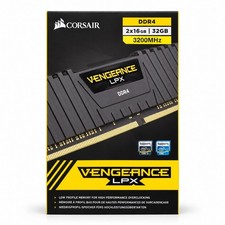
Corsair Vengeance LPX 32GB (2x16GB) DDR4 3200MHz CL16 CMK32GX4M2E3200C16
$169.99

A-Tech 8GB DDR3 1600 PC3-12800 Laptop SODIMM 204-Pin Memory RAM PC3L DDR3L 1x 8G
$21.68

RAMAXEL Lenovo 32GB LPDDR5X CAMM2 7500MHz Laptop RAM | UNTESTED
$445.00

Major Brand 16GB (2x8GB) PC3-12800U DDR3-1600MHz DDR3-12800 DESKTOP RAM NON-ECC
$29.99

DDR4 Laptop RAM 4GB 8GB 16GB 32GB 2400 2666 3200 Samsung Hynix
$30.00

Samsung 8GB DDR4 SO-DIMM PC4-3200AA 260-Pin RAM M471A1G44BB0-CWE Module
$29.25
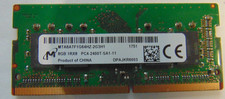
Micron 8GB DDR4 PC4-2400T-SA1-11 / 1Rx8 SODIMM Laptop Memory RAM
$28.00
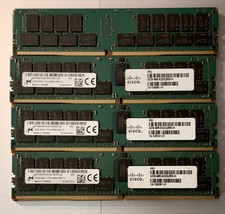
(LOT of 10) Samsung 32GB 2Rx4 PC4-2666V-RB2-12 DDR4 Cisco Server RAM Tested 100%
$1299.99

SMART(Micron)SafeStor 32GB(1X32GB) 1RX4 NN4-3200AA(DDR4) HPE Server Memory
$159.98



 Reply With Quote