-
How to save system info to a text file in order to find drivers etc.
Sorry if I have been using the wrong search entries to find an answer on Google and besides I am relatively new to Knoppix, (and completely new in this forum) but I have been faced with a recurring problem. I have been using Knoppix for some time as a live cd especially for pc's with a lot of windows problems when I am unable to enter in XP save mode. So it works fine for me to copy all the data with the help of Knoppix to an external HDD and start to "format without fear"  However, when Knoppix boots I see a lot of info about drivers for soundcard, NIC etc, and since XP often doesn't recognise as many drivers as Knoppix does, I would like to find that driver info somewhere and save it to a text file (on the external dvd of course). I think there is also a possibility to download them during the Knoppix session (and save them to the dvd again) but the simple fact that I will know what drivers I will have to look for is already helpful enough.
-

Originally Posted by
MartienKNOP

Sorry if I have been using the wrong search entries to find an answer on Google and besides I am relatively new to Knoppix, (and completely new in this forum) but I have been faced with a recurring problem. I have been using Knoppix for some time as a live cd especially for pc's with a lot of windows problems when I am unable to enter in XP save mode. So it works fine for me to copy all the data with the help of Knoppix to an external HDD and start to "format without fear"
However, when Knoppix boots I see a lot of info about drivers for soundcard, NIC etc, and since XP often doesn't recognise as many drivers as Knoppix does, I would like to find that driver info somewhere and save it to a text file (on the external dvd of course). I think there is also a possibility to download them during the Knoppix session (and save them to the dvd again) but the simple fact that I will know what drivers I will have to look for is already helpful enough.
It sounds like what you want is to get a file copy of the stuff that flies past when booting. Try this - click the little monitor icon on the task bar to open a terminal window, then type in this:
Code:
dmesg >/media/sdb1/myfile.txt
You will want to modify the path and file to use the external drive I believe. The dmesg command prints out the console output (even stuff that happens AFTER the boot process is done, so sometimes worth repeating after something blows up.)
Hope that helps!
Krishna 
-
Senior Member
registered user
There is a program called hwinfo. It tells you about the hardware and the drivers used.
Code:
hwinfo > /home/knoppix/hardware-info.txt
 Posting Permissions
- You may not post new threads
- You may not post replies
- You may not post attachments
- You may not edit your posts
-
Forum Rules


GIGABYTE A520M DS3H AC AMD AM4 Motherboard mATX
$59.99

Corsair RMe RM850e 850W 80 Plus Gold Fully Modular Low Noise Certified Refurb
$58.99

Gigabyte GA-B85M-D3H Motherboard
$54.99

ASUS PRIME Z890-P WIFI Z890 LGA 1851 ATX motherboard, Intel® Core™ Ultra Series
$235.99

GIGABYTE B365 HD3 LGA1151 Intel 9th Gen motherboard
$59.99

Asus Prime B660M-A AC D4 Motherboard Intel LGA 1700 14th 13th 12th Gen DDR4
$79.99

Intel H81 Motherboard M.2 NVMe LGA 1150 mATX w/ IO Shield (Random Slot Color)
$29.90
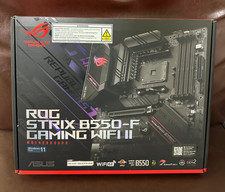
Asus ROG Strix B550-F Gaming WiFi II AMD AM4 PCIE 4.0 ATX Motherboard
$124.00
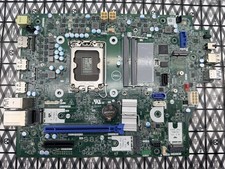
Dell Precision 3460 Motherboard - Intel 13th LGA 1700 DDR5 RCPYF 0RCPYF Tested
$114.99
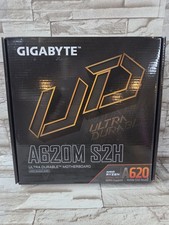
GIGABYTE - A620M S2H AM5 DDR5 M-ATX Motherboard
$65.00



 Reply With Quote