-
Dell Laptop Recovery partition (bootmgr is missing). Can Knoppix help?
I was trying to do a System Restore on my Dell Inspiron 1525 (it is running Vista), when an error popped up. It didn't say anything. It was just a red circle with white X. All I could do was click OK. Now it will not start. I keep getting a Bootmgr is missing. Press Ctrl+Alt+Del to restart.
I tried to use a Vista Recovery Disk, but it didn't sove the problem. This seems to be a big problem with Vista.
Dell doesn't send disks with the laptops. I have aksed them to mail them to me. I will have to wait and see that will really happen.
I checked (using the prompt) and I believe that the recovery partition is still there. I can get to another 1525, if necessary.
After much digging, I can find where someone used BartPE to get to a command prompt to tell the Restore Partition to image the C drive.
I have used Knoppix in the past to recover files but never to fix my computer. Can I use Knoppix to get to a command prompt to try this?
Thanks for helping out this newbie...
-
Yes, Knoppix can help!

Originally Posted by
NimseyLou

I was trying to do a System Restore on my Dell Inspiron 1525 (it is running Vista), when an error popped up. It didn't say anything. It was just a red circle with white X. All I could do was click OK. Now it will not start. I keep getting a Bootmgr is missing. Press Ctrl+Alt+Del to restart.
I tried to use a Vista Recovery Disk, but it didn't sove the problem. This seems to be a big problem with Vista.
Dell doesn't send disks with the laptops. I have aksed them to mail them to me. I will have to wait and see that will really happen.
I checked (using the prompt) and I believe that the recovery partition is still there. I can get to another 1525, if necessary.
There is a function you can use in the VISTA control panel (on the 2nd 1525, I mean) which will burn the recovery disks. I've seen it done, but I suppose there may be lamed versions of Vista that won't do it out there, too.
After much digging, I can find where someone used BartPE to get to a command prompt to tell the Restore Partition to image the C drive.
Sounds promising, but I don't know BartPE. Another user just noted here that there is at least one other option.
I have used Knoppix in the past to recover files but never to fix my computer. Can I use Knoppix to get to a command prompt to try this?
Backing up before starting other changes is a really good idea. But if you mean a DOS command prompt, I don't recommend using Knoppix to get there. There are plenty of options out there, including Hiren's backup info and BootCD. Knoppix can be used to do this kind of download even when the system's original OS is broken.
Thanks for helping out this newbie...
Hope this helps!
Krishna 
Last edited by krishna.murphy; 06-21-2010 at 02:41 PM.
Reason: Clarity
Tags for this Thread
 Posting Permissions
- You may not post new threads
- You may not post replies
- You may not post attachments
- You may not edit your posts
-
Forum Rules


Genuine OEM Apple MagSafe 2 45W AC Adapter Charger for Macbook Air 2015 11" 13"
$14.24

OEM Apple Data Migration Toolkit for A1706 A1707 MacBook Pro PN 076-00236
$549.99

Genuine Apple OEM A2164 30W USB-C AC Power Adapter with USB-C Cable, Very Good
$21.05

Genuine Apple Power Adapter Extension Cable 6FT White OEM MacBook MK122LL/A
$10.99

OEM 45w T-Tip Power Adapter charger for Apple macbook air 2012-2017 A1436 A1466
$19.99
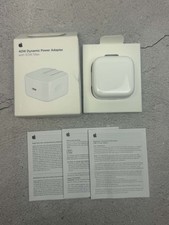
Apple 40W Dynamic Power Adapter 60W Max for iPhone/iPad/AirPods/MacBooks OEM
$18.99
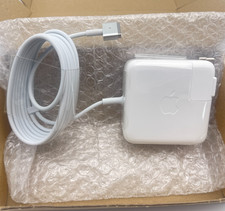
OEM 45W Charger For Apple MacBook Air 11-inch 13-inch Early 2012 2013 2014 2015
$26.98

OEM Apple 45W A1436 Power Charger AC Adapter for MacBook Air MagSafe 2
$12.99
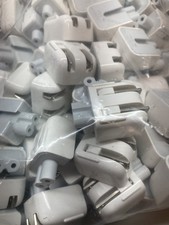
Genuine/OEM Apple Duckhead Two-Prong Plug - MagSafe AC Wall Adapter - Set of 25
$32.29
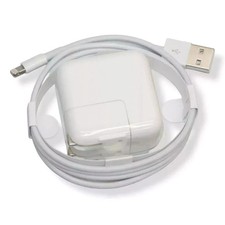
OEM Genuine Apple 12W USB Power Adapter Charger for iPhone iPad A2602 A2133 NEW
$21.55



 Reply With Quote