-
Need Help Using Knoppix to Recover Data From Crashed Windows Computer
Hi,
If some one can help me please, windows vista crashed and I couldn't get it to start up, I posted on the miscrosoft website for help and there someone explained to me if I made Knoppix live CD I could recover files I wanted to save with both the CD and a USB device, following the directions I got Knoppix to come up on my computer..first the big Knoppix logo comes up, them it says Linux is loading and brings a written list menu, from what this person explained it should bring up hard drive icons...which is my problem-no icons, just the list menu. I have never used Knoppix before, do I select something from the menu to get to these icons, or did I do something wrong? If anyone can help me that would be great, thanks so much for your time.
-
Administrator
Site Admin-
Yea, Knoppix 6.x hides the handy drive icons. They can be found in a file manager, but unfortunately I don't have a copy of Knoppix running and can't run it at the moment, so I can't give you detailed instructions. But I figured that I should at least let you know that in versions 6.x you can find the drives if you start up a file manager. Hopefully some one else may join in and give you more detailed info.
Alternately, if you can download a 5,x version, it will have the icons, and also a lot more that has vanisged from the disc.
As to writing to CD, that may be a problem. If you have one drive it my be tied up with the Knoppix disc. You may be able to get past this if you use the "toram" cheat code if you have enough RAM memory to copy all of the CD to RAM. This will require about a gig with a CD and I don't know if it can even be done with the DVD version. In addition to that, I have heard talk that the CD writing software may be missing from 6.x versions.
An alternative that I use to CD writing to to transfer files to another computer across a network.
---
Verifying of md5 checksum and burning a CD at slow speed are important.
-
Hi, thanks so much for your reply, this is very useful info.
Do you know how one who start up a file manager? I am not sure how to do that. Or would it be better to download a different version of Knoppix and burn it to cd then switch the CD with the other one and reboot my computer? I have the v6.2 version. again, thanks so much.
-
Senior Member
registered user
As you have got this up and running, I would have tried to mounbt the Windoes disk partition manually if I were you.
Assuming you have got Knoppix 6.X with the LXDE interface up and running, you have a screen icon as #3 from left on the bottom status line. Click that, and issue fdisk -l on the command line to find out what disk partitions Linux can see.
Often the main partition will be listed as /dev/sda1 (first partition on first drive), and you can try to mount it read-only with the mount command, using the sudo prefix to take on super user privileges for the occasion, check available space with df, go to the root directory of the volume with cd, then use the directory command ls to see files:
Code:
sudo mount -o ro /dev/sda1 /media/sda1
df
cd /media/sda1
ls -al
If this doesn't work, the drive problems may be more serious, and Knoppix might not be the right tool.
If you can get so far, you can use the cd command to move to the directories of interest. Having found the files, you can connect USB media (sticks or hard disks) for backup, mount them and copy over to them with the cp -a command. (Don't bother if the -a option gives you some warnings.) Assuming the USB storage is recognised as /dev/sdb1
Code:
sudo mount /dev/sdb1 /media/sdb1
sudo cp -a * /media/sdb1
Afterwards, you can unmount the partitions (sudo umount /media/sda1; sudo umount /media/sdb1) and halt the system.
Good luck!
-
Hi,
How would I mount windows disk, do I select something off the list menu and it will lead to a place to type the command code.....I am sorry to sound so dumb...but I've never used Knoppix and I am a bit confused, but a have a vague idea of what your saying, but I don't know when or where someone would type the command code. Thanks so much for your help.
-

Originally Posted by
Harry Kuhman

In addition to that, I have heard talk that the CD writing software may be missing from 6.x versions.
Brasero fills that role out of the box. K3B can be installed, albeit requiring some form of installing Knoppix, i.e. flash drive or "poor man's" install - which would free up the CD drive, too.
Cheers!
Krishna 
-
Originally Posted by
Tattered Phoenix
Hi,
How would I mount windows disk, do I select something off the list menu and it will lead to a place to type the command code.....I am sorry to sound so dumb...but I've never used Knoppix and I am a bit confused, but a have a vague idea of what your saying, but I don't know when or where someone would type the command code. Thanks so much for your help.
Knoppix features the PCman file manager, prominent on the toolbar as a file folder icon. You can also find it on the "System Tools" menu. Note that Windows is often installed using the NTFS filesystem, which can be risky to write with Knoppix.
Once the file manager is running, you'll have some icons for various things that it recognizes, hopefully including your Windows hard drive partition. It's a click-to-mount interface, but again, it's best to be very cautious when dealing with Windows. If you run the GParted program on the Preferences menu it will enable you to determine the type of filesystem before mounting.
Cheers!
Krishna
-
Senior Member
registered user
Originally Posted by
Tattered Phoenix
Hi,
How would I mount windows disk, do I select something off the list menu and it will lead to a place to type the command code.....I am sorry to sound so dumb...but I've never used Knoppix and I am a bit confused, but a have a vague idea of what your saying, but I don't know when or where someone would type the command code. Thanks so much for your help.
You are NOT dumb at all, just not used to the command line interface - which I prefer to use here, because I don't trust PCman, the built-in point'n-click file manager, fully in emergency cases.
Can you open the terminal window and type the commands, one by one? If you practice a little bit, I think you'll soon get it.
It's not quite necessary any longer to use command line interface in Linux, but it can make many tasks simpler and safer to carry out.
The alternative is to use PCman, as krishna.murphy suggests.
I would NOT recommend Brasero for burning backup CD/DVDs without careful testing first. I have had burning problems with it, but the better (in my experience) alternative k3b is somewhat of a hassle to get installed. It is much safer to write to USB media, preferably more than one.
-
Originally Posted by
Capricorny
Can you open the terminal window and type the commands, one by one? If you practice a little bit, I think you'll soon get it.
I am not sure what the terminal window is, I changed the boot on my computer so that when I turn it on Knoppix starts up-shows the Knoppix desktop, then loads to a black page with a number list...I wasn't sure if I was to select one of them to get the desktop icons. Am I to sectect one of these and then use the command code, I am not sure, thanks so much for your help.
-
Originally Posted by
krishna.murphy
Knoppix features the PCman file manager, prominent on the toolbar as a file folder icon. You can also find it on the "System Tools" menu. Note that Windows is often installed using the NTFS filesystem, which can be risky to write with Knoppix.
Hi,
I am not sure how to reach the system tools menu with Knoppix, it brings me to a black screen with a list of things-maybe one of these things listed is System tool, but it is written in german-I have tried to select different ones, and they lead me to more things to select, and i didn't know which one to pick and was afriad I would do something wrong and mess up my computer more than it already is, and there is no back option. Knoppix is the only thing that works on my computer, before changing the boot order to start knoppix, my computer would try to start up, do a disk check and lead to a black screen that said reboot failure, the only way to turn off my computer is by pressing the off button on, which is not good for the computer,
 Posting Permissions
- You may not post new threads
- You may not post replies
- You may not post attachments
- You may not edit your posts
-
Forum Rules

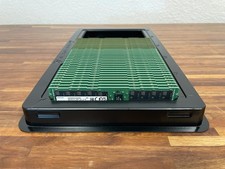
Lot of 32 SAMSUNG 64GB 2Rx4 PC4-3200 ECC REG SERVER RAM M393A8G40AB2-CWE
$22500.00

TF/SD Card Adapter Camera Reader Android Type-c For iPhone17 Pro Max Plusm lot
$288.19

Dell 16GB PC4-21300 (DDR4-2666) Memory (SNPPWR5TC16G)
$89.99
Ram Cards, 4 GB, LOT OF 16
$116.00
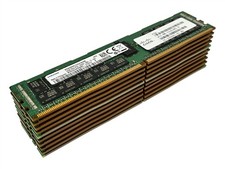
LOT 10: Samsung M393A4K40BB2-CTD7Y 32GB 2Rx4 PC4-2666V DDR4 ECC RDIMM Server RAM
$1749.99

1x64GB Hynix HMAA8GL7MMR4N DDR4 PC4 2133P-LE0-11 4Rx4 ECC LRDIMM Server RAM
$320.00

Kingston 32GB 64GB 128GB 256GB USB 3.0 Flash Drive Thumb Memory Stick Pen lot
$285.90
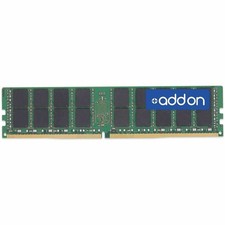
AddOn HP® P03053-0A1 Compatible Factory Original 64GB DDR4-2933MHz
$2287.99
HP 8Gb PC4-2133P-RC0-10 Memory Module
$125.00

x4 Intel 128GB NMB1XXD128GPS Optane Memory 200 Series PMEM Module 3200 DDR4 RAM
$329.99



 Reply With Quote