-
Thanks Krishna andCapricorny for the help, I have just made a new cd with the english version of Knoppix- KNOPPIX-ADRIANE_V6.2CD-2009-11-18-EN.iso, when I downloaded it the first time there was a whole bunch of downloads to choose from and I wasn't sure what one to choose, I have yet to try and use it, I am afraid of messing up my computer more than it already is but typing something wrong.
Also I have another question, I bought one of those external hard drives that backs up computers, but windows vista isn't working on my computer I can not log in and tell it to starting backing files up, is there any way I could use either knoppix, or the Adriane to program to tell my computer to copy files to the external hard drive with out major writing to the hard drive?
Thanks so much for all of your help.
-
If you are now able to boot to the GUI desktop, you should be able to access the external drive with no trouble. Getting to the data on the Windows drive can be a little more trouble, since Windows could have messed up the filesystem on that internal drive. I suggest booting the CD, starting the file manager, and then clicking the drive icon for the internal drive.
If you see the folders for the Windows partition, go ahead and plug in the new drive, click its' icon when it shows up, and then proceed to drag-and-drop some useful files to the new drive. Once you've backed up the goodies (My Documents, email, etc.) you can then try your hand at repairing the broken Windows stuff. If it's too big a job, I'd say at that point that it's time to use a (blow the data away) Windows "rescue" disk or boot-option.
Cheers!
Krishna 
-
I am using the new CD right now, its in English this time, I forgot to type Knoppix when it was first loading up, so its on the Adriane program. I was wondering if I could just use this program to get at files since its a program for the blind it seems to be a way of your computer without windows...it has a list of things, one is file manager...just wondering if not, I will have to reboot and try again, thanks for your help.
-

Originally Posted by
Tattered Phoenix

I am using the new CD right now, its in English this time, I forgot to type Knoppix when it was first loading up, so its on the Adriane program. I was wondering if I could just use this program to get at files since its a program for the blind it seems to be a way of your computer without windows...it has a list of things, one is file manager...just wondering if not, I will have to reboot and try again, thanks for your help.
Sure. You can also download one that defaults to the GUI. The command knoppix is only needed when it's an Adrianne version that defaults to that interface instead.
Cheers!
Krishna
-
I got into Knoppix, now I'm not so sure what to do next.......I am not sure what icons are the hard drive icons. It loaded to a desktop with mountains and clouds..and has one icon on it that reads my documents, thats the only icon on the desktop, then there is a tool bar at the bottom that has some icons on it..not sure what there are all for...I can see one is for volume, and one for open office, what should I do next?
And also, no that I'm in Knoppix, is there a way to tell my computer to start backing up files on my to an external hard drive?
-
Originally Posted by
Tattered Phoenix
I got into Knoppix, now I'm not so sure what to do next.......I am not sure what icons are the hard drive icons. It loaded to a desktop with mountains and clouds..and has one icon on it that reads my documents, thats the only icon on the desktop, then there is a tool bar at the bottom that has some icons on it..not sure what there are all for...I can see one is for volume, and one for open office, what should I do next?
Okay, boot up with the external drive disconnected (or pull the plug if it's already hooked up) and look to the left side of the toolbar for the file folder icon - that starts the file manager, which is similar to Windows Explorer.
And also, no that I'm in Knoppix, is there a way to tell my computer to start backing up files on my to an external hard drive?
Now, click the icon in the file manager for your internal drive and then navigate to the stuff you want to back up, i.e. My Documents. Right-click what you want to transfer and choose Copy. Next, plug in the external drive and the icon for it will appear on the left side; click it and then right-click where you want to save it, choosing Paste to start the file transfer.
Cheers!
Krishna
-
hi,
I opened up the pc file manager with no problem, and I can see the hard drive icon, but it won't let me open/access it, I get this message when I try:
Unable to mount error<i>org.freedesktop.Hal.Device.Volume.unknown failure</
I am not sure what to do here to access my hard drive. Thanks so much for all your help.
 Posting Permissions
- You may not post new threads
- You may not post replies
- You may not post attachments
- You may not edit your posts
-
Forum Rules


Netac DDR4 32GB 16GB DDR4 3200MHz UDIMM C16 Desktop Internal Memory RAM Kit
$99.99
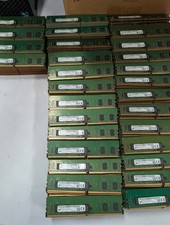
Lot 300 Micron 8GB 1Rx8 PC4-21300 DDR4-2666V ECC Registered Server Memory RAM
$9000.00
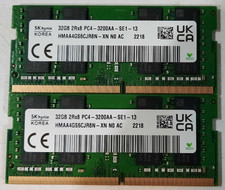
64GB (2x32GB) DDR4 3200MHz Sk Hynix RAM 2Rx8 PC4-3200AA HMAA4GS6CJR8N-XN
$310.00
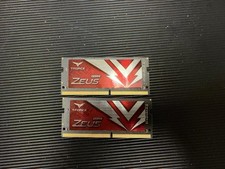
TEAMGROUP T-Force DDR4 Zeus 2x16GB 3200mhz
$110.00

Major Brand 16GB (2x8GB) PC3-12800U DDR3-1600MHz DDR3-12800 DESKTOP RAM NON-ECC
$29.99

Samsung 8GB DDR4 SO-DIMM PC4-3200AA 260-Pin RAM M471A1G44BB0-CWE Module
$29.25

RAMAXEL Lenovo 32GB LPDDR5X CAMM2 7500MHz Laptop RAM | UNTESTED
$445.00

A-Tech 8GB DDR3 1600 PC3-12800 Laptop SODIMM 204-Pin Memory RAM PC3L DDR3L 1x 8G
$21.68
A-Tech RAM 16GB DDR4 PC4-21300 DIMM/2666MHz
$50.00

Corsair Vengeance DDR3 8GB 16GB 32GB 1866MHz PC3-14900 Desktop RAM Memory DIMM
$85.00



 Reply With Quote