-
Has enyone gotten 6.2.1 past the boot screen?
I have tried to get the live cd to boot to 4 different PC/Laptops and the furthest I got was the boot screen loading the snd drivers. But it stops at different places for each PC.
-

Originally Posted by
Chesterton

I have tried to get the live cd to boot to 4 different PC/Laptops and the furthest I got was the boot screen loading the snd drivers. But it stops at different places for each PC.
Yes, Knoppix 6.2.1 is a working version! This is almost certainly caused by a bad disk - burning software seems to malfunction regularly, based on widespread reports of difficulty. It can also be caused by a bad download - did you check the md5 sum to see if there was a good ISO file to burn? Also, since you're getting it to boot, you can try one of these at the boot prompt (big penguin onscreen):
Code:
knoppix testcd
or
knoppix testdvd
There are a number of recommendations on how to correct this, including using slower burn speed, and (assuming you use Windows to do the burning) killing the Explorer process before you burn as described here. You must have a good ISO, and the burning has to produce a disk that will pass the self-test; the results you've had leave little room for doubt that at least one of those conditions has not been met.
Hope that helps!
Krishna 
-
Senior Member
registered user
I think it has something to do with knoppix not cleaning the configuration files properly on exit. On my instalation whenever I boot on another PC, I have to manually clean fstab after boot and then issue the rebuildfstab command to regenerate proper fstab config for the drives in the new PC. May be this happens with some other configuration files too. I had no problems with xorg.conf so far or anything else, but it is a possibility
-
Originally Posted by
mecho
I think it has something to do with knoppix not cleaning the configuration files properly on exit. On my instalation whenever I boot on another PC, I have to manually clean fstab after boot and then issue the rebuildfstab command to regenerate proper fstab config for the drives in the new PC. May be this happens with some other configuration files too. I had no problems with xorg.conf so far or anything else, but it is a possibility
I have to disagree. My reading of this report is that this is a new user, trying to get a CD to boot. Also, any file corruption would be from a badly burned CD, or bad download, absent a persistent store, which I don't believe has been created yet in this case.
Cheers!
Krishna
-
Senior Member
registered user
Yes, you are right. I did not pay attention to the fact that it is Live CD not USB with persistent image.
-
OK, thanks. I'll try a new burn. I did md5 it and got a matching number. I used InfraRecorder to burn the image. I'll slow down the burn or try to burn using a different PC.
Thanks again!
-
Thanks for the help. As stated, it checked out with md5, so the dl was good. I ran the burn at 1.7x and got a good copy.
 Posting Permissions
- You may not post new threads
- You may not post replies
- You may not post attachments
- You may not edit your posts
-
Forum Rules


Netac DDR4 32GB 16GB DDR4 3200MHz UDIMM C16 Desktop Internal Memory RAM Kit
$105.99
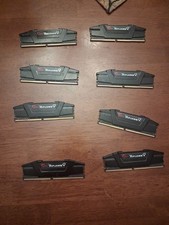
G.Skill PC RAM kit Ripjaws V F4-3200C16D-16GVKB 64GB 8 x 8 GB DDR4 RAM 3200 MHz
$69.99

Corsair CMK32GX4M2B3000C15 Vengeance LPX DDR4 3000mhz Memory Kit - 32GB (2x16GB)
$164.95
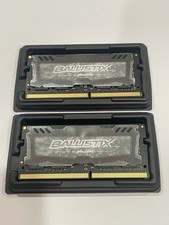
Crucial 32GB Ballistix Sport LT-Laptop Ram 2x16 DDR4 2666 Memory 2 Module Kit
$89.92

RAMAXEL Lenovo 32GB LPDDR5X CAMM2 7500MHz Laptop RAM | UNTESTED
$445.00
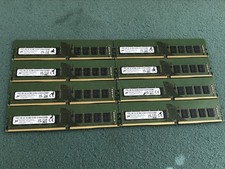
Micron 128GB(8 x 16GB) MTA18ASF2G72AZ-3G2R1ZI PC4-3200AA ECC UDIMM RAM - R1069A
$499.95

Corsair Vengeance DDR3 8GB 16GB 32GB 1866MHz PC3-14900 Desktop RAM Memory DIMM
$43.00
Lot of 55 Samsung 16GB 2Rx8 1Rx8 PC4-3200AA DDR4 3200MHz M471A2* RAM
$4999.00
128GB (4x32GB) NEMIX Micron DDR4-3200 ECC UDIMM 2Rx8 PC4-25600 T350 RAM
$949.00
XPG DDR4 3200 2x8Gb Ram (ax4u320038g16a) CL 16-20-20
$85.00



 Reply With Quote