

 Reply With Quote
I'm not sure what that command code would be. There's a brief description of backing up that I just posted here, for your viewing enjoyment.
Cheers!
Krishna


Hi,
I am currently running knoppix 6.2 on my computer, and want to install/set up my external hard back up device on my computer, plugged in it shows up in the PC file manager, but needs to be installed and told to back up files before it will, it shows up in file manager and shows all its folders, on being setup, and when I try to open it up it asks for a command code and I am not sure what to type in...thank so much for any help.
I'm not sure what that command code would be. There's a brief description of backing up that I just posted here, for your viewing enjoyment.
Cheers!
Krishna
thanks fo reply, the link doesn't work, what can I do to setup/install this program?
Basically, you will have to manually copy the files from your computer to the external drive, by dragging and dropping icons between windows or right clicking on the files etc. The external drive is not "installed" as such, but is ready to use when you plug it in (after booting).
There are a number of copying and backup tools available in Knoppix that can be run from a terminal , open a terminal and type: man rsync for a manual page for one of them.
You can also download a graphical front end for rsync (Grsync) using the Synaptic Package Manager in the Preferences menu. Remember to Reload Package Information in the Edit Tab before serching for it. It will appear in the Internet menu after installation.
Good Luck.
ok, so I can just cut and paste files to it with out installing it, thanks for the help. Now I just need to find a way to access my hard drive, I can see the hard drive icon but it just gives me an error message when I click on it, to get to my files I want to save.
Can you paste the text of the error message here so we can see what's going on?
hi,
the error message it gives me is
Unable to mount error<i>org.freedesktop.Hal.Device.Volume.unknown failure</
This is mostly caused by NTFS errors, and needs to be fixed with chkdsk, most likely. The details are posted in your other thread.Originally Posted by Tattered Phoenix

Hmm, wasn't following the other thread. Indeed Hiren's or some other bootable media with chkdsk would be your best bet at this point.
 Posting Permissions


16GB KIT (2x8GB) DDR3 Gamer Desktop RAM PC3 MIXED BRANDS VIPER VENGEANCE FURY
$10.00

Netac DDR4 32GB 16GB DDR4 3200MHz UDIMM C16 Desktop Internal Memory RAM Kit
$99.99

Samsung 32GB DDR4-2666 PC4-21300 288-Pin DIMM RAM M393A4K40CB1CRC0Q
$185.00

Crucial 32GB(4 x 8GB) CT8G4DFS824A.C8FDD1 DDR4-2400 UDIMM Desktop RAM - CR352A
$89.95

Major Brand 16GB (2x8GB) PC3-12800U DDR3-1600MHz DDR3-12800 DESKTOP RAM NON-ECC
$29.99

A-Tech 8GB DDR3 1600 PC3-12800 Laptop SODIMM 204-Pin Memory RAM PC3L DDR3L 1x 8G
$21.68
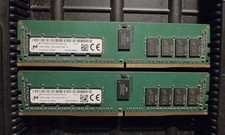
MICRON 32Gb 2x 16GB MTA18ASF2G72PDZ 2RX8 PC4-2400T Server Memory Ram
$150.00

DDR4 Laptop RAM 4GB 8GB 16GB 32GB 2400 2666 3200 Samsung Hynix
$66.00

Corsair Vengeance DDR3 8GB 16GB 32GB 1866MHz PC3-14900 Desktop RAM Memory DIMM
$85.00

Dell 16GB PC4-21300 (DDR4-2666) Memory (SNPPWR5TC16G)
$89.99