-
The system's at home and I'm at work so I can't hit it right now, but I ran it from .. whatever ctrl-F1 is called.. that terminal.
If I remember right, I did it both while X was running and while it wasn't, and got the same results.
I'll try echoing $DISPLAY with x running next and see what I get. Thanks!
-

Originally Posted by
snarkyFish

The system's at home and I'm at work so I can't hit it right now, but I ran it from .. whatever ctrl-F1 is called.. that terminal.
If I remember right, I did it both while X was running and while it wasn't, and got the same results.
I'll try echoing $DISPLAY with x running next and see what I get. Thanks!
That terminal is actually not within X, AFAIK. You need to go to the GUI desktop and open LXterminal, (or even a root terminal from the Accessories menu) in order to get that command to work. Works fine for me, BTW.
Cheers!
Krishna 
p.s. I've not had any luck getting to those "other" terminals since switching to version 6+. Something more than booting up must be needed for the key-binding to "take", at least on the systems I've tried it on. Maybe someone with more knowledge will take pity on me and address this, as I have asked before and got no joy.
Last edited by krishna.murphy; 07-12-2010 at 07:01 PM.
Reason: Clarity
-
Ok, I fired up a fresh copy of knoppix 6.2.1 on this box, opened up a terminal inside x and got xrandr -q to work.. (thanks! /forehead slap)
So, with both VGA and Hdmi monitors plugged in, (and it only displaying a signal on vga) this is what i've got:
Code:
Screen 0: minimum 1024 x 768, current 1024 x 768, maximum 1024 x 768
default connected 1024x768+0+0 0mm x 0mm
   1024x768       76.0*
Should I see both monitors there, even though one isn't correctly configged in xorg.conf? (I have yet to find a configuration that works at all)
After that, I pulled the vga, rebooted, the system came up displaying over the hdmi port on that monitor, and xrandr -q reported the exact same thing above.
So, questions:
Is there a way to get knoppix to correctly identify these monitors native resolutions and such? or do I have to pull the specs on them and build that stuff myself?
If xrandr only ever sees Screen 0, and my lspci above only displays one video card, am I screwed for getting a dual monitor setup on this system short of installing another video card? This hardware's all brand new.. I can't believe it won't do dual monitors.
I've tried everything, now I'm mostly looking for whether it's possible or not, so i can send this hardware back and move on if I have to.
Thanks!
-
I'd fall back on looking up the board/chipset specs - the mfgr. should say what it'll do. Continuing to poke around and "see what you can do" strikes me as less than promising.
Cheers!
Krishna
 Posting Permissions
- You may not post new threads
- You may not post replies
- You may not post attachments
- You may not edit your posts
-
Forum Rules


Dell PowerEdge HBA330 LP PCI-E 12GBs RAID SAS Controller Adapter J7TNV
$18.95

G-Technology G-SPEED Studio XL 48TB Thunderbolt 2 Storage - Housing Only
$200.00

EMC KTN-SL3 15-Bay Disk Array Enclosure w/2x 303-108-000E Cards, Dual PSU,No HDD
$239.99

Broadcom MegaRAID 9480-8e Fujitsu PRAID EP540e SAS RAID Card (Replac 9380-8e) 8i
$228.00

OWC Mercury Elite Pro 2 Bay RAID Enclosure with USB 3.2 for Dual 3.5 inch HDDs
$87.99

Broadcom LSI 9305-16i 12Gbps SAS-3 PCIe x8 HBA 16-Ports Raid Controller
$64.99
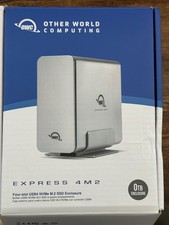
OWC Express 4M2 USB4 40Gb/s 4-Slot NVMe M.2 SSD RAID Enclosure w/ Cable
$125.00

MegaRAID 9580-8i8e 16-port 12G SAS/SATA/NVMe 8GB PCIe RAID - 05-50076-00
$1619.30

Areca ARC-1882IX-24 (16i4e)24-Port RAID Controller Card w/BBU /HDD Monitor Board
$300.00
New BroadCom 9500-8i Tri-Mode HBA Card Storage Adapter New-Sealed
$245.57



 Reply With Quote