-
Ok, I fired up a fresh copy of knoppix 6.2.1 on this box, opened up a terminal inside x and got xrandr -q to work.. (thanks! /forehead slap)
So, with both VGA and Hdmi monitors plugged in, (and it only displaying a signal on vga) this is what i've got:
Code:
Screen 0: minimum 1024 x 768, current 1024 x 768, maximum 1024 x 768
default connected 1024x768+0+0 0mm x 0mm
   1024x768       76.0*
Should I see both monitors there, even though one isn't correctly configged in xorg.conf? (I have yet to find a configuration that works at all)
After that, I pulled the vga, rebooted, the system came up displaying over the hdmi port on that monitor, and xrandr -q reported the exact same thing above.
So, questions:
Is there a way to get knoppix to correctly identify these monitors native resolutions and such? or do I have to pull the specs on them and build that stuff myself?
If xrandr only ever sees Screen 0, and my lspci above only displays one video card, am I screwed for getting a dual monitor setup on this system short of installing another video card? This hardware's all brand new.. I can't believe it won't do dual monitors.
I've tried everything, now I'm mostly looking for whether it's possible or not, so i can send this hardware back and move on if I have to.
Thanks!
 Posting Permissions
- You may not post new threads
- You may not post replies
- You may not post attachments
- You may not edit your posts
-
Forum Rules


Yealink T48S VoIP/SIP Phone, 2 x Gigabit Ports PoE 7" Color SIP-T48S | TESTED
$34.95

Grandstream VoIP Phone Adapter ATA 1-Line Black Ethernet (RJ-45) Micro USB
$27.07

Yealink MP54 - VoIP Phone - Black Teams phone Android POE WIFI Bluetooth
$49.95

Grandstream WP810 Portable Cordless Wi-Fi IP Phone
$49.28

Yealink SIP-T33G IP Phone 4-LineSpeakerphone VoIP Desk Phone Black w/ Power Sply
$25.00
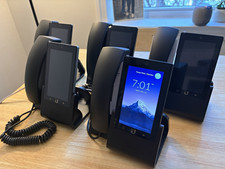
Ubiquiti UniFi Talk UVP-Touch VoIP IP Phone PoE Touchscreen Tested Reset
$64.99

Grandstream HT701 1-Port FXS Analog Telephone Adapter ATA VoIP Gateway -Free S/H
$19.99

Cisco/Linksys SPA2102 VoIP Phone Adapter Router 2FXS (Unlocked)
$17.99

Cisco CP-8841 IP Phone Charcoal Handset And Stand Included
$27.99

Poly CCX 400 Desktop Business Media Phone VoIP 2200-49700-019
$49.99



 Reply With Quote