-
Senior Member
registered user
I'm afraid this is mostly Windows and ASUS specific questions, so it's not much to say about them from a purely Knoppix viewpoint.
For editing Windows config files, a Windows recovery disk is the safest, but as you have already backed up the data, you could try to mount the actual partition writable under Knoppix.
On my ASUS laptop (Win 7), I have to run a recovery disk creation procedure, resulting in 4 recovery DVDs. I'm not sure about the relation between those and the recovery partition, this is ASUS- and model-specific stuff, so what works for me (UL30VT and Win 7) may not work for you. "If all else fails, check the documentation".
It seems that you have made a very good start, good luck
Tags for this Thread
 Posting Permissions
- You may not post new threads
- You may not post replies
- You may not post attachments
- You may not edit your posts
-
Forum Rules


Dell 6P85J 4TB ST4000NM0063 7.2k 6Gb/s 3.5” SAS SED Hard Drive with Tray
$39.99

Western Digital HUS726T4TAL5204 4TB 7.2K SAS 12Gb/s 3.5" 512e HDD NetApp X375A
$64.00

Seagate ST12000NM0127 12TB 256MB 7200RPM 3.5" SATA 6.0Gb/s Enterprise Hard Drive
$318.99

DELL 2TB Enterprise HDD (7200RPM, 3.5", SATA III, 128MB Cache) HUS722T2TALA600
$49.95

Seagate 3.5" Desktop HDD 3TB SATA III 6Gbps HDD 1ER166-510
$39.99

Seagate ST4000NM0034 Enterprise 4TB 7200RPM SAS 12Gb/s HDD v4
$39.00

Seagate ST500DM009 BarraCuda 500 GB 3.5" SATA III Desktop Hard Drive
$14.99

Dell ST6000NM0034 1HT27Z-150 NWCCG 6TB SAS 3.5 7.2K ENTERPRISE SERVER DRIVE
$68.99
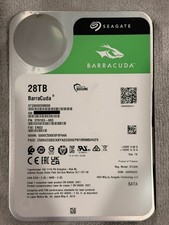
Seagate BarraCuda 28TB 7.2K SATA 6Gb/s 3.5in Internal HDD ST28000DM000 - Tested
$670.00

Seagate ST8000NM0075 Enterprise Capacity 3.5 HDD 8TB SAS Hard Drive 8TB EXOS
$184.99



 Reply With Quote