

 Reply With Quote
What error(s) are you getting when you try to install?


Hi, after I hdd-installed Knoppix, I found it very difficult upgrading or installing whatever program I would like to,
I need help installing Celestia 1.3.0 (http://www.shatters.net/celestia) on knoppix, its the best FREE 3d space simulator available for free download on the internet,
who can really help and make it work ??
p.s.:there is an older version of celestia unstable packed in the debian page, even this package won't work,
I have updated nvidia driver to 4363 successfully.
last thing to mention: I had mandrake 9.1 before koppix and celestia was installed successfully.
Greetings
What error(s) are you getting when you try to install?
I was trying to install from the source-package of celestia (http://www.shatters.net/celestia/download.htm)
errors ? ohh, a lot , they are stored in the config.log (a very large txt file 100KB) after running command:
./configure --with-kde
in the end I got
hmm ??Code:checking for Qt... configure: error: Qt (>= Qt 3.1.0) (headers and libraries) not found. Please check your installation! For more details about this problem, look at the end of config.log.help !
You need the development package for the version of qt you have. Try dpkg -l | grep qt to find the version you have and then apt-cache policy version_you_have-dev to see the developement package you will have to install.
this is what I got after dpkg -l | grep qt
I don't understand why it rejectes the QT since its at least the minimum ver it needs,???Code:root@adyga:/home/knoppix# dpkg -l | grep qt ii libqt3-compat- 3.1.1-8 Qt 1.x and 2.x compatibility includes ii libqt3-headers 3.1.1-8 Qt3 header files ii libqt3-i18n 3.1.1-8 i18n files for Qt3 library ii libqt3-mt-dev 3.1.1-8 Qt development files (Threaded) ii libqt3c102-mt 3.1.1-8 Qt GUI Library (Threaded runtime version) ii lyx-qt 1.3.1-5 High Level Word Processor - Qt frontend ii qt3-dev-tools 3.1.1-8 Qt3 development tools ii qtparted 0.2.3-1 A parted frontend using QT
by the way, after browsing the internet and forum here to deceive the install process, well Stephen I found an old post of yours at another thread about that gave me the spark to solve the main problem here (installing celestia) at: http://www.knoppix.net/forum/viewtopic.php?t=1968#9255
IT'S the marvelous alien !!
for all interested in installing CELESTIA, here is the good news:
go to the main page of celestia: download the latests 2 rpms for mandrake distribution (main +textures)
get the libpng3 from debian unstable package page (http://packages.debian.org/cgi-bin/s...le&release=all)
install libpng3, the according to Stephen's nice tip:
alien -i celestia_blah_blah.rpm
for both rpms
...... installed successfully
thanks Stephen
one last thing, I guess its more useful for getting celestia on the next release of Knoppix instead of silly games
charming program indeed
Good to hear you got it going. You probably had to tell the configure program where the files were with a switch the information for that is more than likely in one of the readme files or the config file itself if this happens to you again.
 Posting Permissions


Apple Macintosh Classic M1420 Vintage Desktop Computer Model Macintosh Classic
$100.00

Vintage 1998 iMac G3 M4984 Mac OS + Keyboard Working but Needs Some Repair Read
$295.00

Apple Power Macintosh PowerPC 7300/200 VTG w Keyboard Mouse Storage Drive Read
$199.99

Interactive Quarterly Digizine Vol 1 CD-ROM 1996 PC Mac Pamela Anderson Vintage
$65.00

Vintage Apple Macintosh Plus Desktop Computer - M0001A
$150.00
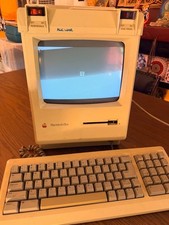
Vintage Apple Macintosh Plus Desktop Computer - M0001A
$155.00

185--Sonnet Crescendo G3 PPCG3-375-5-K-06 G3 Add-On Card for Vintage Mac
$99.00

LARGE LOT Vintage Apple Macintosh Mouse Cables Accessories SCSI etc - UNTESTED
$80.00
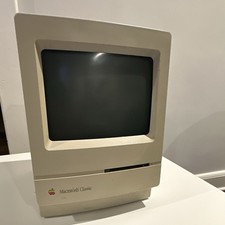
Apple Macintosh Classic M1420 Vintage All-in-One Desktop Computer
$95.00

Apple Macintosh DuoDock Duo Dock M7779 & Powerbook 230 Vintage Mac RARE Vintage
$249.00