

 Reply With Quote
Follow the instruction here will be good :-Originally Posted by kcah

http://en.wikipedia.org/wiki/Help:Mu...ian%29#Chinese
For chinese input, I use 'fcitx'.


I am new to knoppix, but this is the only thing the runs great on all the machines I have encounter so far.
If I could just enable the east asian language support (chinese in particular), it would be perfect.
if some one ask this before... I am sorry... i search the forums and found nothing...
(need to improve my searching skills >.<)
Follow the instruction here will be good :-
http://en.wikipedia.org/wiki/Help:Mu...ian%29#Chinese
For chinese input, I use 'fcitx'.
omegad omegad!!! it worked!!!! I am now officially a very happy linux user!!! ALL Hail Knoppix and kl522!!!!
hmm...
I also want traditional chinese input... *limitless greed* (part of human nature)
what do you recommand for that...
pingyin is fine... but i want traditional chinese fonts
You hava a choice of various software such as scim, ibus, fcitx ..... All these support pinyin and traditional chinese. I believe all of them have debian packages for it. Just bring up Synaptic to install it.
i try to install ibus and i won't install T.T... i installed scim.... but it won't lanch T.T.... i guess fcitx is next then...
What is T.T ? I have used all of these before:- scim, ibus, and fcitx. I am pretty sure that all work with traditional chinese. Currently I am using fcitx. If you cannot get it to work, likely it's the setup problem because knoppix is not exactly the same as debian or ubuntu - the debian packages may miss a few steps from setting things up completely. There will be environment variables need to be setup and some programs need to be running in /etc/xdg/autostart.
Are you just trying to type in Chinese ? Why don't you simply use:
setxkbmap -option '' 'us,cn' 'grp:alt_shift_toggle'
With this you will be able to switch between us and chinese using Alt+Shift
If this works for you, simply put this command in /home/knoppix/.xsessionrc and you are done. You don't need fancy programs just to use keyboard
Obviously with the chinese isn't that simple - sorry for my uniformed opinion
oh... (T.T) a is crying face... two line of tears going down ones face...
 Posting Permissions


Yealink T48S VoIP/SIP Phone, 2 x Gigabit Ports PoE 7" Color SIP-T48S | TESTED
$34.95

Grandstream VoIP Phone Adapter ATA 1-Line Black Ethernet (RJ-45) Micro USB
$27.07
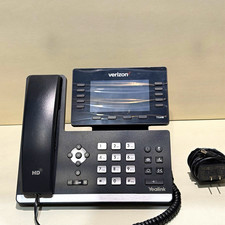
Yealink SIP-T54W Verizon VoIP IP Phone 16-Line PoE Speakerphone Black
$34.50

SIM Bank 32 SIM Card Slots Ethernet SIM Server for GoIP
$600.00

Grandstream WP810 Portable Cordless Wi-Fi IP Phone
$49.28

Cisco / Linksys SPA2102 VoIP 2FXS Phone Adapter with Router (unlocked)
$18.99

Cisco/Linksys SPA2102 VoIP Phone Adapter Router 2FXS (Unlocked)
$17.99
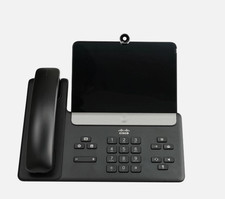
Cisco CP-8875-K9 Video Phone 8875 IP Desk Phone Bluetooth Wi-Fi - Brand NEW
$399.99
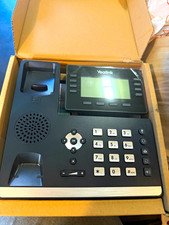
Yealink SIP-T53W IP Phone 12-Line PoE Bluetooth Wireless Black
$50.00

Poly CCX 400 Desktop Business Media Phone VoIP 2200-49700-019
$49.99