-
Setting the clock
I received the following as a Private Message, and it seems like a useful general question for the forum. It's posted here without attribution, as I don't have the sender's permission.
I think i accidentally set the clock incorrectly... now i don't know how to change it back >.<
It's easily done, with root permissions. First set the System Time (from the lxterm):You'll probably want to set the TimeZone as well as the time where you live. The sudo means that the system admin ("root") is authorizing this, rather than a less-privileged user ("knoppix"). Second, set the Hardware Clock to the System Clock time:
Code:
sudo hwclock -w
or
sudo hwclock --systohc
This will cause the system to keep the clock setting from the current session in future "boots."
Cheers!
Krishna 
Last edited by krishna.murphy; 07-25-2010 at 03:03 PM.
Reason: Clarity
-
Thanks
I will try this right away
-
hmm... it says... time-admin: command not found... hwclock works... tho... still trying to set to the correct time zone...
-
$ ln -sf /usr/share/zoneinfo/America/Los_Angeles /etc/localtime
this worked !!!! haha... didn't think of using a command line to fix it... thought there would be some kind of UI for that >.<
-
Senior Member
registered user
private messages don't reach me as I don't read them. 
 Posting Permissions
- You may not post new threads
- You may not post replies
- You may not post attachments
- You may not edit your posts
-
Forum Rules


Dell Precision T5820 Workstation 3.70GHz W-2135 No RAM/ GPU/ HDD/ OS
$179.98

Dell EMC PowerEdge R440 Xeon silver 4215 2.5GHz 16 GB ram 2x 550W PSU No HDD
$275.00

Dell Precision Tower 7810 Xeon E5-2630 v3 @ 2.40GHz , 32GB Ram, NO HDD, NO OS
$239.99

Intel Xeon Phi 5110P 60-Core 1.053GHz Coprocessor
$50.00

Intel Xeon E5-2699 V4 2.20GHz 55M 22-CORES LGA2011-3 Server Processor 145W SR2JS
$84.49

Dell Precision T7820 2x Xeon Silver 4114 2.20GHz 950W No RAM GPU HDD 4x SATA
$350.48

Lenovo ThinkStation P520c Intel Xeon W-2133 6-Core 3.60GHz -NO RAM/ HDD/ GPU/ OS
$127.54

Intel Xeon E5-2690 v4 SR2N2 14 Core 2.6GHz 35MB LGA2011-3 CPU *km
$15.99

DELL Precision T3420 | Xeon 1240v6 | 525GB SSD |16GB RAM |Nvidia GPU |Win11
$149.00
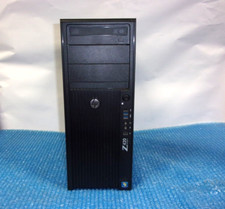
HP Z420 Tower Workstation Xeon E5-1620 3.60GHz, 4GB Ram, NO HDD, NO OS
$140.00



 Reply With Quote