

 Reply With Quote
Hi
I found the solutions to this on LinuxQuestions.org, use the link below.
http://www.linuxquestions.org/questi...e&pagenumber=2


I'm new to Linux and want to use KNOPPIX to experiment with it.
2002-12-12 installed beautifully on my old Pentium 200 MMX 64 MB,
but when I tried to install KNOPPIX on my new machine the
Microsoft Wireless Intellimouse Explorer didn't work properly.
The mouse pointer was constrained to the middle of the screen
and would move only up and down.
Your help would be valued and appreciated.
Hi
I found the solutions to this on LinuxQuestions.org, use the link below.
http://www.linuxquestions.org/questi...e&pagenumber=2
I followed the link for you, the solution is simple. Press CTRL+ALT+F2
type:
modprobe -r usbmouse
modprobe hid
Press CTRL+ALT+F5
That's it.
If you did a hd install, edit the /etc/modules.conf file and add the hid key word at the end of the appropriate line (every line containing something that looks like uhci-usb)
It worked for me!
i tried the suggestion of the ms intellimouse, but it didn't seem to work for the kensington wireless mouse. it is the optical mouse which works with pc / mac (looks like an imac product)
any suggestions?
[ i typed:
modprobe -r usbmouse
modprobe hid
]
 Posting Permissions


Commodore Amiga 2000HD Vintage Personal Computer A2000
$599.99

Framethrower, Amiga HDMI output via a PiStorm A500 A2000
$40.00

ZuluSCSI Compact RP2040 - an affordable SCSI-2 (and 1) emulator w/ USB-C
$45.00

DKB MegAChip for Amiga 2000/500 2MB Chip Ram expansion with 8375 Agnus Tested
$285.00

Commodore Amiga A1200 Vintage Computer Power Supply Mouse Bundle - Tested
$999.99
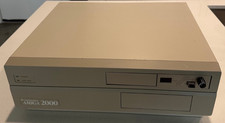
Commodore Amiga A2000 2000 Computer - Gotek Floppy - Noctua Fan (2622)
$665.00
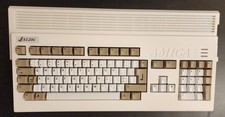
Amiga 1200 New Case And New Keyboard
$329.09

Amiga 1000 Computer Kickstart v1.3 Workbench Extras Test Kit Boot DD Floppy Disk
$19.99

Pi1541 Zero with Epyx Fastload Hat, Case & 16gb SD for Commodore 64 and 128
$84.99

Vintage Amiga Perfect Sound Digital Sound Sampler With Adapter Untested
$100.00