

 Reply With Quote
Thanks
I will try this right away


I received the following as a Private Message, and it seems like a useful general question for the forum. It's posted here without attribution, as I don't have the sender's permission.
It's easily done, with root permissions. First set the System Time (from the lxterm):I think i accidentally set the clock incorrectly... now i don't know how to change it back >.<You'll probably want to set the TimeZone as well as the time where you live. The sudo means that the system admin ("root") is authorizing this, rather than a less-privileged user ("knoppix"). Second, set the Hardware Clock to the System Clock time:Code:sudo time-adminThis will cause the system to keep the clock setting from the current session in future "boots."Code:sudo hwclock -w or sudo hwclock --systohc
Cheers!
Krishna
Last edited by krishna.murphy; 07-25-2010 at 03:03 PM. Reason: Clarity
Thanks
I will try this right away
hmm... it says... time-admin: command not found... hwclock works... tho... still trying to set to the correct time zone...
$ ln -sf /usr/share/zoneinfo/America/Los_Angeles /etc/localtime
this worked !!!! haha... didn't think of using a command line to fix it... thought there would be some kind of UI for that >.<
private messages don't reach me as I don't read them.
 Posting Permissions


Yealink T48S VoIP/SIP Phone, 2 x Gigabit Ports PoE 7" Color SIP-T48S | TESTED
$34.95

SIM Bank 32 SIM Card Slots Ethernet SIM Server for GoIP
$400.00

Poly CCX 400 Desktop Business Media Phone VoIP 2200-49700-019
$49.99

Grandstream VoIP Phone Adapter ATA 1-Line Black Ethernet (RJ-45) Micro USB
$27.07
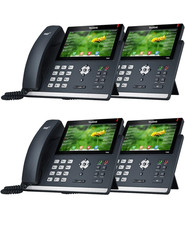
Yealink SIP-T48S Business Phone BRAND NEW 4 PACK
$1000.00

Yealink SIP-T33G IP Phone 4-LineSpeakerphone VoIP Desk Phone Black w/ Power Sply
$25.00

Grandstream HT701 1-Port FXS Analog Telephone Adapter ATA VoIP Gateway -Free S/H
$19.99

Grandstream WP810 Portable Cordless Wi-Fi IP Phone
$49.28

Lot Of 5 Poly Edge E550 82M91AA IP Desktop Phone PoE New In Box
$1500.00
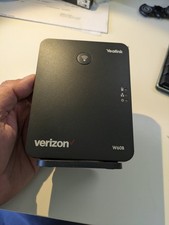
YEALINK W60B DECT VoIP BASE STATION VOIP SIP FOR UP TO 8 HANDSETS + OEM ADPTR
$50.00