-
Senior Member
registered user
Post #6 refered.
Seems that you are complicating it yourself. Knoppix booting is rather straight forward. The messages only come from mainly two locations.
1. 'init' inside 'minirt.gz'
2. after 'init', then all the rest of messages from /etc/init.d/knoppix-autoconfig.
If there are a lot of messages flying on the screen, most likely it's one or more commands in /etc/init.d/knoppix-autoconfig generated them.
Somewhere in the middle of /etc/init.d/knoppix-autoconfig, knoppix started syslog. It's easy to modify /etc/syslog-knoppix.conf to redirect output to somewhere you can see. For my case, it's configured to go to /tmp/syslog.
When I say ctrl-alt-F1, we ask you to do it after have booted into the comfort of LXDE environment. It never worked for knoppix 6.2, but 'chvt 1' thingie inside a lxde terminal does the same thing.
What else you want to see ?
-
Senior Member
registered user
@mecho
Thanks, mecho. That's very useful (regarding your post #8
I would like to make a current-session log-file out of
the grey-on-black 'diary'. That's only kilo-bytes,
la few screens at best.
I've modded .xsession-errors to current-session-only,
I still find that useful, except for the repetition,
and un-helpful-ness if 'XID collision'reports due to flash.
After all, I'm allotting 20 Mb to urlclassifier data-base.
What's a few more Kb, here or there?
I'm collecting a few ideas to make better use of the
Log File Viewer, and if this this grey-on-black stuff
has anything interestin in it, I'll add it to my list.
-
Senior Member
registered user
@kl522, referring to your post #11
I much appreciate your comments in regard to my question
regarding the puzzling but unstoppable text that greets us
on Knoppix 6.2.1 start-up.
You have also pointed out a number of valuable clues I am
interested in examining further, and will.
You deserve extra credit for this.
As to what else I'd like to see: I'd like to see a good
primer on Policy Kit errors, what causes them and how
to get rid of them. Preferably on another thread.
-
Senior Member
registered user
I will open another thread regarding the media used for KNoppix - please join me there
-
Senior Member
registered user
@utu
If you want to see the output that is made by startx on /dev/tty5 then you have to modify /etc/init.d/knoppix-startx. I use the tee program to copy that output into a file /var/log/knoppix-startx-dev-tty5.log:
Code:
su -l -c "export STARTUP=$STARTUP ; exec /usr/bin/startx -- vt5 -dpi "$DPI" -br -noreset -nolisten tcp" "$USER" </dev/tty5 2>&1 | /usr/bin/tee -a /var/log/knoppix-startx-dev-tty5.log >/dev/tty6 ; RC="$?"
I also redirect the output to /dev/tty6 so that I am able to read it on the virtual terminal 6.
-
Senior Member
registered user
I hope you all will be patient with me, for I am a slow learner.
You have helped me find the material I'm after. Now I need to
figure out how to apply it. I know how, in principle to proceed
to establish a file to read. I've seen a few ideas on how to
achieve a virtual terminal, but I've not mastered that yet.
I lost a few hours being disconnected, by the unfortunate choice
of Fn-F2 on my laptop keyboard. I was attempting to establish
what, if anything, happened with a whole lot of key combinations.
I Thought my wifi or router had died.
Many thanks to you all. My cup runneth over.
klaus2008, I'm very interested to try what you suggest.
I will now re-apply myself to the virtual terminal problem;
once I get over that hump, I'll get back to you.
-
Senior Member
registered user
Progress:
In an lxterminal either as knoppix or root,
ctl-alt-F2 gets a virtual terminal (I don't know which one).
alt-F12 then takes you to virtual terminal #12 (vt #12).
vt #12 displays the last 46 lines of the grey-on-black diary.
From vt #12, alt-F5 then takes you back to your X-session.
Note: The previous is true in my Knoppix 6.2.1, with my
Inspiron 1545 keyboard, but not in Ubuntu 10.04 on another
computer.
Musings:
I am guessing that the diary which may have existed on prior
screens probably went to /dev/null, and isn't retrievable.
I don't know how to pre-arrange for an lxterm to be active
to see this stuff from the get-go.
I suspect a well-placed tee command might capture this
lost material in a logfile for later viewing.
-
Senior Member
registered user
@klaus2008, specifically in regard to your post #15.
I think I'm ready to try your idea.
Am I permanently modifying any files with your long command,
or will the change only persist for the immediate session?
If any files are permanently changed, which are they?
Also, I might add to my previous observations,
1. The first virtual terminal seems like it should be vt #5.
2. It is possible to enter 'ctl-alt-F2' during the start-up
sequence without firing up any lxterm. In one instance,
this allowed viewing earlier progress of start-up, but it also
stalled some of Network Manager magic. This magic resumed
successfully as soon as I returned to Xsession.
-
Senior Member
registered user
@klauss2008
Also,
Isn't the vt #6 portion unnecessary, if we just view the file saved by vt #5,
say sometime later via an xterm?
-
Senior Member
registered user
@utu:
As long as you use a persistent image or an HD istall all modifications will be permanent. I think you should make a backup copy of the files you want to modify. /etc/init.d/knoppix-startx is the only file I would change. In this file you can search for the command line which calls startx and alter the command. You have to restart your Xserver after this customisation. Usually you can restart the Xserver from inside the graphical environment by hitting the key combo Ctrl-Alt-Backspace. It is also possible to change the system's runlevel from a virtual terminal:
The first command changes the runlevel to a runlevel without the Xserver. The second command starts runlevel 5 which includes the Xserver. You should close all your applications inside the grahical environment (like Iceweasel or LXTerminals) before you kill the Xserver. The log file will be created and you will able to read it.
If you like to keep your log file during reboots then it must be created in a directory that is permanent. I would use the home diretory /home/knoppix for this purpose.
You don't need vt #6 for logging purposes, but on my system switching over to a virtual terminal is faster than opening an xterm and starting an application to read the log file.
 Posting Permissions
- You may not post new threads
- You may not post replies
- You may not post attachments
- You may not edit your posts
-
Forum Rules


Kingston 32GB 64GB 128GB 256GB USB 3.0 Flash Drive Thumb Memory Stick Pen lot
$285.90

SMART(Micron)SafeStor 32GB(1X32GB) 1RX4 NN4-3200AA(DDR4) HPE Server Memory
$159.98

SK Hynix 32GB 2RX4 PC4-2666V DDR4 RDIMM Server Memory RAM, HMA84GR7AFR4N-VK
$169.95

TF/SD Card Adapter Camera Reader Android Type-c For iPhone17 Pro Max Plusm lot
$573.98
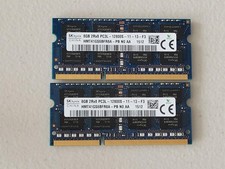
16GB Total of SK hynix PC3L-12800S 2 sticks of 8GB each = 16GB Laptop Memory
$27.95

Server Memory: Samsung 32GB 4DRx4 PC4-2133P ECC LRDIMM DDR4 M386A4G40DM0-CPB
$124.95
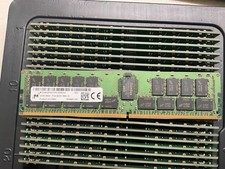
MTA36ASF4G72PZ-2G9E2 MICRON 32GB (1X32GB) 2RX4 PC4-2933Y MEMORY
$229.00
96GB DDR5 48GBx2 SO-DIMM 262-Pin Laptop RAM PC5-5600B 2Rx8
$1199.00

Micro SD Adapter To SD HC SDHC Memory Card Adapter Reader NEW
$1.39

Microsoft Windows 11 Home 64-Bit USB Flash Drive + Key Retail Box - Original
$39.98



 Reply With Quote