-
Senior Member
registered user
@utu:
As long as you use a persistent image or an HD istall all modifications will be permanent. I think you should make a backup copy of the files you want to modify. /etc/init.d/knoppix-startx is the only file I would change. In this file you can search for the command line which calls startx and alter the command. You have to restart your Xserver after this customisation. Usually you can restart the Xserver from inside the graphical environment by hitting the key combo Ctrl-Alt-Backspace. It is also possible to change the system's runlevel from a virtual terminal:
The first command changes the runlevel to a runlevel without the Xserver. The second command starts runlevel 5 which includes the Xserver. You should close all your applications inside the grahical environment (like Iceweasel or LXTerminals) before you kill the Xserver. The log file will be created and you will able to read it.
If you like to keep your log file during reboots then it must be created in a directory that is permanent. I would use the home diretory /home/knoppix for this purpose.
You don't need vt #6 for logging purposes, but on my system switching over to a virtual terminal is faster than opening an xterm and starting an application to read the log file.
-
Senior Member
registered user
@klaus2008
If I understand correctly, the /etc/init.d/knoppix-startx file
has a single long line to which you merely add material via a tee command.
I dont look for every instance of 'startx', do I?
And that I should save a copy of the init.d file before so editing.
Have I got that right?
Last edited by utu; 07-31-2010 at 12:13 AM.
 Posting Permissions
- You may not post new threads
- You may not post replies
- You may not post attachments
- You may not edit your posts
-
Forum Rules


Dell 6P85J 4TB ST4000NM0063 7.2k 6Gb/s 3.5” SAS SED Hard Drive with Tray
$39.99

Western Digital HUS726T4TAL5204 4TB 7.2K SAS 12Gb/s 3.5" 512e HDD NetApp X375A
$64.00

Tested WD Ultrastar DC HC520 12TB 7.2K RPM SATA 6Gb/s 3.5" HDD HUH721212ALN600
$239.99

HGST Ultrastar HUS726040AL5210 4TB 7200RPM SAS 12Gb/s Enterprise HDD
$41.00

Dell ST6000NM0034 1HT27Z-150 NWCCG 6TB SAS 3.5 7.2K ENTERPRISE SERVER DRIVE
$68.99

Seagate Barracuda ST1000DM003 1 TB SATA III 3.5 in Desktop Hard Drive
$23.99

Seagate ST3000NM0005 HDD 3TB SATA 6Gb/s 7.2K 3.5" 512 b/s
$59.00

Toshiba 14TB MG07 MG07ACA14TEY 7.2K RPM SATA 6Gb/s 512e 3.5" Enterprise HDD
$339.00

Seagate ST8000NM0075 Enterprise Capacity 3.5 HDD 8TB SAS Hard Drive 8TB EXOS
$184.99
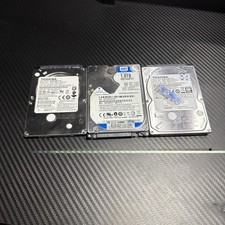
Lot of 3 1TB Samsung WD Toshiba SATA 2.5" HDD Hard Drives - Wiped and Tested
$79.99



 Reply With Quote