
what i am really interested in is changing it from 16 bits to 32 bits... i think...
is that possible?


what i am really interested in is changing it from 16 bits to 32 bits... i think...
is that possible?
Did you try the cheatcode depth=24 ? You can look into /var/log/Xorg.0.log and search for bpp or depth. I can see the following sections in that log file if I use that cheatcode.
(II) Loading sub module "vgahw"
(II) LoadModule: "vgahw"
(II) Loading /usr/lib/xorg/modules/libvgahw.so
(II) Module vgahw: vendor="X.Org Foundation"
compiled for 1.7.4, module version = 0.1.0
ABI class: X.Org Video Driver, version 6.0
(**) SAVAGE(0): Depth 24, (--) framebuffer bpp 32
(==) SAVAGE(0): RGB weight 888
(==) SAVAGE(0): Default visual is TrueColor
(II) SAVAGE(0): vgaHWGetIOBase: hwp->IOBase is 0x03d0, hwp->PIOOffset is 0x0000
(==) SAVAGE(0): Using XAA acceleration architecture
(==) SAVAGE(0): Using HW cursor
(==) SAVAGE(0): Using video BIOS to set modesThe background picture looks better if I apply that color depth.(II) Loading sub module "ramdac"
(II) LoadModule: "ramdac"
(II) Module "ramdac" already built-in
(--) Depth 24 pixmap format is 32 bpp
(II) Loading sub module "int10"
(II) LoadModule: "int10"
(II) Reloading /usr/lib/xorg/modules/libint10.so
(II) SAVAGE(0): initializing int10
(II) SAVAGE(0): Primary V_BIOS segment is: 0xc000
(II) SAVAGE(0): VESA BIOS detected
(II) SAVAGE(0): VESA VBE Version 2.0
(II) SAVAGE(0): VESA VBE Total Mem: 31680 kB
(II) SAVAGE(0): VESA VBE OEM: S3 Incorporated. Twister BIOS
(II) SAVAGE(0): VESA VBE OEM Software Rev: 1.0
(II) SAVAGE(0): VESA VBE OEM Vendor: S3 Incorporated.
(II) SAVAGE(0): VESA VBE OEM Product: VBE 2.0
(II) SAVAGE(0): VESA VBE OEM Product Rev: Rev 1.1
(II) SAVAGE(0): 17556 kB of Videoram needed for 3D; 32768 kB of Videoram available
(II) SAVAGE(0): Sufficient Videoram available for 3D
(II) SAVAGE(0): [drm] bpp: 32 depth: 24
If fbdev driver is in use 16 bpp is all you get. Check it in /var/log/Xorg.0.log as klaus2008 suggested. If you see there LoadModule "fbdev" then you can restart Knoppix and use knoppix xmodule=vesa it will give you 32 bpp color depth. Even better is to load the driver for you graphics card, so you will have hardware acceleration
I am actually now running Knoppix from VM with a windows host...
Virtualbox says I can't use full screen unless the display setting is set to 32 bit on the guest OS?
I can't find fbdev on xorg.0.log.... so i guess i can't change it...
oh well... knoppix still runs all the machines i need to to run on... (except for the VM) so i am still a happy camper
found it!
but i can't save the changes... how do i make changes to xorg.0.log?
 Posting Permissions


GIGABYTE A520M DS3H AC AMD AM4 Motherboard mATX
$59.99

GIGABYTE H610M S2H V2 Motherboard, Supports 14th/13th/12th Gen Intel Core i5 i7
$69.59
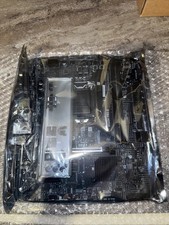
MSI B560M Pro-E LGA 1200 Intel B560 M-ATX Intel Motherboard Intel 10th 11th gen
$69.99
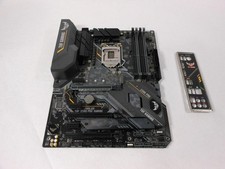
ASUS TUF Z390-PRO GAMING LGA1151 DDR4 ATX Motherboard With IO Inlucded
$100.00
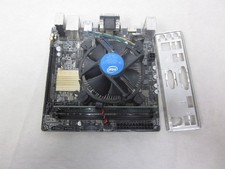
ASUS H110I-PLUS Motherboard LGA1151 w/ I5-7400 CPU, 8GB, Heatsink & I/O Shield
$60.00

GIGABYTE B365 HD3 LGA1151 Intel 9th Gen motherboard
$59.99

ASRock B550M Phantom Gaming 4 AM4 AMD B550 SATA 6Gb/s Micro ATX AMD Motherboard
$81.99
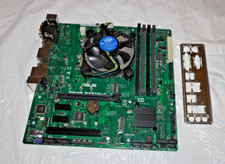
ASUS Motherboard PRIME B250M-C Intel G4560+ LGA 1151 DDR4 mATX + Fan +I/O Shield
$49.95
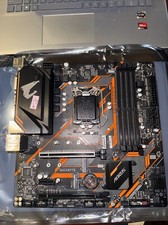
Gigabyte B365M AORUS ELITE Motherboard Intel B365 Micro ATX LGA 1151 DDR4 DIMM
$84.99

ASUS PRIME H410M-K LGA 1200 Intel 10th Gen H410 DDR4 USB3.2 Motherboard M-ATX
$59.99

 Reply With Quote