

 Reply With Quote
Because I am not sure about the name by which your mouse is listed can you post the output of :
cat /proc/bus/input/devices


You can try and see if some xinput commands may work. Check if
xinput list-props "Microsoft® Nano Transceiver v1.0"
shows up your device and its available options. If it does you might be in luck
Because I am not sure about the name by which your mouse is listed can you post the output of :
cat /proc/bus/input/devices
@mecho
You have already solved my immediate problem with the unplugging.
M$-Nano is behaving now. I don't need to change any settings right now.
It looks like we have to guess at some combination to get the
interface specified. That's too much work.
I though by posting dmesg that perhaps a fellow MS-Nano owner may
happen along and give us the magic combination.
You should stop work on this.
Once again you've bailed me out. Thanks.
Will post what you requested subsequently.
Ciao, as they say in Roma.
@mecho
I tried to cut and paste your copyright, but it didn't work
knoppix@Microknoppix:~$ xinput list-props "Microsoft(R) Nano Transceiver v1.0"
unable to find device Microsoft(R) Nano Transceiver v1.0
device.txt too long to post, am attempting to create an enclosure.
Now stop working on this.
Yes, I was right the name is listed as Microsoft Microsoft® Nano Transceiver v1.0 by the kernel - there is one more thing I will ask you to send me-it is the output of:
xinput list-props "Microsoft Microsoft® Nano Transceiver v1.0"
It has 2 times Microsoft Microsoft not 1 as I was guessing
And - I can see that you are OK with it. I will not bother anymore
Last edited by mecho; 08-05-2010 at 12:22 AM.
How do I enter the 'Registered trademark' symbol?
I cut and pasted your text and it came out just (R).
The trademark symbol is probably important.
You are never a bother.
Try to change the font you use in lxterminal
And you don't have to list the device by its name - it can be listed by it's ID. You do it like this
xinput list
It will output all devices with their ID number. The output of cat /proc/bus/input/devices shows me that your mouse is id=10, but you just make sure, then:
xinput list-props 10
don't type id= just the number, and it should list all evdev options for the device.Post that output here
@mecho
I don't think you want id=10, that's webcam; see xinputlist.txt.
Id's 11, 12 and 13 may be what you want; see props11thru13.txt
From what I see, you have 2 identical devices id=12 and 13. One of them has more complete evdev prop-list. I assume the second one was created after you unpluged the wireless adapter and is the one in use. I was thinking to create a script with xinput commands to restore the good working values, but it can not work if the prop is not there. Another way is to tell the kernel to rescan all usb devices after you log in in X, but I am not sure how to do that. I give up
 Posting Permissions


(New) AMD Ryzen 7 5700X 8 Core 16 Thread AM4 Unlocked 3.4 GHz CPU OEM Tray
$174.99

Clear Touch Interactive Module CTI PCMOD PC55 ST i5 6core,8GB DDR4,256GB SSD NEW
$225.00

AMD Ryzen 7 PRO 8700GE 8-Core/16-Thread Up to 5.1GHz AM5 (FL1)
$175.00
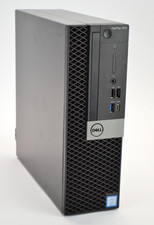
Dell Optiplex 7070 SFF i7-9700 8-Core 3.0GHz 16B Ram NO HDD NO OS
$199.99
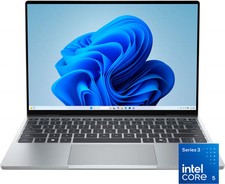
Dell - XPS 13.4" 3K Touchscreen Laptop - Intel Core 5 Series 3 320 2026 - 8GB...
$599.99

AMD Ryzen 7 9850X3D 8-Core 16-Thread 5.6GHz 120W AM5 CPU 100-100001973WOF
$435.99

AMD Ryzen Threadripper PRO 3945WX 12-Core 4.0GHz sWRX8 CPU NEW Tray Unlocked
$69.99
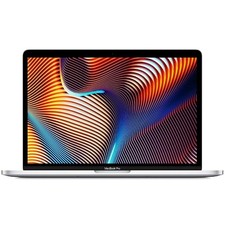
Apple 2017 MacBook Pro A1708 13.3" Core i5 2.30GHz 8GB RAM 512GB SSD Silver
$149.99
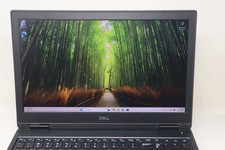
Dell Precision 7530 Laptop Intel Core i7 8th Gen 32GB RAM 512GB NVMe Win 11 Pro
$249.99
Dell OptiPlex 3080 MT Intel Core i5-10500 3.10 GHz 8 GB DDR4 Desktop No HDD
$129.99