

 Reply With Quote
This is a modern-day version of the type of
program that used to be made minimal by being
command-line only.
http://www.sysresccd.org/Main_Page


@Marietto
I wish you good luck in your endeavor.
I do not have as much experience and skill as some of
your other respondees. What I have to offer is a counsel
of caution.
My experience with removing things from a robust working
system, such as Knoppix, is such as to make me wary of
removing certain functions I deem to be superfluous
to my needs and taste.
Very often in removing supposedly superfluous programs,
I end up with an unworkable system. Not only unworkable,
but I don't know what to 'put back'. This is usually the
result of the removal of a program previousy shared by
the program removed and the remaining system. This is
a self-inflicted case of 'dependency hell'.
If you keep good records and images you can survive this
difficulty, but I am not so well organized as all that.
I had in mind you might be better off a with non-graphic
single-user linux system. There used to be a number of
these, but now I can't readily find any. Live CD's for
the purpose of disaster recovery or forensics or security
purposes used to be very common.
It looks like this genre may have been superseded now
by lightweight graphic systems, such as lxde, xfce and
others. Perhaps the baggage in these systems is much
lighter now than previously, with not so much overhead
above the command-line essentials.
Avenues apart from downsizing Knoppix, might include
building up from scratch, ala linux-from-scratch,
and/or using neat bare-bones linux-building blocks
like busybox.
I'm sure you'll get to Rome, one way or another or both.
This is a modern-day version of the type of
program that used to be made minimal by being
command-line only.
http://www.sysresccd.org/Main_Page
@Marietto
You might want to try the Finnix distro from http://www.finnix.org/
It is only 120 MB and is targeted at sys admins. It is Debian unstable based and uses some of Knoppix hardware auto detection scripts. It should be very good at auto configuring same as Knoppix - gives us a feedback if you try it
Thanks boys,but I've already found a solution : I've created an ISO image of about 300 MB,that's good. I changed the boot options,so that it boots in run level 2,toram and with the italian language. Thanks for your cooperation,it is rarely to find people available to help like you.
It's not important,but could be a good idea to start my script after having typed the user's password. I tried to put the configurations files (.bash_profile and .dosemu in /etc/skel and in /home/knoppix,but when the computer starts the /home/knoppix folder is empty and the script can't start.
 Posting Permissions


Dell ST6000NM0034 1HT27Z-150 NWCCG 6TB SAS 3.5 7.2K ENTERPRISE SERVER DRIVE
$68.99

Western Digital HUS726T4TAL5204 4TB 7.2K SAS 12Gb/s 3.5" 512e HDD NetApp X375A
$64.00

Seagate ST8000NM0075 Enterprise Capacity 3.5 HDD 8TB SAS Hard Drive 8TB EXOS
$184.99

Western Digital Blue (7200RPM, 3.5", SATA III, 64MB Cache) 1TB HDD
$19.90
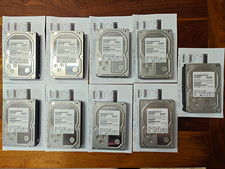
Hitachi Ultrastar 3TB 7200RPM 3.5in SATA III 6Gb/s - enterprise-grade hard drive
$49.00

HGST HUS724040ALA640 4TB 7200 RPM SATA 3.5" Internal Desktop Drive 100% Health
$78.00

Toshiba 14TB MG07 MG07ACA14TEY 7.2K RPM SATA 6Gb/s 512e 3.5" Enterprise HDD
$343.98
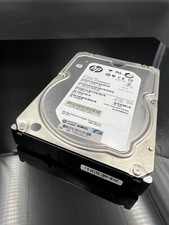
ST2000NM0023 SEAGATE 2TB 7200 RPM 6G DP SAS MDL 3.5“ HARD DRIVE
$14.90

DELL 2TB Enterprise HDD (7200RPM, 3.5", SATA III, 128MB Cache) HUS722T2TALA600
$49.95

Western Digital 1TB 3.5" SATA III 7200RPM Desktop Hard Drive
$34.99