

 Reply With Quote
Did you try the commandat the boot prompt? If this solves the issue then you can edit the file syslinux.cfg and change the lang cheatcode permanently.Code:knoppix lang=uk


I have just installed Knoppix to a usb drive and I find the K/Board is set to us..I have tried editing /etc/X11/xorg.conf to set the Keyboard to Uk but the system does not save the settings..What do I do to make the settings permanent ?
Did you try the commandat the boot prompt? If this solves the issue then you can edit the file syslinux.cfg and change the lang cheatcode permanently.Code:knoppix lang=uk
Thanks for the reply... Tried this but no joy....Whatever I do I cannot get the uk keyboard...Originally Posted by klaus2008

Thanks for the reply..Tried this but no joy..Also did a dpkg-reconfigure for the console setting it to lang =uk but that did not work either ..
 Posting Permissions


RAM-HOL-SAM52CPU RAM USB-C Powered Dock Samsung Tab Active4 Pro & Tab Active Pro
$81.99
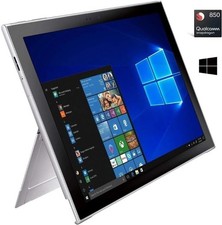
Samsung Galaxy Book2 12inch Silver FHD+ TOUCH Snapdragon 850 2.96 GHz 4GB 128GB
$160.00

Samsung 32GB DDR4-2666 PC4-21300 288-Pin DIMM RAM M393A4K40CB1CRC0Q
$185.00

Samsung 2.5" 870 EVO SSD SATA III 250GB 500GB 1TB Internet Solid State Drive Lot
$90.00

RAM-HOL-SAM60CPU RAM USB-C Powered Dock for Samsung Tab Active5 - 3 - 2
$81.99

RAM-GDS-SKIN-SAM54-NG-1 RAM Mounts IntelliSkin® Next Gen for Samsung Tab Active4
$93.99

Samsung Galaxy Tab SCH-1800 7" 4GB Wi-Fi + Verizon Tablet Working
$30.00

RAM-GDS-DOCK-SAM88CPU RAM GDS® Tough-Dock™ for Samsung Tab A9+
$174.99
$150.00

New Samsung 512GB FIT Plus USB 3.2 Gen 1 Type-A Flash Drive MUF-512AB/AM NEW
$120.00