

 Reply With Quote
Did you try the commandat the boot prompt? If this solves the issue then you can edit the file syslinux.cfg and change the lang cheatcode permanently.Code:knoppix lang=uk


I have just installed Knoppix to a usb drive and I find the K/Board is set to us..I have tried editing /etc/X11/xorg.conf to set the Keyboard to Uk but the system does not save the settings..What do I do to make the settings permanent ?
Did you try the commandat the boot prompt? If this solves the issue then you can edit the file syslinux.cfg and change the lang cheatcode permanently.Code:knoppix lang=uk
Thanks for the reply... Tried this but no joy....Whatever I do I cannot get the uk keyboard...Originally Posted by klaus2008

Thanks for the reply..Tried this but no joy..Also did a dpkg-reconfigure for the console setting it to lang =uk but that did not work either ..
 Posting Permissions


NETGEAR GS308EP Essential Series 8-Port Gigabit PoE+ Unmanaged Switch
$39.99

NETGEAR 5-Port Gigabit Ethernet Unmanaged Switch (Gs305) - Desktop Quiet Fanless
$25.99

D-Link DGS-1210-28P 28-Port PoE Gigabit Web Smart Switch With Cord
$49.99

10-Port Gigabit PoE Network Switch with 8 PoE+ Ports with 2 Combo SFP Slots 125W
$39.99

TP-Link TL-SG105 5-Port Gigabit Ethernet Unmanaged Metal Desktop Network Switch
$19.99

TP-Link TL-SG105, 5 Port Gigabit Unmanaged Ethernet Switch, Network Hub, Ethern
$15.25
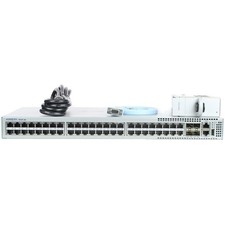
Arista DCS-7010T-48-R 48P 1GbE 4P 10GbE SFP+ RA Switch with rack mounts
$69.00

Cisco Catalyst 2960-48TT-L 48-Port Fast Ethernet Managed Rackmount Switch
$46.99

TP-Link TL-SG1048 48-Port Gigabit Rackmount Switch New Factory Sealed
$199.99
~NIB~Latest Model Netgear ProSafe GS752TP V3 POE Ethernet Switch GS752TP-300NAS
$499.95